

How to Create Product Variations using Bulk Variations Manager
Learn how using Bulk Variations Manager for WooCommerce, you can create product variations from attributes and bulk update prices using differential pricing.
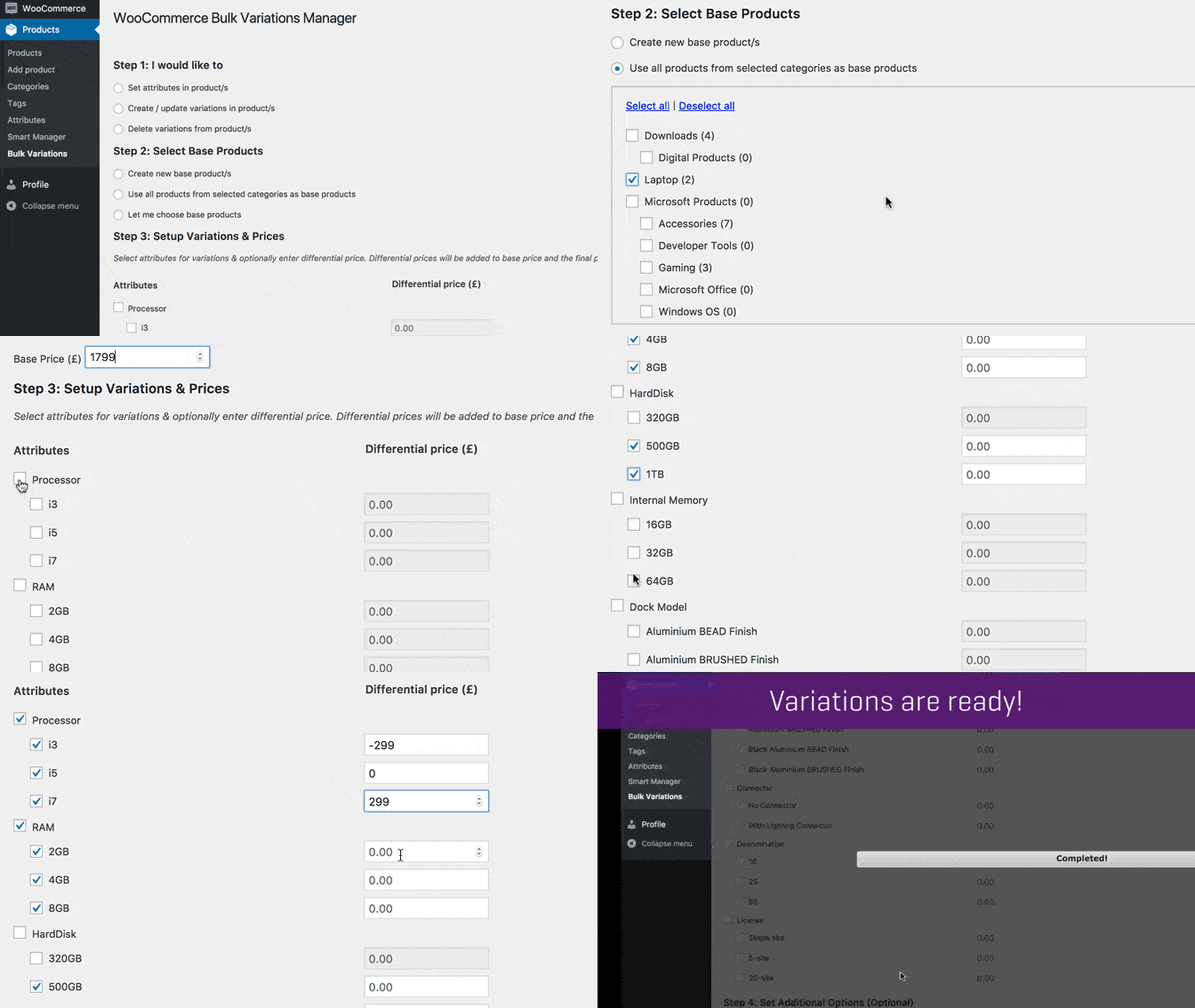
Step 1 - Select the ‘Create / update variations in product/s’ option.
Step 2 - Select ‘Use all products from selected categories as base products’ from the available options. And then set a base price.
Step 3 - Choose attributes & its values from the provided checkbox. Add differential price (optional) to set-up variations.
Click Apply.
Your variations are ready.