
How to create a Rental product
Smart Rental & Booking for WooCommerce is a WooCommerce extension that lets you turn your online store into a full-featured rental and booking system in minutes.
Follow the steps to create a Smart Rental product:
- Go to Products > Add New.
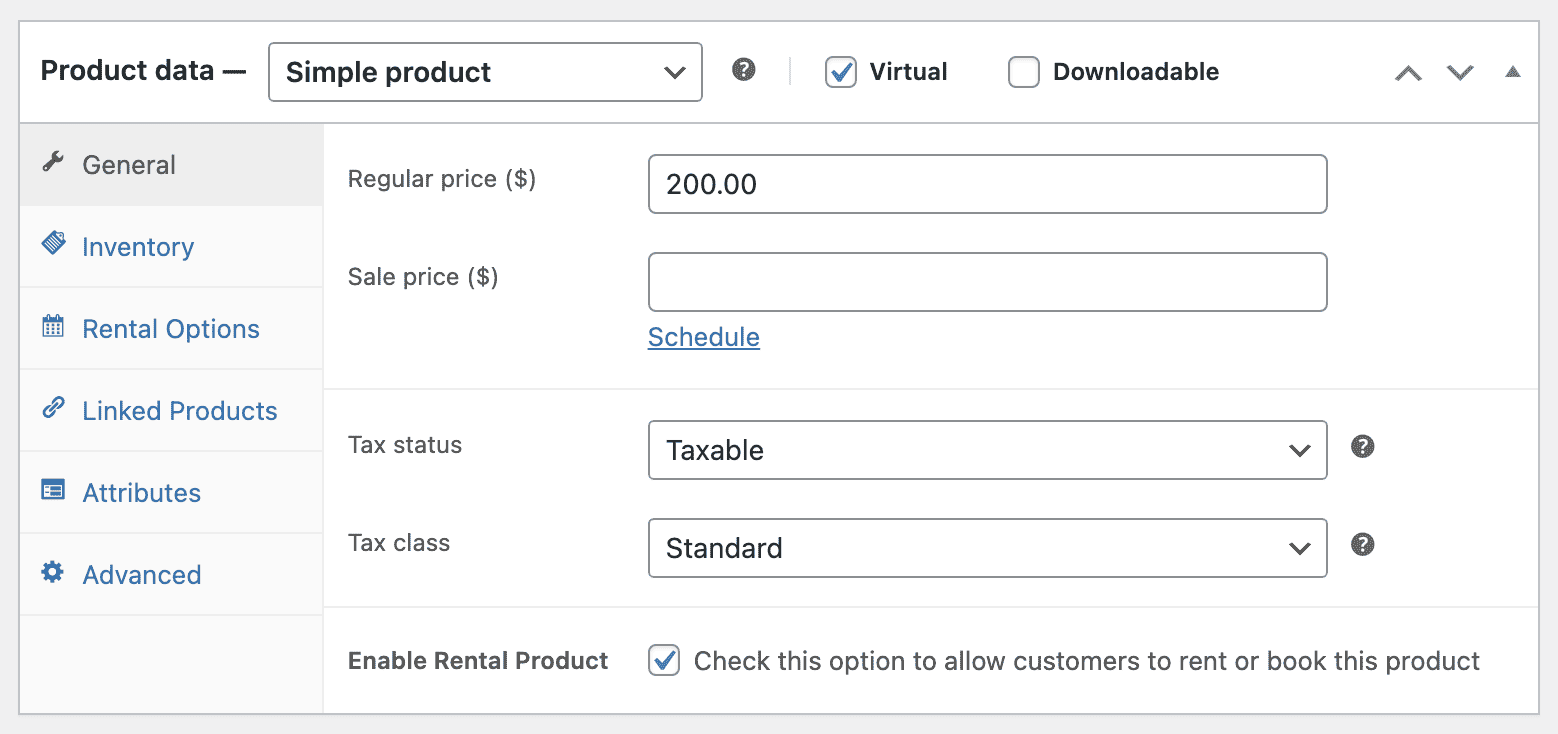
- Select any product type.
- Enable Rental Product checkbox
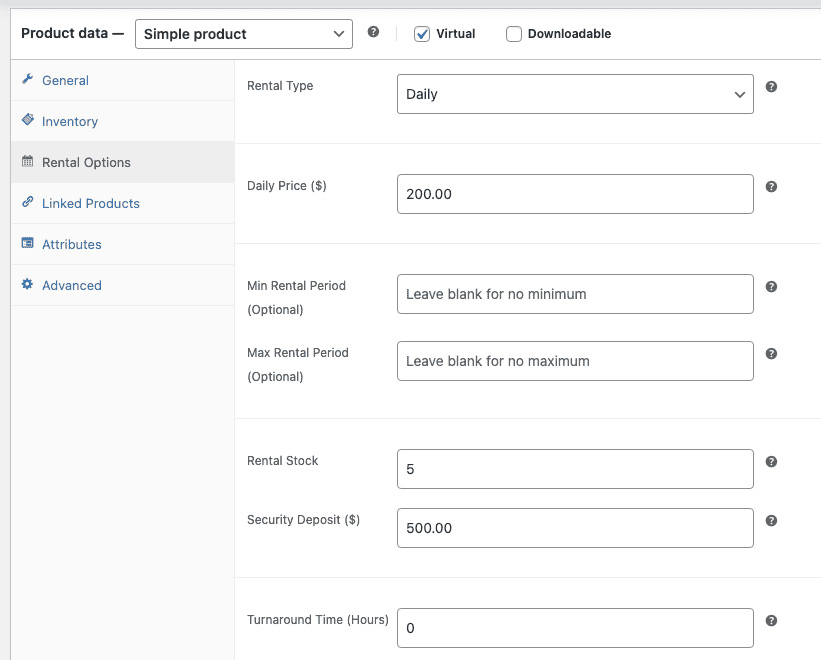
- Next navigate to the Rental Options tab
- Fill in rental details: pricing (daily/hourly), minimum/maximum rental period, available dates, and deposit.
- Set custom availability and pricing rules if needed.
Save and publish.