


If you’re planning to launch an affiliate program, choosing the right Wordpress Affiliate plugin can save you hours of work later. The challenge is that every plugin promises similar features, making it difficult to know which one actually fits your business.
Some plugins are built for WooCommerce stores, while others work better for membership sites or digital products. They also differ in how they handle commissions, payouts, reporting, and integrations.
To make this comparison useful, I evaluated five popular affiliate plugins using the same criteria, including ease of setup, commission flexibility, WooCommerce compatibility, payout options, reporting, pricing, and overall value.
I also considered real user feedback, support quality, and common issues that store owners mention after using these plugins. Throughout this guide, I’ll point out not only where each plugin performs well, but also where it may fall short.
How to choose the best WordPress affiliate plugin
To keep the comparison fair, I evaluated every plugin using the same criteria:
- Ease of setup: How quickly can you launch an affiliate program without technical expertise?
- Commission options: Does it support flexible commission rules, including flat-rate, percentage, recurring, lifetime, and product-specific commissions?
- WooCommerce compatibility: How well does it integrate with WooCommerce and its extensions?
- Payouts: Does it support manual and automated payouts through popular payment methods?
- Reporting: Does it provide useful insights into affiliate performance, conversions, and revenue?
- Pricing: Which features are included in the base plan, and which require paid upgrades?
- Support: Is the plugin actively maintained with reliable documentation and customer support?
One thing became clear while comparing these plugins: the lowest price doesn’t always offer the best value. Some plugins include advanced features from the start, while others require paid add-ons or higher-tier plans. I’ll point out those differences throughout the reviews so you know exactly what you’re paying for.
What are the best WordPress affiliate plugins? (Quick comparison)
You’re right. The table feels inconsistent because some cells use “Native integration”, some “Works with…”, pricing formats differ, plan names are inconsistent, and some descriptions are much longer than others. A comparison table is much easier to scan when every row follows the same pattern.
Here’s a cleaner and more consistent version:
| Feature | Affiliate for WooCommerce (StoreApps) | AffiliateWP | Easy Affiliate | SliceWP | Affiliates Manager |
|---|---|---|---|---|---|
| Free version | No | No | No | Yes | Yes |
| Starting price | From $149/year | From $149.50/year | From $99.50/year | From $169/year | From $39/year |
| WooCommerce integration | Native integration | Yes | Yes | Yes | Yes |
| Multi-tier commissions | Yes | Yes | Yes | Yes | No |
| Recurring commissions | Yes | Yes | No | Pro | No |
| Bulk payouts | PayPal, Stripe & more | PayPal & Stripe | PayPal | PayPal | PayPal |
| Best for | WooCommerce stores with advanced commission needs | Businesses using multiple WordPress plugins | Membership and digital product sites | Beginners and budget-conscious businesses | Small businesses looking for a free option |
Best WordPress affiliate plugins reviewed
The comparison table gives you a quick overview, but it doesn’t tell the full story. Below, you’ll find a closer look at each plugin, including where it performs well, its limitations, and the type of business it’s best suited for.
Affiliate for WooCommerce by StoreApps
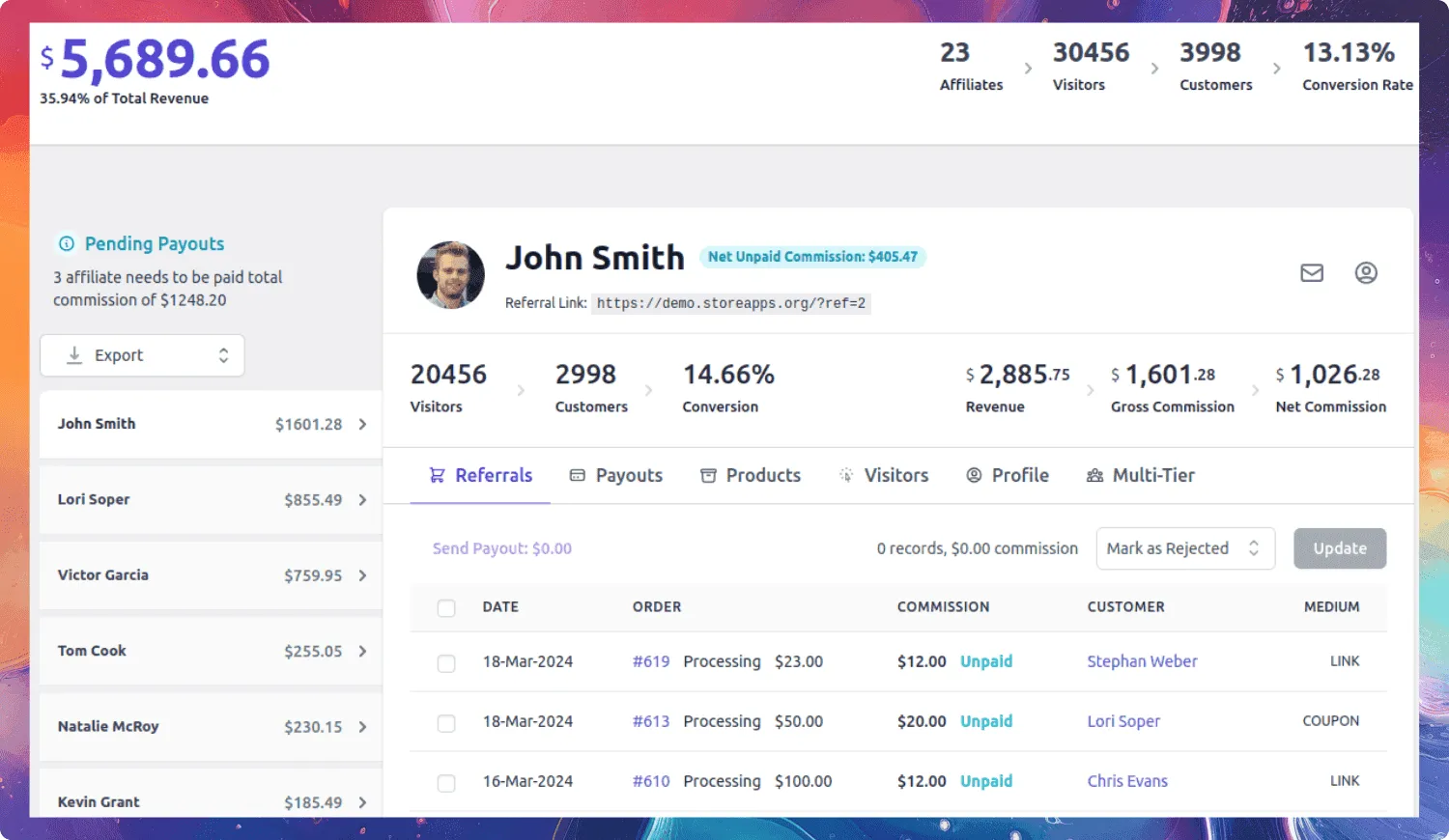
Best for: WooCommerce store owners who want an affiliate plugin built specifically for WooCommerce.
If you run a WooCommerce store, Affiliate for WooCommerce fits naturally into your existing workflow. Instead of managing affiliates through a separate dashboard, you can handle commissions, payouts, campaigns, and performance directly within WooCommerce.
Where the plugin really stands out is its commission flexibility. You can create rules based on products, categories, order value, affiliate tiers, user roles, subscriptions, and lifetime referrals.
For example, if you sell products with different profit margins, you can reward affiliates differently instead of using a single commission rate across your entire store.
It also includes built-in campaign management, making it easy to share banners, landing pages, QR codes, and other promotional assets with affiliates Payouts. It can be processed manually or through PayPal and Stripe, with additional options like store credit, coupons, and bank transfers.
The plugin integrates with WooCommerce extensions such as WooCommerce Subscriptions for recurring commissions and Smart Coupons for store credit rewards, making it a strong choice for growing WooCommerce businesses.
Why choose it? If your business runs on WooCommerce and you need flexible commission rules, recurring commissions, multiple payout options, and campaign management without paying for a hosted platform, Affiliate for WooCommerce is one of the strongest options available.
AffiliateWP
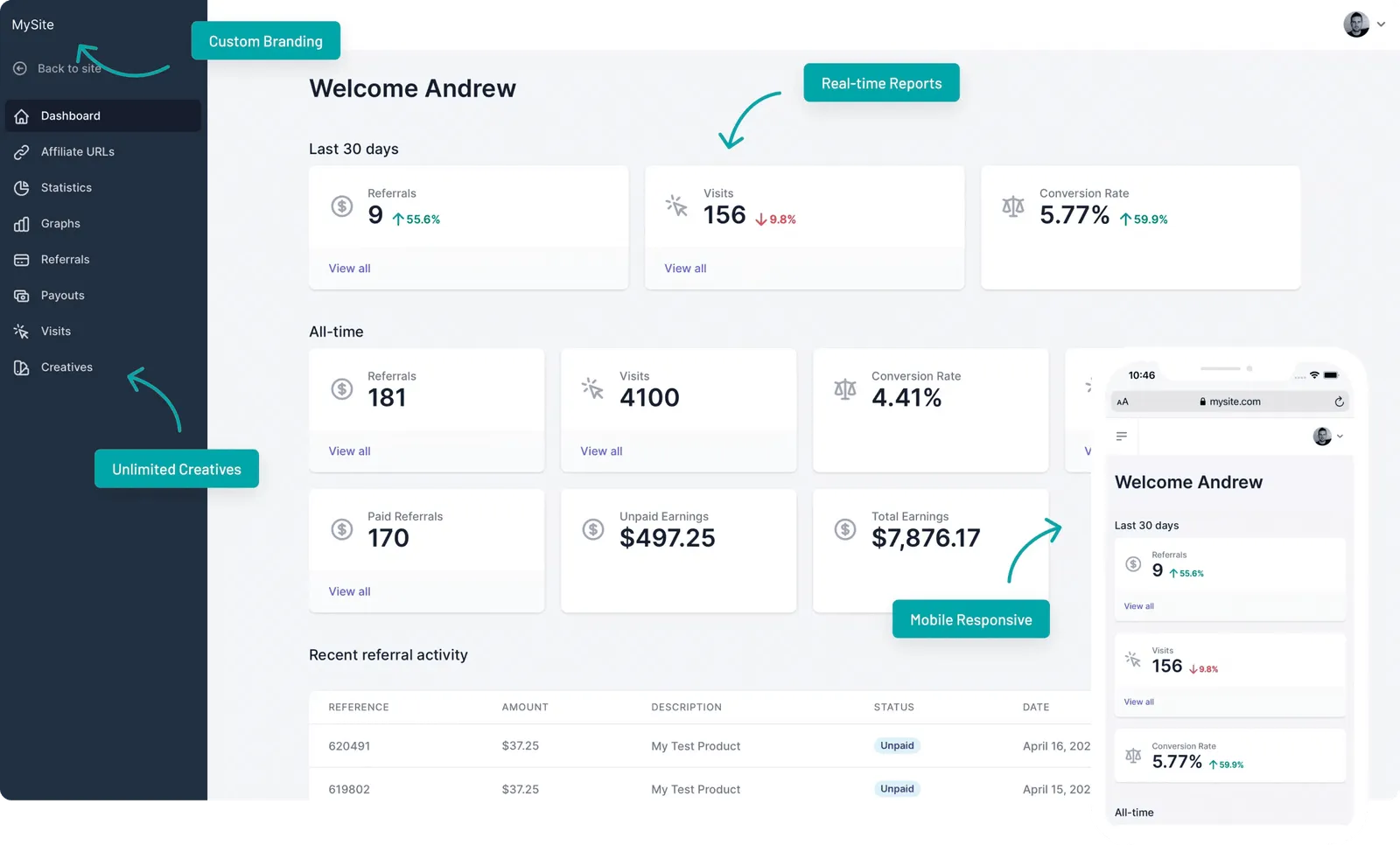
Best for: Businesses that use multiple WordPress plugins, such as WooCommerce, MemberPress, LearnDash, or Easy Digital Downloads.
AffiliateWP is one of the most established affiliate plugins for WordPress, and its biggest strength is the number of integrations it supports. If your business sells products through WooCommerce, offers online courses with LearnDash, and runs memberships with MemberPress, you can manage all of those affiliate programs from a single plugin.
Its affiliate dashboard lets partners generate referral links, track commissions, and monitor their performance without needing help from the site owner. The plugin also supports one-click payouts through PayPal and Stripe, fraud detection, and flexible commission rules.
For example, if you sell physical products alongside online courses, AffiliateWP lets you reward affiliates across both without managing separate systems.
Why choose it? AffiliateWP is a strong choice if your website relies on several WordPress plugins and you want one affiliate system that works across all of them. However, if you run only a WooCommerce store, a plugin built specifically for WooCommerce may offer a simpler experience.
Easy Affiliate
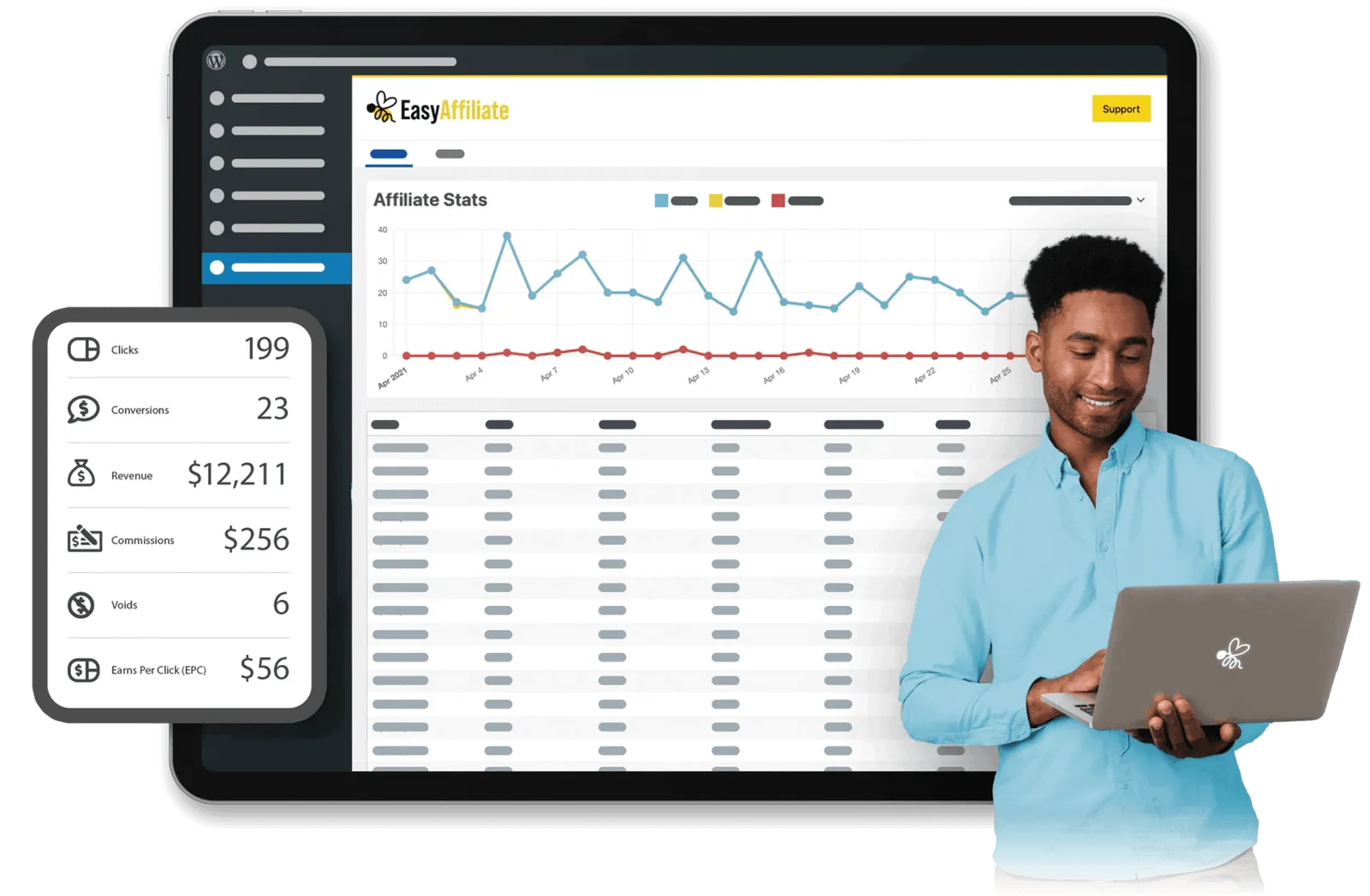
Best for: Membership sites, digital product sellers, and businesses that want an easy-to-manage affiliate program.
Easy Affiliate is developed by the team behind MemberPress, so it’s a natural fit if your website already uses MemberPress or Easy Digital Downloads. The plugin focuses on simplicity, making it a good choice for businesses launching their first affiliate program.
Its biggest advantage is the setup experience. The guided setup wizard walks you through the basics, so most store owners can get an affiliate program running without much technical knowledge. Affiliates also get a clean dashboard where they can track referrals, commissions, and payouts.
For example, if you sell online courses with MemberPress and want students or creators to promote them, Easy Affiliate lets you launch a self-hosted affiliate program without paying ongoing SaaS fees.
The plugin includes fraud detection, flexible commission options, and integrations with WooCommerce, MemberPress, and Easy Digital Downloads. Reporting covers the essentials, including clicks, conversions, commissions, and payout history.
Why choose it? If you run a membership site, sell digital products, or simply want an affiliate plugin that’s easy to set up and manage, Easy Affiliate is a solid choice. However, businesses with more complex WooCommerce commission requirements may be better served by a WooCommerce-focused solution.
SliceWP
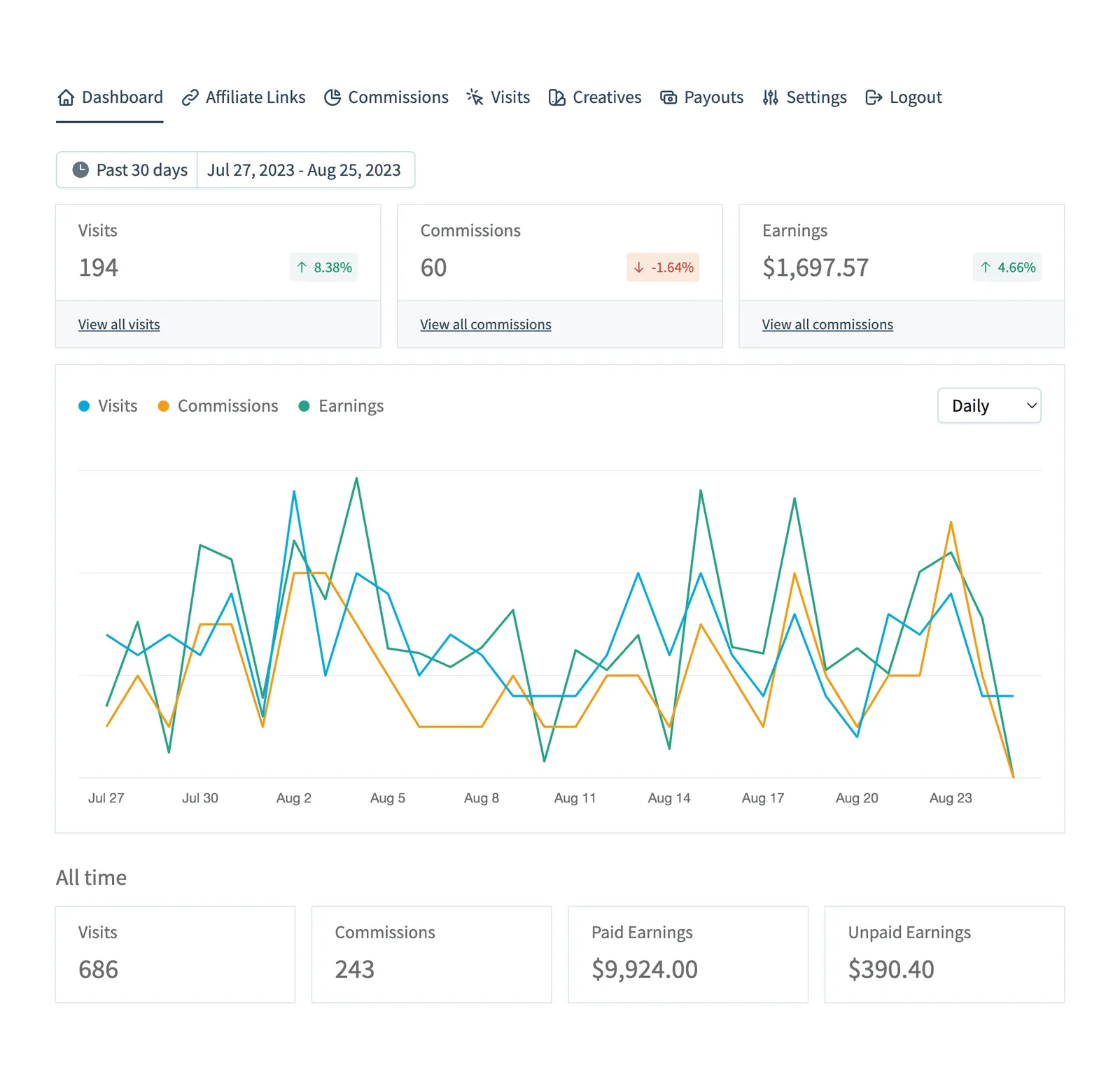
Best for: Beginners and businesses that want to start with a free affiliate plugin.
SliceWP is one of the few WordPress affiliate plugins with a free version that’s practical enough to run a real affiliate program. Instead of limiting you to a demo, the free plugin includes affiliate registration, referral tracking, commission management, and a basic affiliate dashboard.
If you’re launching your first affiliate program and aren’t sure whether it will work for your business, SliceWP lets you test the idea before investing in a premium plugin.
The setup process is straightforward, and the interface is clean and easy to navigate. It integrates with WooCommerce, Easy Digital Downloads, MemberPress, and other popular WordPress plugins, making it a good fit for small businesses that want a simple solution without a steep learning curve.
Is SliceWP right for you? If you’re looking for a free way to start affiliate marketing or want to test an affiliate program before committing to a paid solution, SliceWP is an excellent place to begin. However, businesses that need advanced commission rules or automation from day one may outgrow it fairly quickly.
Affiliates Manager
Best for: Small businesses looking for a free affiliate plugin with basic tracking features.
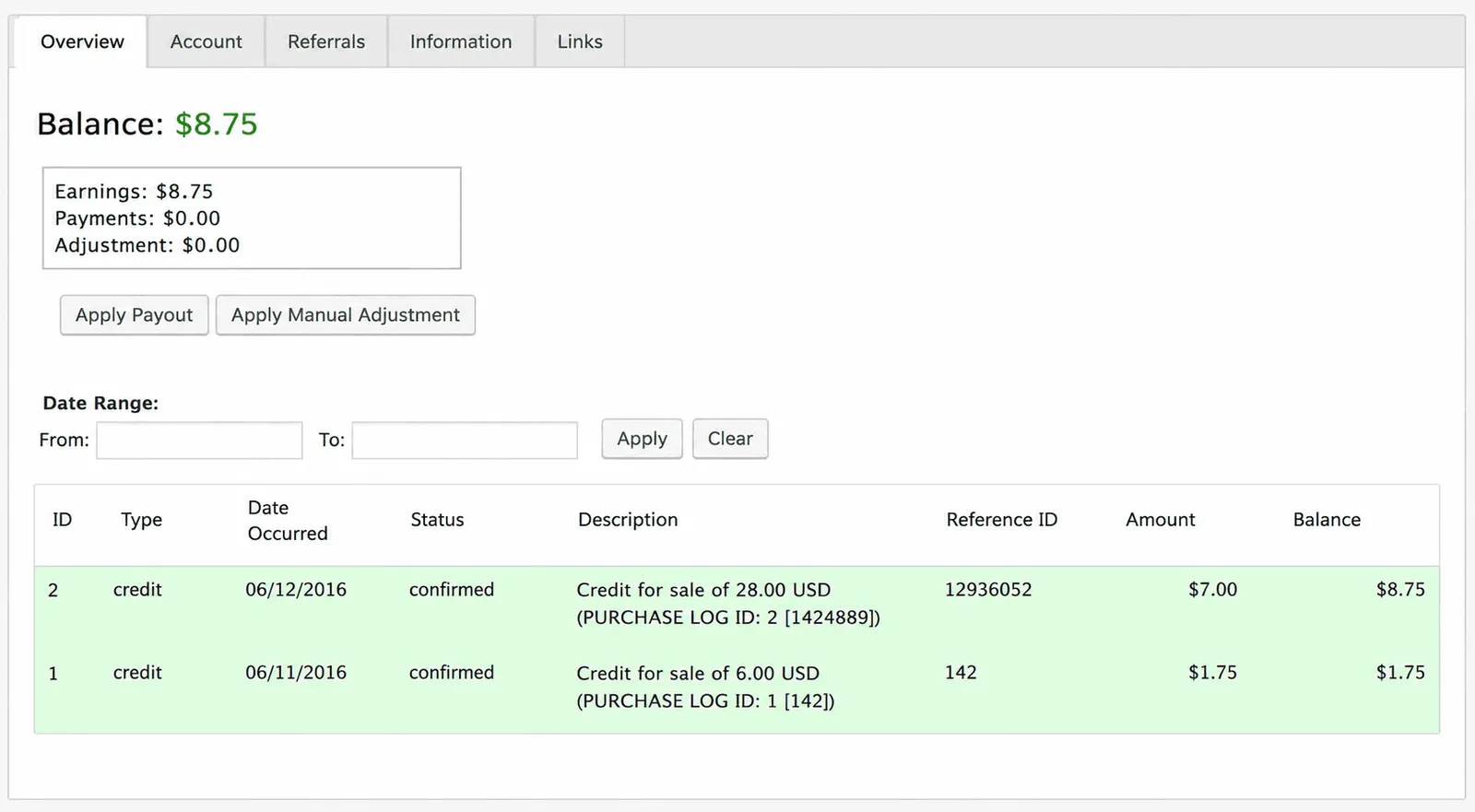
Affiliates Manager is a good option if your budget is limited and you only need the essentials. The free version lets you create an affiliate program with referral tracking, flat-rate or percentage commissions, PayPal payouts, coupon tracking for WooCommerce, and basic banner management.
One useful feature is the ability to set different commission rates for individual affiliates. For example, if one partner consistently brings in more sales than others, you can reward them with a higher commission without changing the rates for everyone else.
The plugin also integrates with WooCommerce, Easy Digital Downloads, WooCommerce Subscriptions, and a few popular email marketing platforms, making it suitable for small businesses that don’t need advanced automation.
Why choose it? If you simply want to launch a free affiliate program and keep costs to a minimum, Affiliates Manager gets the job done. However, if you expect your affiliate program to grow or need more advanced commission rules and reporting, you’ll probably outgrow it and eventually move to a more feature-rich plugin.
What features should a WordPress affiliate plugin have?
Not every affiliate program needs the same features. Before choosing a plugin, think about how you plan to run your program.

- Flexible commission rules: If you sell products with different profit margins, choose a plugin that supports product- and category-based commissions.
- Recurring commissions: If you sell subscriptions or memberships, recurring commissions help keep affiliates motivated over the long term.
- Coupon tracking: Useful if your affiliates promote unique discount codes instead of referral links.
- Automated payouts: Paying affiliates manually works for a handful of partners, but automation becomes a huge time-saver as your program grows.
- Reporting: Good reports help you identify your best-performing affiliates, track conversions, and measure the revenue your affiliate program generates.
- Scalability: Think about where your business will be a year from now. A plugin that meets your needs today should also support your affiliate program as it grows.
Which WordPress affiliate plugin is right for your business?
If you’re still unsure which plugin is the right fit, here’s a quick recommendation based on different business needs.
- Choose Affiliate for WooCommerce (StoreApps) if your business runs entirely on WooCommerce and you need flexible commission rules, recurring commissions, campaign management, and multiple payout options.
- Choose AffiliateWP if your website combines WooCommerce with plugins like MemberPress, LearnDash, or Easy Digital Downloads. Its wide range of integrations makes it ideal for businesses running multiple WordPress tools.
- Choose Easy Affiliate if you sell memberships or digital products and want a simple, beginner-friendly affiliate program that’s quick to set up.
- Choose SliceWP if you’re launching your first affiliate program and want to test affiliate marketing without investing in a premium plugin from day one.
- Choose Affiliates Manager if your budget is limited and you only need basic affiliate tracking for a small affiliate program.
- If you sell subscription-based products, Affiliate for WooCommerce and AffiliateWP are the strongest choices because both support recurring commissions.
- If advanced commission rules and marketing campaigns are important to your business, Affiliate for WooCommerce offers one of the most flexible commission systems in this comparison.
What mistakes should you avoid when choosing a WordPress affiliate plugin?
Avoid these common mistakes before investing in an affiliate plugin:
- Choosing based on features alone More features don’t always mean a better fit. A simple affiliate program may not need advanced commission rules or dozens of integrations. Focus on the features your business will actually use.
- Looking only at the starting price Some plugins reserve important features like recurring commissions, multi-tier affiliates, or coupon tracking for higher plans. Compare what’s included before making a decision.
- Ignoring the affiliate experience Your affiliates will spend most of their time in the affiliate dashboard. A clean, easy-to-use interface makes it easier for them to find links, track commissions, and stay engaged.
- Thinking about today instead of next year Choose a plugin that can grow with your business. Switching affiliate platforms is possible, but it takes time and planning. If you expect your affiliate program to expand, consider future requirements before you buy.
- Not checking compatibility Before purchasing, make sure the plugin works with your WooCommerce store and any other tools you rely on, such as membership, subscription, or learning management plugins.
FAQs about WordPress affiliate plugins
Do I need technical skills to set up a WordPress affiliate plugin?
Not usually. Most modern affiliate plugins include setup wizards and can be configured without coding. If you’re already familiar with WordPress or WooCommerce, getting started is straightforward. Some plugins offer a more guided setup than others, but none require development experience for basic use.
Can affiliates sign up themselves, or do I have to add them manually?
All five plugins support self-registration via a form page. You can choose to auto-approve all applicants or review each one manually.
Do these plugins work with WooCommerce Subscriptions for recurring commissions?
StoreApps has native support. AffiliateWP supports it. SliceWP supports it via a Pro add-on. Easy Affiliate supports it on the Plus plan and above. Affiliates Manager has integration with WooCommerce Subscriptions but limited recurring commission logic.
What’s the difference between an affiliate plugin and a referral plugin?
The terms are used interchangeably for self-hosted programs. An “affiliate program” typically involves external partners (bloggers, influencers) who promote your products. A “referral program” is often customer-to-customer sharing. The plugins on this list primarily support affiliate programs, though they can be used for simple referral programs too. Dedicated referral tools (ReferralCandy, etc.) are a different category.
Can affiliates use coupon codes instead of referral links?
Yes, with caveats. StoreApps, AffiliateWP, SliceWP, and Affiliates Manager all support assigning coupon codes to affiliates and tracking commissions on coupon use. Easy Affiliate supports this on Plus and above.
What if I need to migrate from one affiliate plugin to another?
StoreApps supports one-click imports from AffiliateWP and other plugins. AffiliateWP has import tools as well. SliceWP and Easy Affiliate can import affiliate data. Affiliates Manager has limited import options. If migration is a concern, verify with the target plugin before switching.
Can I switch to another affiliate plugin later?
Yes. Most premium affiliate plugins provide import tools or support importing affiliate data. The migration process varies by plugin, so check the available migration options before switching.
Our final verdict: Which WordPress affiliate plugin is best?
Choosing the right WordPress affiliate plugin isn’t about finding the one with the longest feature list. It’s about finding one that fits the way your business operates today and can continue to support you as your affiliate program grows.
Before making a decision, think about the features you’ll actually use, how well the plugin integrates with your existing tools, and whether the pricing still makes sense once renewal costs and premium features are factored in.
Whichever plugin you choose, investing a little time upfront to compare your options can save you from switching platforms later. A plugin that fits your workflow will make managing affiliates easier, help partners promote your products more effectively, and allow your affiliate program to grow alongside your business.