

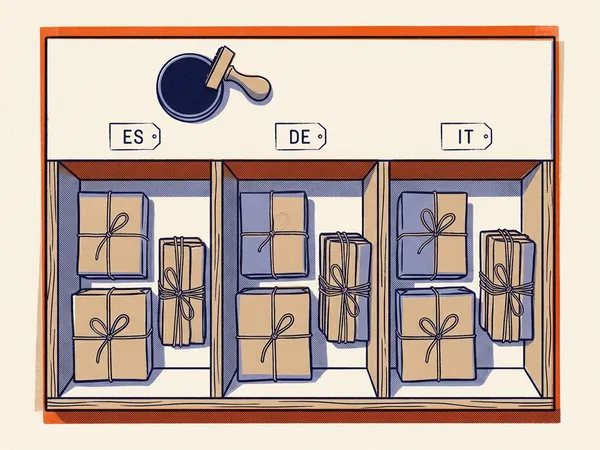
If you run a multilingual WooCommerce store, you already know the frustration: your product catalog speaks German and Spanish, but your upsell popups and checkout offers still speak English.
Picture a customer in Madrid browsing your Spanish storefront. They add a jacket to their cart, click checkout, and a bright popup shouts in English: “Wait! Special One-Time Offer! Add matching gloves for $20!”
That single English popup shatters trust. Instead of adding the gloves, the customer hesitates, wonders if the checkout is secure, and often abandons their cart entirely. When setting up woocommerce multilingual upsells, running promotions across multiple languages sounds like a logistical nightmare: store owners worry they will have to build and manage 15 separate funnels, while developers worry that complex promotion plugins will break checkout templates and payment gateways.
With Smart Offers and WPML, it doesn’t work that way. You set your offer rules once, translate the text like any other page, and the plugins handle the rest.
Why offers break outside your primary language
The short answer: standard promotion plugins look only for English product IDs, lock prices into a single currency, or redirect shoppers to default-language URLs. When international shoppers add translated items, the offers fail silently - or display broken English banners.
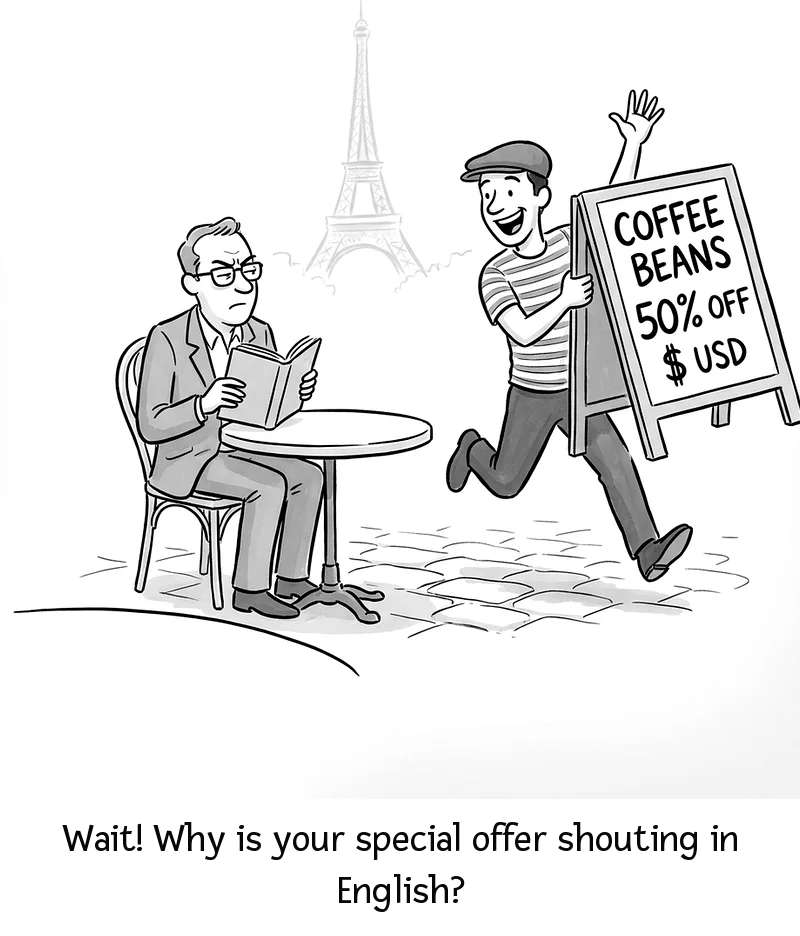
Here is what happens behind the scenes:
- The “Ghost Offer” problem: In WooCommerce, a French product is technically a separate post in your database from the English version. If an upsell rule only looks for the default product ID, French shoppers never trigger the offer.
- The language eject: When a customer clicks “Accept Offer”, naive plugins redirect them to the default site URL (like
/checkout/instead of/es/finalizar-compra/or/fr/commande/), suddenly switching their entire session back to English.
The simple mental model: create once, translate text, launch
You do not need to duplicate rules, build complex logic trees, or create multiple funnels per country.
You do not need to duplicate rules, build complex logic trees, or create multiple funnels per country. Smart Offers separates the logic of your deal from the words used to describe it:
- Set the rule once: Pick your product, discount, and trigger conditions in your default language (e.g., Order total > $100 / 100€).
- Translate the words: Use WPML to translate the headline, pitch copy, and button labels into each target language.
- Smart Offers connects the pieces: The plugin detects the shopper’s active language, displays the translated copy, and automatically injects the matching localized SKU and active currency.
Prerequisites: What you need to get started
Before setting up multilingual offers, make sure you have the following installed:
- Smart Offers for WooCommerce (active).
- WPML Multilingual CMS or Multilingual Agency plan: Translating a WooCommerce store requires WPML’s Multilingual CMS or Multilingual Agency plan (the entry-level Multilingual Blog plan does not include e-commerce support).
- WPML Multilingual & Multicurrency for WooCommerce add-on (included with CMS and Agency plans to manage localized products and currencies).
3 high-converting offers you can set up in minutes
You don’t need a complicated 10-step funnel to grow Average Order Value (AOV). Here are three reliable offer types that work smoothly across every language:
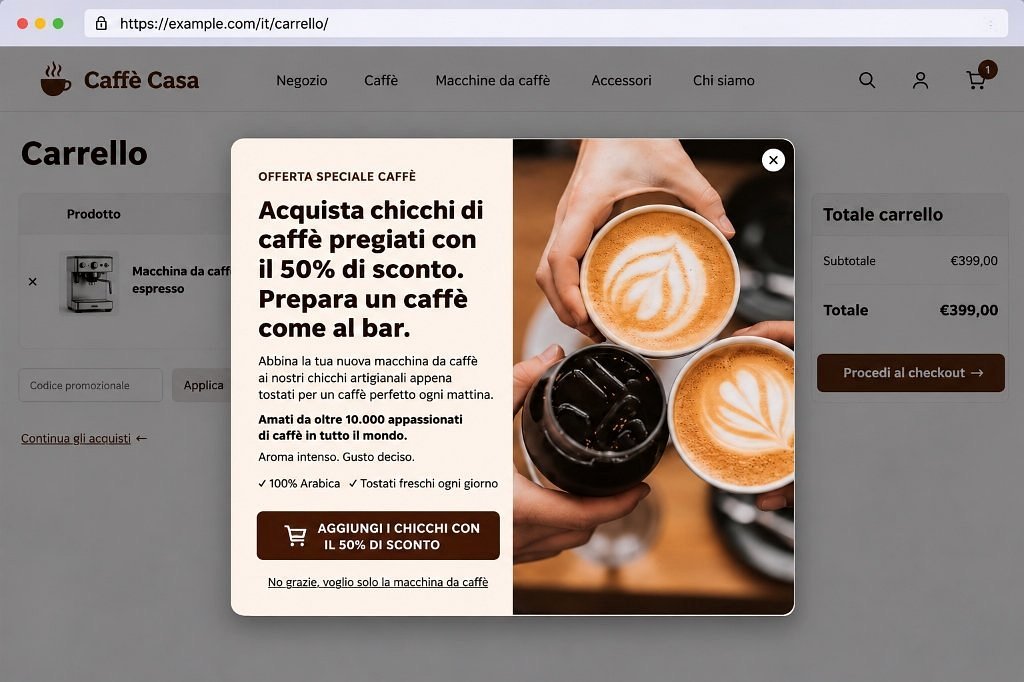
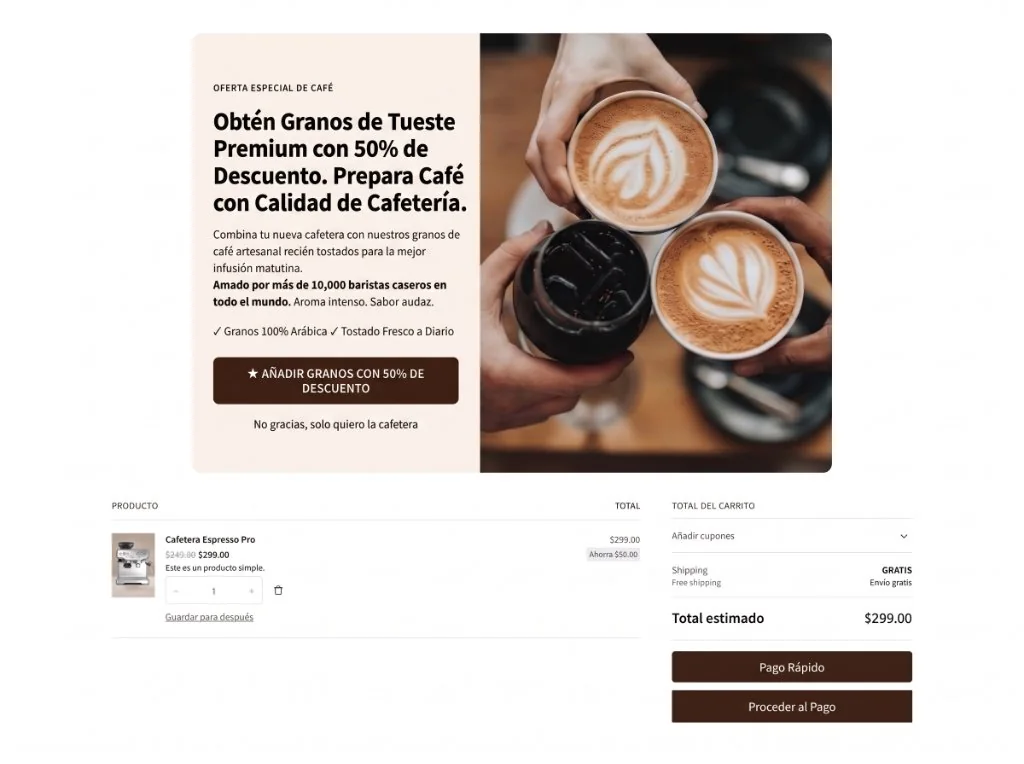
1. The cart-page BOGO deal
- Where it shows: Cart page (
woocommerce_before_cart_table). - The offer: Buy an espresso machine, get a bag of artisanal beans at 50% off.
- The multilingual experience: Italian customers see the deal in Italian with prices formatted in EUR. Accepting the offer adds the Italian coffee bean SKU directly to their cart and keeps them on
/it/carrello/.
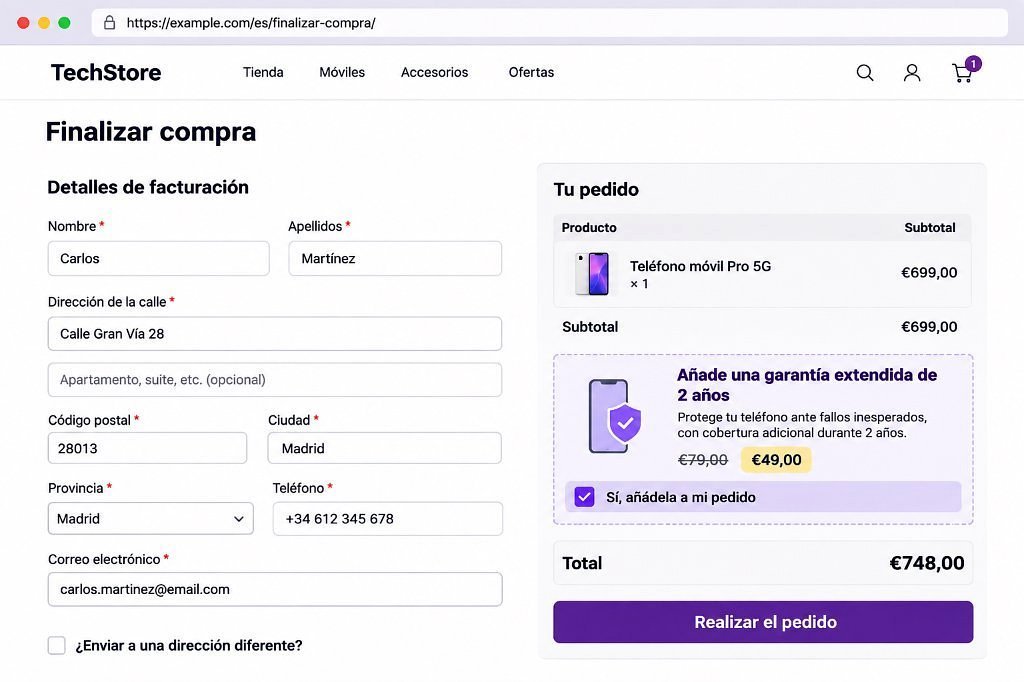
2. The frictionless checkout order bump
- Where it shows: Checkout page, right above the “Place Order” button.
- The offer: A single checkbox offering an extended 2-year warranty or priority courier handling.
- The multilingual experience: The bump displays in Spanish on Spanish checkouts, instantly recalculating the order total in the active currency without a full page reload.
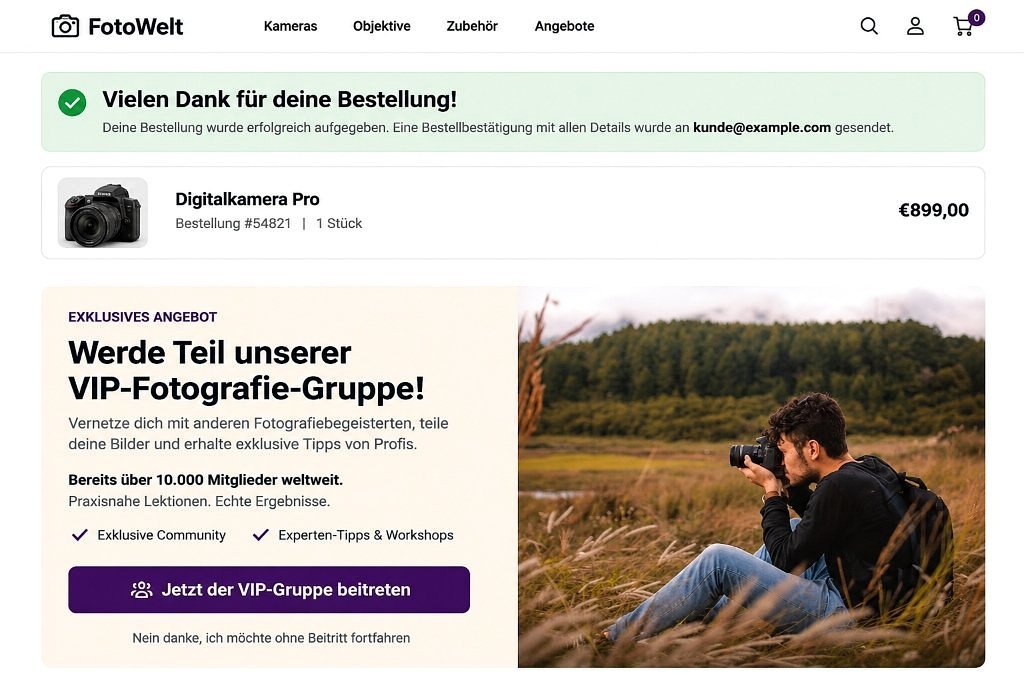
3. The post-purchase one-click upsell
- Where it shows: Order confirmation / Thank-you page (
woocommerce_thankyou). - The offer: A special deal shown immediately after payment clears, such as a replenishment pack or VIP membership.
- The multilingual experience: German buyers remain on
/de/kasse/order-received/. All transaction confirmation emails and invoices are automatically issued in German.
How to set up your first multilingual offer
Four straightforward steps:
Step 1: Create the offer in Smart Offers
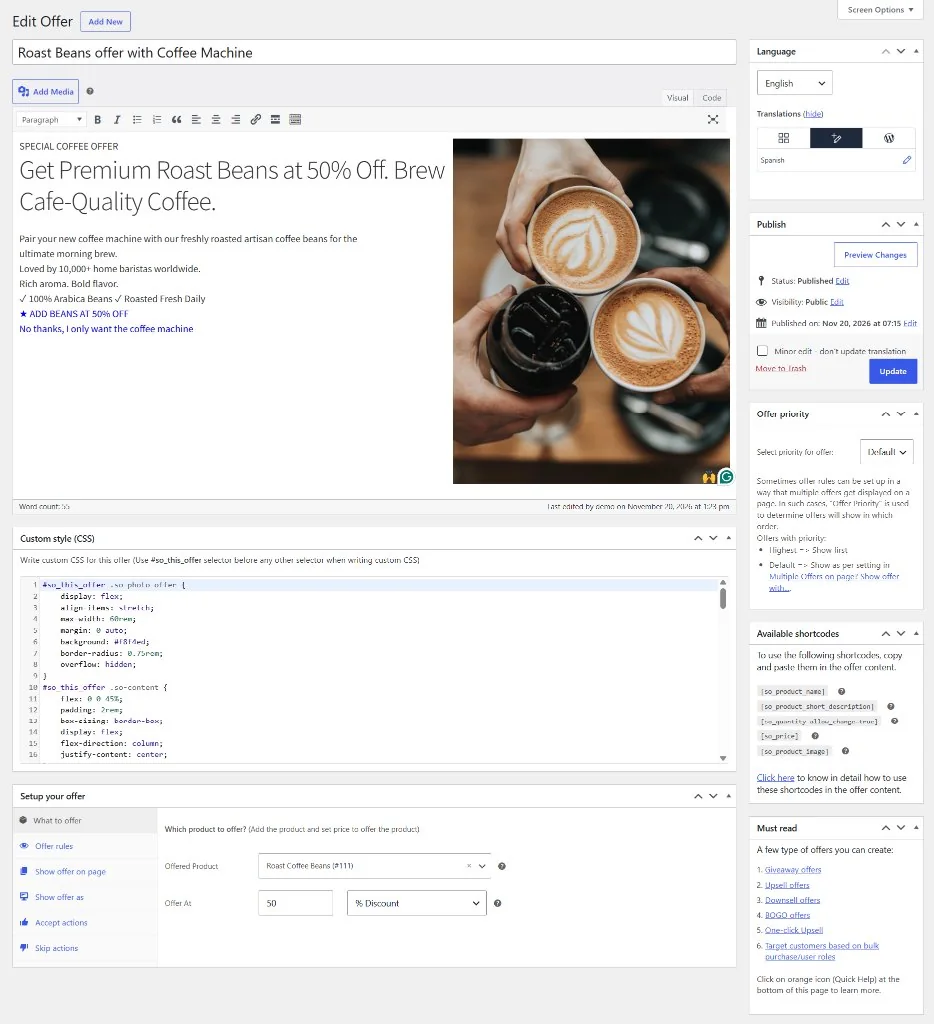
Go to Smart Offers → Add New Offer. Define your offer title, select the offered product, choose your discount type (e.g., 20% off), and set your trigger rules.
Step 2: Translate the offer in WPML
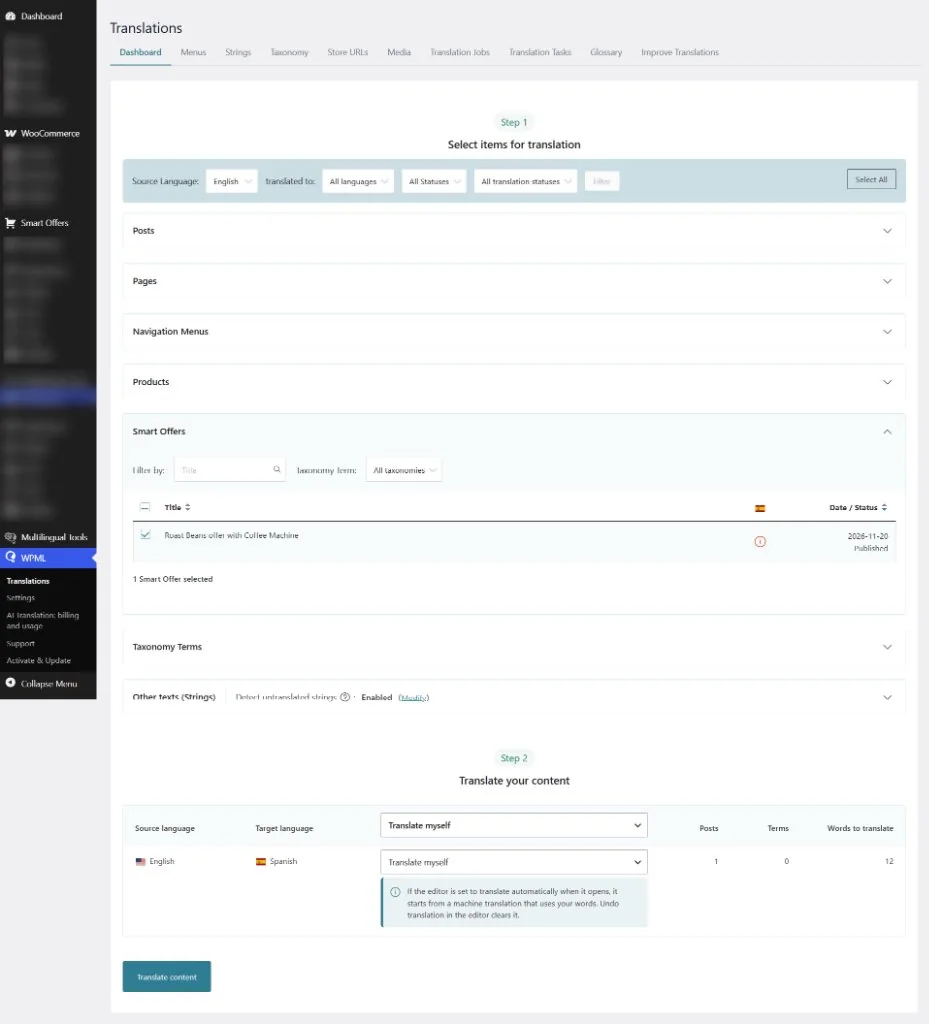
In WPML 5, all translation tasks live under WPML → Translations (WPML’s unified dashboard featuring Translations, Settings, Support, and Activate & Update):
- Automatic AI Translation: If you have Translate Everything Automatically enabled, WPML translates new offers in the background using PTC (Private Translation Cloud), WPML’s dedicated engine for context-aware e-commerce translations.
- Manual / Review Workflow: If you prefer manual review (Translate What You Choose), navigate to WPML → Translations, filter by the Offers post type, and open the offer in WPML’s Advanced Translation Editor or assign it to your translators.
Step 3: Translate button text and shortcodes on the Strings tab
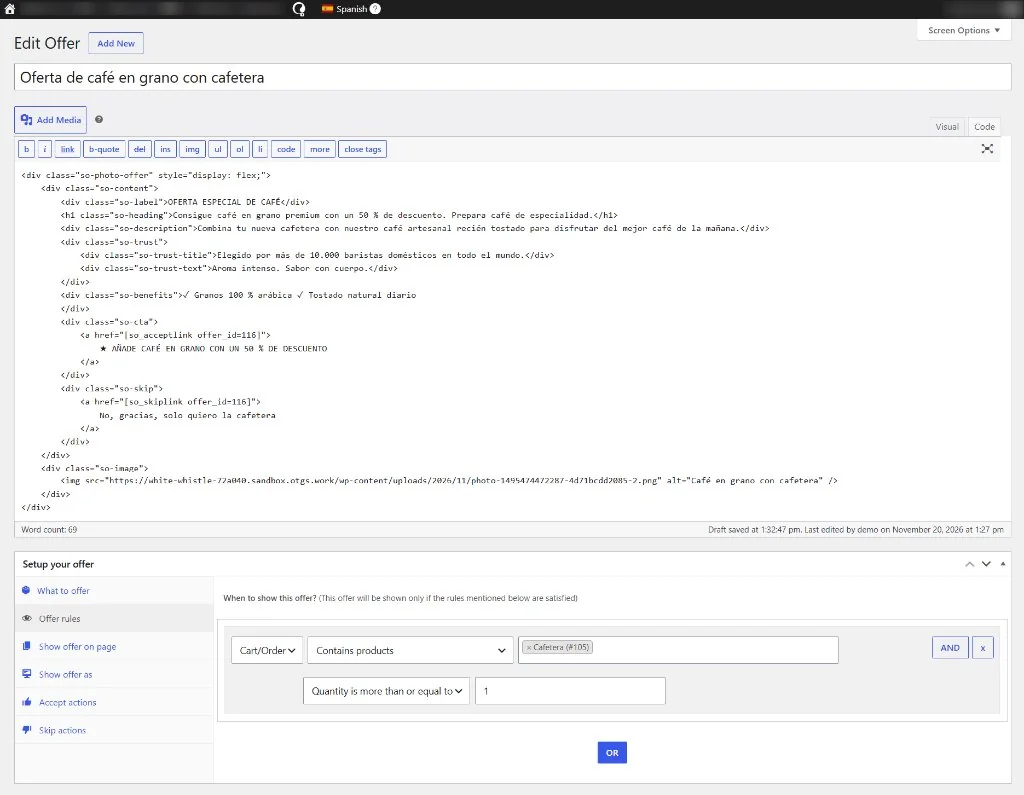
- Users have to open the translated offer from the offer list
- And inside the offer content’s HTML, find the link:
<a href="[so_acceptlink offer_id={here_it_will_have_original_offer_ID}]"> - Then remove the
offer_idparameter and its value, and click Save - It will auto-add the correct ID in
offer_id - The link text will already be translated from step 2
Step 4: Publish and verify
Visit your storefront in a secondary language. Add a qualifying product, verify that the offer appears in the correct language and currency, and confirm that accepting the deal keeps the shopper on the localized URL path.
Why store owners and developers choose this combination
| Requirement | Other Funnel Tools | Smart Offers + WPML |
|---|---|---|
| Setup Effort | Build duplicate funnels for each language | Build once; translate text via WPML |
| Product ID Mapping | Manual SKU mapping or broken triggers | Automatic resolution via wpml_object_id |
| Multi-Currency | Fixed single currency or bad math | Fully synchronized with WPML Multilingual & Multicurrency for WooCommerce |
| Checkout Stability | Overrides templates; risk of gateway failure | Tested hook integration with native WooCommerce actions |
FAQ
Do I need to recalculate prices for every currency?
No. If you set a percentage discount (like 20% off), WPML Multilingual & Multicurrency for WooCommerce calculates the discount based on your active exchange rates automatically. If you prefer fixed pricing per currency, you can specify exact prices within the product settings.
Does this require custom code or page builder integrations?
No. You configure offers inside the WordPress admin using simple dropdowns and rule builders. Button labels use standard shortcodes ([[so_acceptlink]] and [[so_skiplink]]) that you translate directly under WPML → Translations on the Strings tab.
Can I restrict offers by shipping destination?
Yes. Smart Offers lets you combine language rules with customer shipping country rules. This prevents offering bulky items or specific physical goods to international shoppers in regions where you cannot fulfill them.
Start growing your international order value today
Expanding your WooCommerce store into new countries brings international visitors to your site, but delivering a localized checkout experience is what turns those visitors into buyers.
By pairing WPML’s multilingual and multi-currency engine with Smart Offers’ rule-based promotion tools, you can run BOGOs, bumps, and post-purchase upsells that feel completely native in any language.
Learn more about WPML Multilingual & Multicurrency for WooCommerce