

BEAR edits WooCommerce products only. StoreApps' Smart Manager edits products, orders, coupons, subscriptions, users, posts, pages and any custom post type in one Excel-like grid.
This page compares the paid versions of BEAR (Bulk Editor for WooCommerce Professional, formerly WOOBE) and Smart Manager. BEAR still covers products only, with editing spread across several tabs and panels. Smart Manager supports all post types and keeps editing in one grid.
| Features | BEAR | Smart Manager |
|---|---|---|
| Interface | Multi-tab layout, separate panels | Unified, single screen spreadsheet |
| Products and variations | Yes | Yes |
| Orders, coupons, subscriptions, users | No | Yes |
| Posts, pages, custom post types | Separate plugin (WPBE) | Yes |
| Bulk edit | Only products | Every supported post type |
| Scheduled and saved bulk edits | No | Yes |
| Export products | Yes | Yes |
| Export beyond products | No | In Pro |
| Duplicate | No | Yes |
| Search and filters | Filters panel with saved profiles | Advanced Search with AND/OR, Saved searches, Custom Views |
Does the work of 10 plugins. Used another alternative, but it made the site slower and required 10 different plugins to do what Smart Manager does with only 1 plugin. It is light, sleek, fast and I can manage coupons, users, products, orders, etc." - Nuno Palha
"Saves time and calms nerves. The plugin keeps you calm while updating numerous WooCommerce products. I recommend it to everyone who doesn’t want to constantly enter product pages to make changes on price, stock, category, etc." - Vanesa
"20x quicker store management. I’ve got over 200 products on my store and was dreaded managing them one by one. Smart Manager plugin lets me do this so much quicker. Probably 20 or 30 times quicker. It is an absolutely invaluable tool." - Brian Batcher
BEAR: Edits WooCommerce products and variations only. Posts, pages and custom post types come as a separate bulk editor. Custom meta fields are added by key.
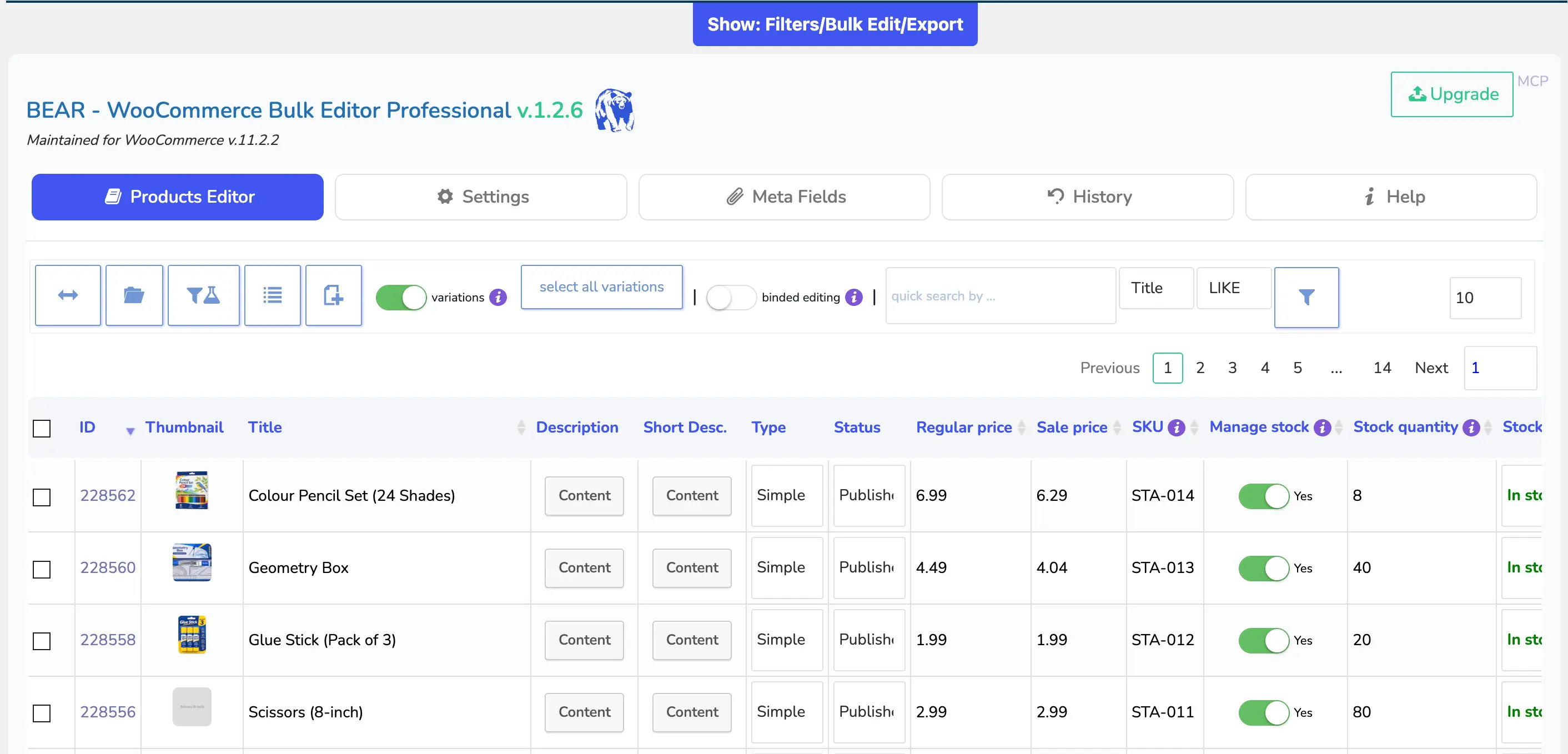
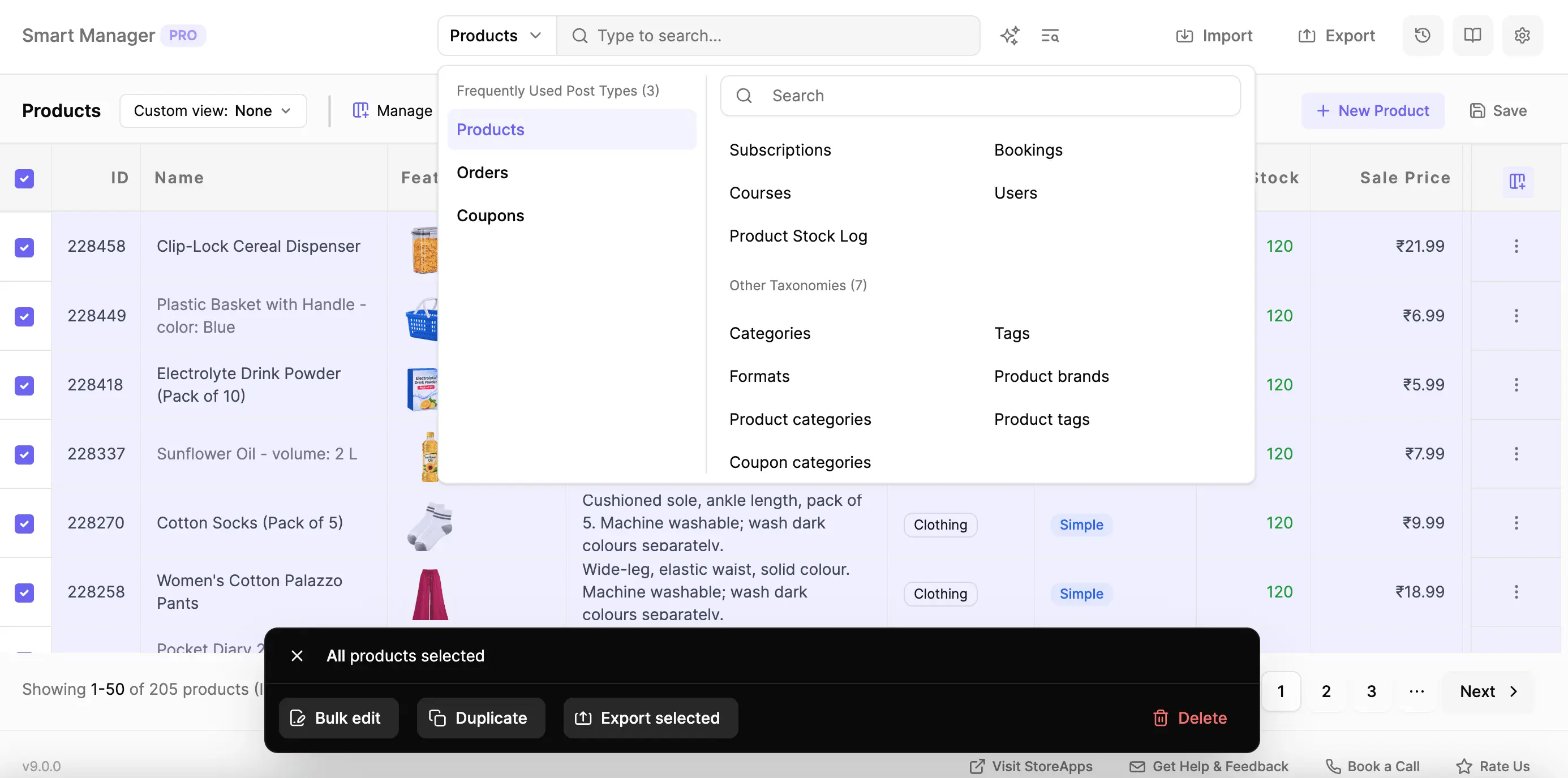
Smart Manager: Products, variations, orders, coupons, subscriptions, users, posts, pages, bookings, courses, and any registered post type or taxonomy, including custom ones. ACF, Pods and Meta Box fields are also supported.
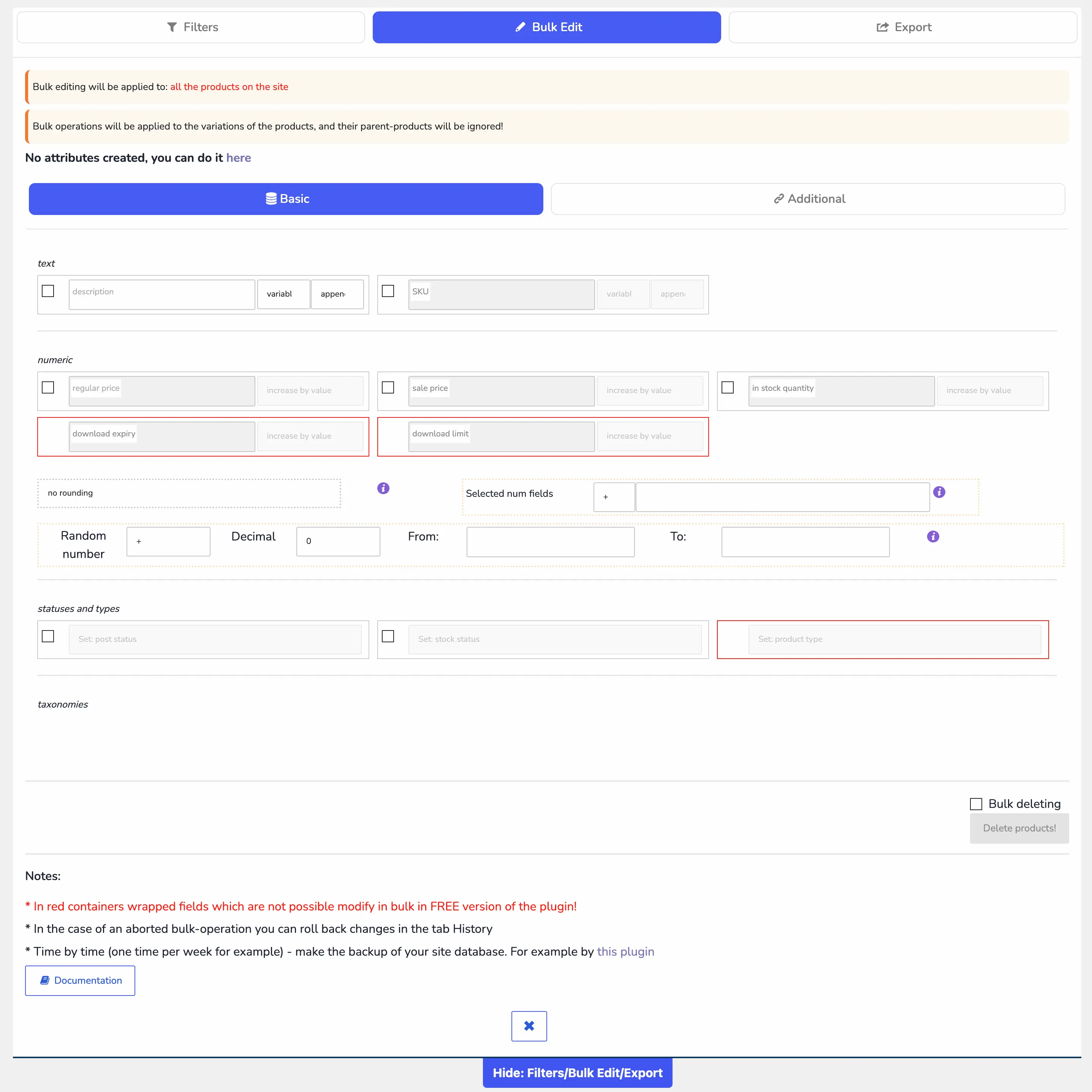
BEAR: Unlocks all product fields and adds variation tools (create, swap, delete, set the default combination), a calculator for decimal fields, relative price changes and bound editing. It still edits products only. No saved or scheduled bulk actions. History rolls back edits but not deletes.
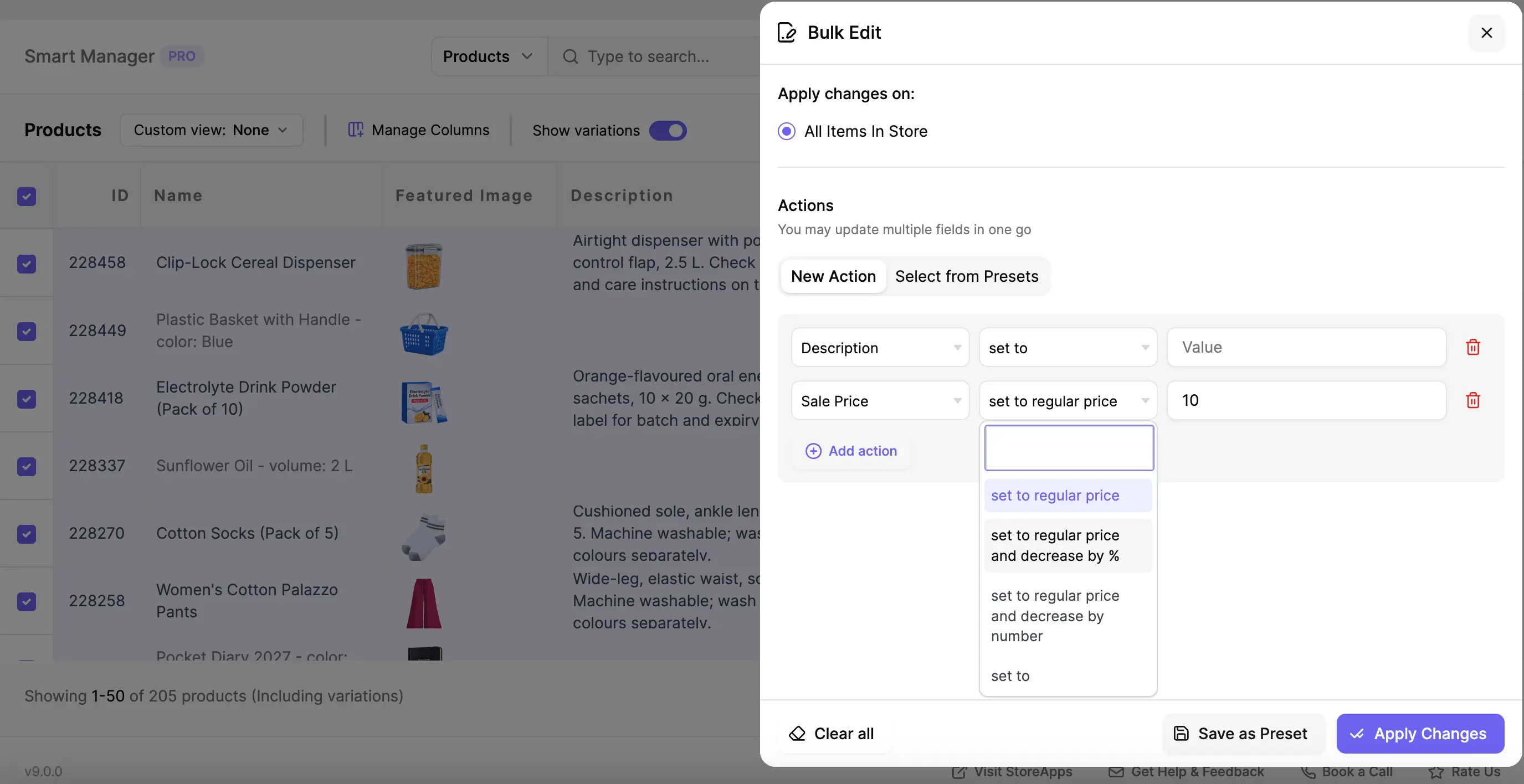
Smart Manager: Operations include set, increase or decrease by amount or %, append, prepend, search and replace, and copy from another field, across several columns in one run. It applies to selected rows, search results or the whole store, in the background across 100,000+ records. Bulk edits can be scheduled, saved for reuse and undone from Edit History.
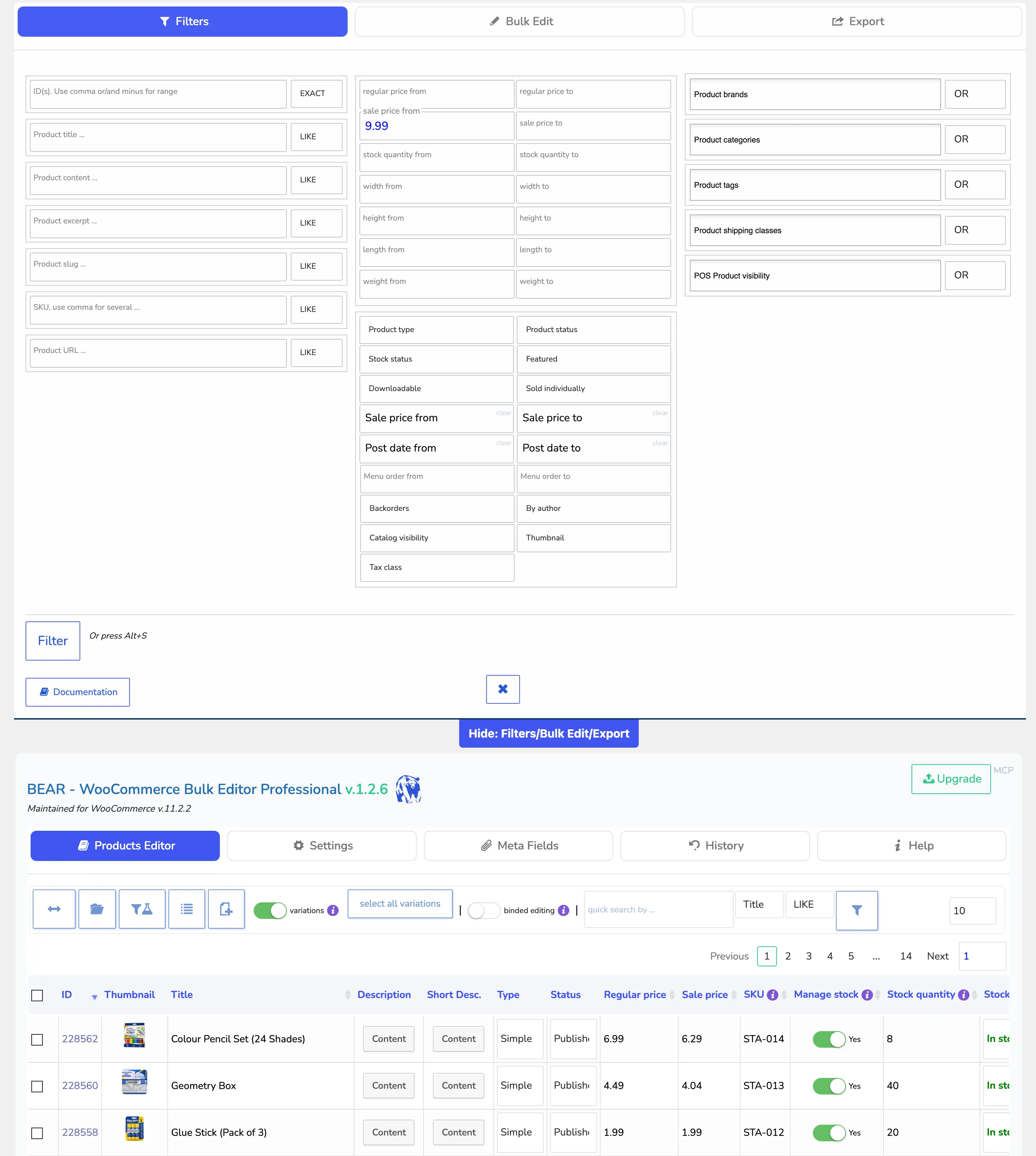
BEAR: A Filters panel with 40+ inputs, one per product field, covers text, price, stock, dimensions, status, dates and taxonomies. The paid version also filters by attributes, meta fields and custom taxonomies, and filter combinations can be saved as profiles. The filter sets the scope of bulk edit, export and delete for products.
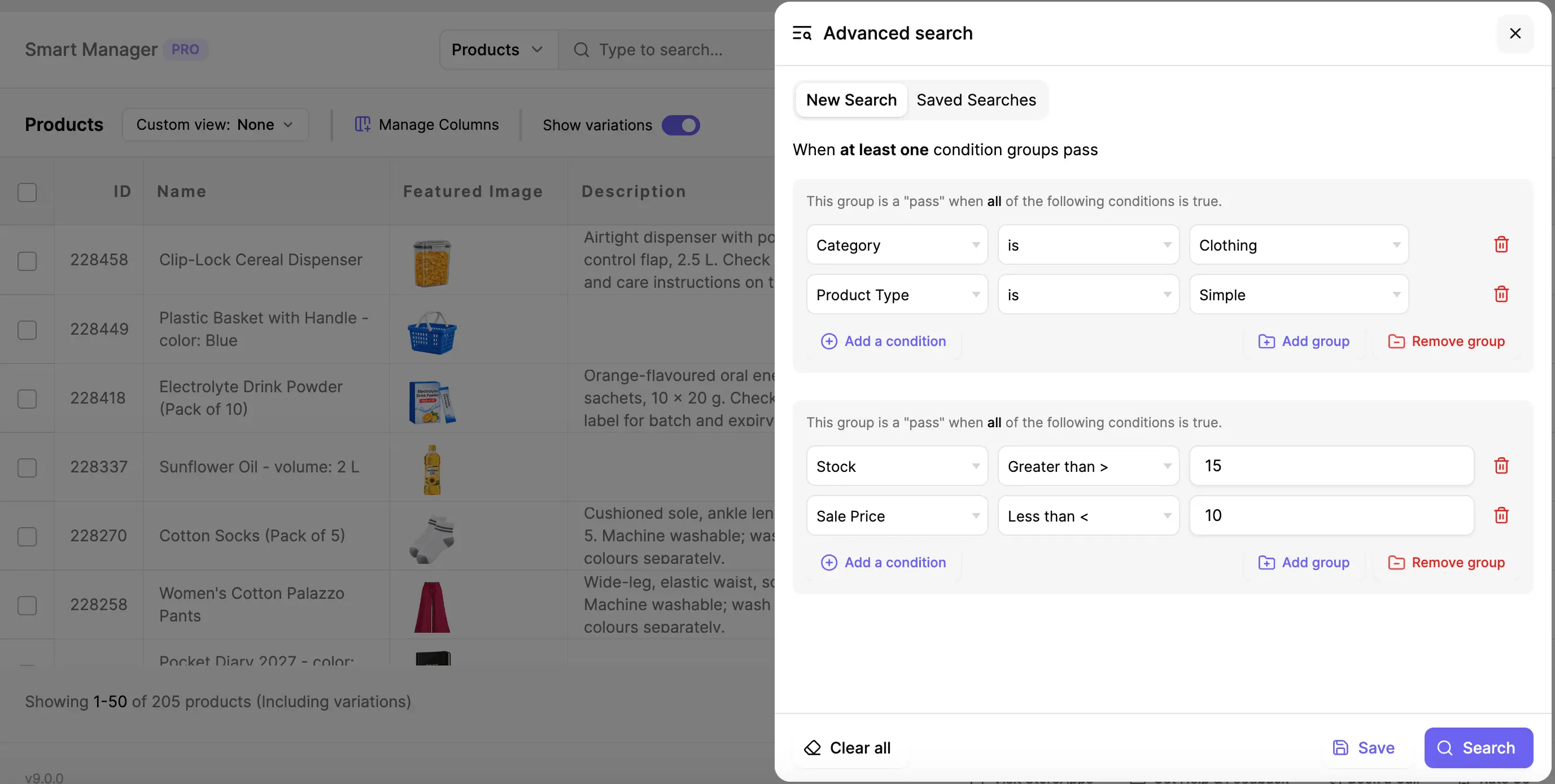
Smart Manager: Simple search covers all columns, and Advanced Search builds conditions with operators on any column of any post type, grouped with AND/OR logic. You can describe a search in plain language and let AI fill in the conditions, and save searches, including public ones for other users, to reuse on any dashboard. Results feed bulk edit and CSV export.
Features show what a plugin can do. The interface decides how easily you can do it. Experience matters!
| Tasks | BEAR | Smart Manager |
|---|---|---|
| Find the records | Filters tab, then a panel of 40+ inputs | Search box and Advanced Search in the toolbar of the same grid |
| Make bulk edits | Bulk Edit tab, then Basic or Additional sub-tab | Bulk edit panel on the same screen |
| Undo a change | History tab | Edit History, from the same screen |
| Edit another data type | Separate plugin, products only here | Pick another dashboard from the dropdown |
| Duplicate records | Not available | Select all or specific, click Duplicate button |
| Export records | Export tab | Select all or specific, click Export button |
A better spreadsheet plugin
BEAR gets the job done for products, but managing your store across multiple tabs and disconnected screens creates unnecessary complexity. Smart Manager keeps everything in one place - saving you time, reducing clicks, and giving you all-post-type support under one roof.
Use it on one site. Renews annually.
Use it on five sites. Renews annually.
Get refund if the plugin is broken, and if we do not solve it in reasonable time, after mutual communication. Renewals, problems due to third-party plugins / code / themes / hosting, etc. do not qualify for a refund. Please read all our terms here.
Not at all. Smart Manager handles bulk updates using optimized background processing and intelligent batching. You can safely modify 100,000+ records, prices, or stock levels simultaneously without running into server memory limits or browser timeouts.
Yes. Smart Manager features a built-in Edit History log. If a bulk update or one small edit doesn't look quite right, you can review past changes and roll them back with a single click right from your dashboard.
Yes. Smart Manager automatically detects and displays custom meta fields from popular plugins like Advanced Custom Fields (ACF), Pods, and Meta Box directly as columns in the spreadsheet, allowing you to view and edit them inline and in bulk.
Definitely. You can test-drive all features risk-free using our live interactive demo without installing anything on your site, or start out with our free version available on WordPress.org and upgrade whenever you are ready.
Smart Manager displays parent products, variable products, and individual variations clearly within the same grid. You can expand or collapse variations inline, view their specific stock, SKUs, and pricing, and apply bulk updates globally to a parent product or target specific variations individually without switching tabs.
No special server configurations are needed. Smart Manager runs smoothly on standard WooCommerce hosting environments (PHP 7.4+, MySQL 5.6+). It is also fully compatible with WooCommerce High-Performance Order Storage (HPOS), which significantly improves database performance for store orders. It operates efficiently even on shared hosting setups with larger product catalogs.
Yes. Smart Manager supports WordPress multisite networks. Depending on the license tier you choose, you can activate and manage the plugin across individual sub-sites or network-wide.
Yes. Different store managers or team members often need to look at different data sets (e.g., an inventory manager cares about stock and SKU, while a marketer cares about prices and sale dates). Smart Manager allows you to create, save, and switch between Custom Views so each user sees only the columns they need.
Rest assured that you will be well taken care of when you buy from StoreApps.

Our plugins are easy to use. We also have ample documentation. But whenever you need further assistance, you will get support from the same people who develop these plugins! We make sure you succeed!