


Choosing a WooCommerce Subscriptions alternative isn’t really about finding a plugin with fewer features. It’s about avoiding a subscription setup that’s more complex than your business actually needs.
A store selling one monthly membership has very different requirements from a business managing multiple subscription plans, plan switching, prorated charges, several payment gateways, and complex billing rules.
Both can use WooCommerce to sell subscriptions, but the right setup depends on what needs to happen after a customer subscribes.
In this guide, we’ll look at where WooCommerce Subscriptions makes sense, when a simpler option is enough, and the practical differences you should consider before choosing one.
What do you actually need from a WooCommerce subscription plugin?
Before comparing plugins, define what your subscription needs to do.
A store selling one monthly product has very different requirements from a business managing multiple plans, upgrades, prorated charges, mixed carts, and complex renewal rules.
Start by asking:
- Do customers need to subscribe to one simple product or choose between multiple plans?
- Do you need automatic recurring payments, or will customers pay manually for each renewal?
- Should customers be able to upgrade, downgrade, pause, resume, or switch subscriptions?
- Do you need trials, sign-up fees, coupons, or prorated charges?
- How many payment gateways do you need to support?
- Will you need advanced subscription reporting or recurring-revenue management?
These answers matter more than choosing the plugin with the longest feature list.
If you only need straightforward recurring billing, paying for and configuring advanced subscription functionality may add unnecessary complexity. If your business depends on sophisticated subscription rules, those features can justify the extra setup.
What do you actually need from a WooCommerce subscription plugin?
Before comparing plugins, define what your subscription needs to do.
A store selling one monthly product has very different requirements from a business managing multiple plans, upgrades, prorated charges, mixed carts, and complex renewal rules.
Start by asking:
- Do customers need to subscribe to one simple product or choose between multiple plans?
- Do you need automatic recurring payments, or will customers pay manually for each renewal?
- Should customers be able to upgrade, downgrade, pause, resume, or switch subscriptions?
- Do you need trials, sign-up fees, coupons, or prorated charges?
- How many payment gateways do you need to support?
- Will you need advanced subscription reporting or recurring-revenue management?
These answers matter more than choosing the plugin with the longest feature list.
If you only need straightforward recurring billing, paying for and configuring advanced subscription functionality may add unnecessary complexity. If your business depends on sophisticated subscription rules, those features can justify the extra setup.
WooCommerce Subscriptions: when does it make sense?
WooCommerce Subscriptions is the official WooCommerce extension for creating and managing subscription products. Its strength is flexibility: you can build subscription models that go well beyond a simple monthly renewal.
Consider it when you need:
- multiple subscription plans or billing schedules
- automatic and manual renewal options
- subscription switching and plan changes
- prorated charges when customers change plans
- free trials and sign-up fees
- subscription coupons and recurring discounts
- multiple supported payment gateways
- more advanced subscription-management workflows
It also gives customers tools to manage their subscriptions, depending on your configuration.
Best suited for: stores where subscriptions are a significant part of the business and billing rules are more complex than “charge this customer every month.”
The trade-off is configuration. More flexibility means more settings, more payment-gateway considerations, and more subscription scenarios to test.
When is a simpler WooCommerce subscription plugin enough?
WooCommerce Subscriptions is powerful, but you don’t need advanced subscription logic just because you’re selling something on a recurring basis.
Your requirements might be as simple as:
- one or a few subscription products
- a fixed weekly, monthly, or yearly billing cycle
- automatic recurring payments
- a single payment gateway
- basic customer subscription management
In that situation, the priority is usually different: get the subscription live quickly, make the billing flow reliable, and avoid configuring features your store doesn’t currently use.
That’s where Smart Subscriptions for WooCommerce fits.
Smart Subscriptions focuses on straightforward recurring subscriptions. You can create subscription products using the familiar WooCommerce product interface, define the billing interval, configure the recurring price, and connect Stripe for automatic recurring payments.
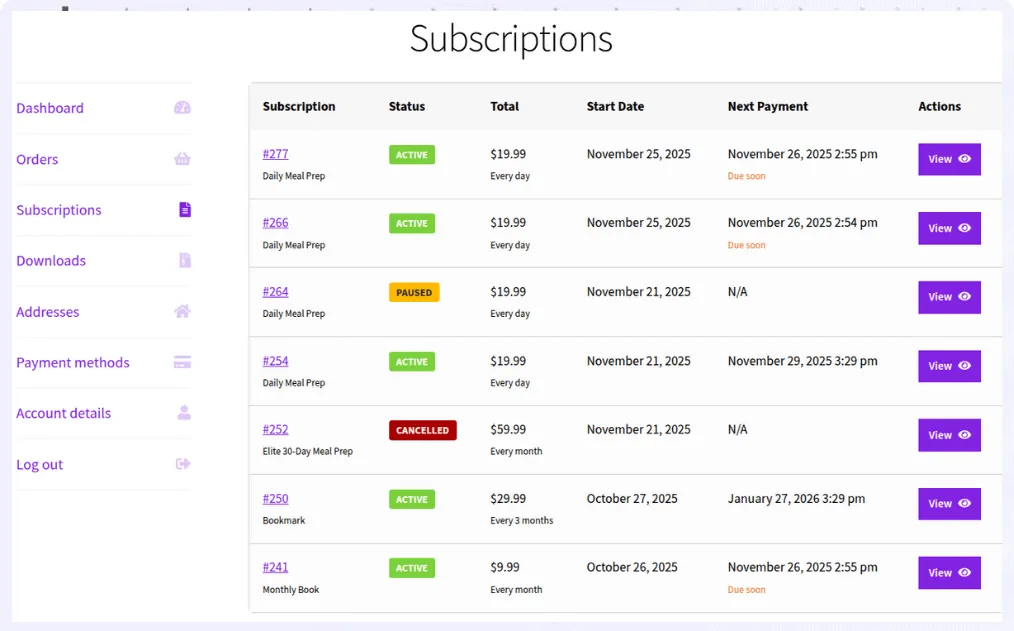
It’s a better fit when your requirement is simple recurring billing rather than complex subscription logic.
When should you choose a simpler subscription setup?
The easiest way to decide is to look at what you’re actually selling.
1. Recurring physical products
Suppose you sell products customers regularly need and want to offer a recurring option.
For example: “Get fresh coffee delivered every month.”
If customers don’t need to switch between complex plans or calculate prorated charges, a simple recurring product can be enough. Your priority is reliable renewals and an easy way to manage the subscription.
2. Memberships and digital access
You might charge customers monthly for access to a course, newsletter, community, or members-only content.
For example: “Join for $10/month.”
If everyone receives the same access and billing terms, you may not need sophisticated subscription logic. The important workflow is sign up → gain access → renew automatically → manage or cancel the subscription.
3. Subscribe-and-save products
You can also use subscriptions to encourage repeat purchases.
For example: “Subscribe and save 10% every month.”
Customers choose between a one-time purchase and a recurring option. If there are no complicated plan changes or billing rules, keeping the subscription setup simple can make the buying experience easier to understand and manage.
4. Subscription boxes
Monthly boxes for coffee, snacks, skincare, pet supplies, or similar products are another common use case.
For example: “Monthly coffee discovery box.”
If the same subscription renews at a fixed price and follows a predictable fulfillment schedule, you may not need the full range of advanced subscription features.
5. Recurring services
Services such as website maintenance, coaching, support, or consulting can also use recurring billing.
For example: “Website maintenance — $25/month.”
If customers simply subscribe and are billed monthly for an ongoing service, the core requirement is reliable recurring billing rather than complicated product switching.
Why start with the simplest subscription setup that works?
It’s tempting to choose the most feature-rich plugin because you might need those features someday.
But subscription complexity should follow your business model—not your imagination of what the business might become.
If you’re launching with one monthly product and one payment gateway, spending time configuring advanced billing rules doesn’t help you validate whether customers actually want the subscription.
A better approach is to start with the simplest setup that supports your current requirements. You can reassess when customers actually start asking for features such as plan switching, multiple billing models, or complex renewal rules.
The goal isn’t to have fewer features. It’s to avoid paying for and managing complexity that doesn’t solve a current business problem.
WooCommerce Subscriptions vs Smart Subscriptions: Which should you choose?
If you’re still deciding, here’s the simplest way to look at it.
| If you need... | Recommended Plugin |
|---|---|
| Multiple subscription plans with different billing schedules | WooCommerce Subscriptions |
| Plan upgrades, downgrades, and switching | WooCommerce Subscriptions |
| Support for multiple payment gateways | WooCommerce Subscriptions |
| Free trials, sign-up fees, and advanced billing rules | WooCommerce Subscriptions |
| A simple way to sell recurring products | Smart Subscriptions |
| Stripe-powered recurring billing | Smart Subscriptions |
| Faster setup with fewer configuration steps | Smart Subscriptions |
| Subscription management without unnecessary complexity | Smart Subscriptions |
| A lightweight and affordable subscription solution | Smart Subscriptions |
In short, choose WooCommerce Subscriptions if you need advanced subscription management. Choose Smart Subscriptions if your goal is simple recurring billing with Stripe and a faster setup experience.
Don’t choose a subscription plugin based only on today’s product
There’s one important caveat: simplicity is useful only when it doesn’t block a requirement you already know you need.
Before choosing a plugin, map your subscription lifecycle—not just your product page.
For example, ask what happens when:
- a customer wants to change their plan
- a payment fails
- a customer wants to pause their subscription
- a customer wants to switch billing frequency
- you introduce another payment gateway
- you start offering trials or sign-up fees
- you need to migrate or manage a larger subscriber base
If these scenarios are already part of your business model, choose a solution that supports them now. Don’t choose a simpler plugin and assume you can always migrate later without checking migration compatibility.
WooCommerce Subscriptions alternatives: the practical choice
There isn’t one universally “best” WooCommerce Subscriptions alternative.
The better question is: how much subscription complexity does your store actually need?
If you’re selling a straightforward recurring product and need reliable automatic payments, a lightweight subscription plugin can be the more practical choice.
If you need advanced plan changes, multiple gateways, prorated billing, or complex subscription rules, WooCommerce Subscriptions is likely worth the additional flexibility.
Choose based on the subscription lifecycle you need to support—not the number of features listed on the plugin page.
FAQs
Can I start with a simple subscription plugin and upgrade later?
Yes. Many stores begin with a simple setup to validate their subscription model, then move to more advanced tools as their needs grow.
Can I offer both one-time purchase and subscription for the same product in WooCommerce?
Yes. You can offer a one-time purchase and a subscription option side by side. This is commonly used for “subscribe and save” models to increase repeat purchases.
What is the best WooCommerce Subscriptions alternative?
For simple recurring billing with Stripe, Smart Subscriptions is the most straightforward WooCommerce Subscriptions alternative. It handles automatic payments, billing cycles, and subscription management without the complexity of the official plugin.
Can customers pause or skip a subscription in WooCommerce?
Yes. Many subscription plugins allow customers to pause, resume, or skip deliveries directly from their account dashboard.
How do I price a subscription product in WooCommerce?
Your price should cover product cost, shipping, payment fees, and leave margin for profit. Many stores also offer discounts for longer billing cycles like yearly plans.