

Running a profitable WooCommerce Black Friday campaign requires protecting margins and eliminating checkout friction. A successful holiday sale depends on defensive planning, automated discount rules, and stable store infrastructure.
Holiday shoppers behave differently during Cyber Week. Buyers compare dozens of open tabs. They hunt for coupon codes. They abandon carts the moment unexpected fees or sluggish forms appear.
Adobe Digital Insights shows holiday discounts climb up to 30% across Cyber Week. Meanwhile, Baymard Institute research reveals that cart abandonment spikes between 76% and 81% during Black Friday promotions. When stores force customers to hunt for coupon codes, sales drop fast.
Unhedged discounts destroy store profitability. If a customer stacks a 30% coupon on an affiliate referral and a BOGO offer, you lose money. Planning your technical setup weeks in advance keeps your store fast, reliable, and profitable.
When to start your WooCommerce Black Friday planning timeline
A WooCommerce Black Friday campaign requires a phased rollout starting at least 4 weeks before Thanksgiving. This lead time lets you test promotional mechanics, warm up your audience, and verify that server infrastructure handles peak traffic. Dividing campaign preparation into distinct strategy, execution, and retention phases prevents launch-day emergencies.
Starting early lets you validate coupon configurations and stock appropriate inventory. Rushing promotional preparations into Thanksgiving week leads to broken discount links and overwhelmed support teams.
How to build excitement with early November teasers and VIP access
Early November campaigns should focus on audience list warming, product teasers, and exclusive VIP early access. Pre-framing your sale builds buyer anticipation. It also secures early revenue before competitor marketing clutters customer inboxes.
Warming up your audience begins 2 to 3 weeks before the main event:
- Send short teaser emails highlighting product categories that will feature holiday discounts.
- Display timed countdown banners and opt-in popups using Icegram Engage to capture new subscriber emails.
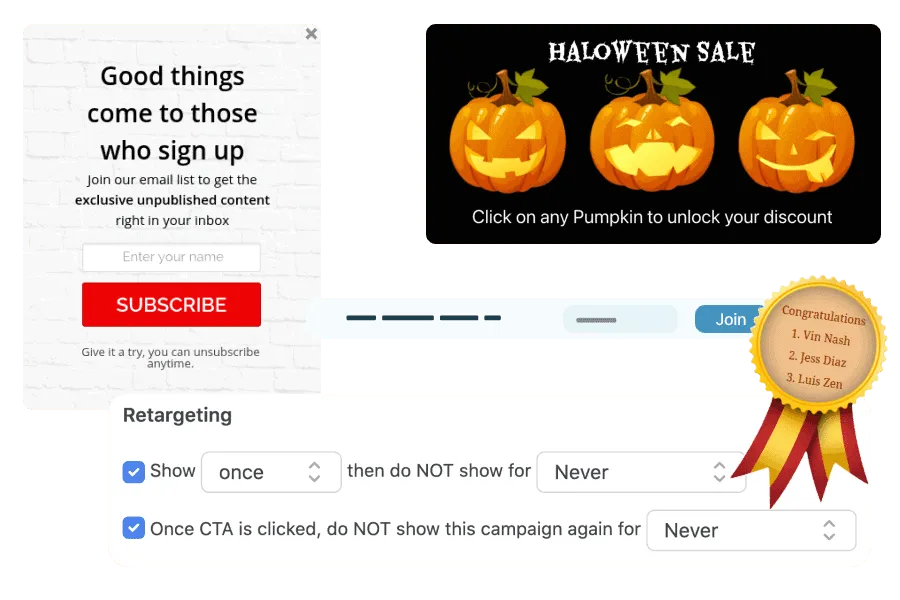
- Give loyal customers VIP early access using Smart Coupons, send a private email inviting them to shop 24 hours before everyone else.
- Brief your promotional partners early through Affiliate for WooCommerce so they prepare marketing assets ahead of launch week.
Granting private access to repeat buyers secures early order volume. It also provides an operational test for payment gateways before public traffic peaks.
How to differentiate Black Friday deals from Cyber Monday
Black Friday promotions should prioritize volume discounts on physical inventory and catalog items. Cyber Monday campaigns perform best with digital products, subscription upgrades, and store credit incentives. Differentiating the two events prevents campaign fatigue across the 4-day shopping weekend.
Many store owners run a single flat discount from Thursday through Monday night. That approach loses momentum by Sunday afternoon. Instead, split your product strategy into two distinct promotional waves.
| Promotion Element | Black Friday Strategy | Cyber Monday Strategy |
|---|---|---|
| Primary focus | Hero physical items and clearance inventory | Digital downloads and annual subscription plans |
| Discount mechanic | Tiered cart thresholds ($20 off $100) | Free gift card store credit with purchase |
| Customer incentive | Doorbuster pricing and limited stock urgency | Exclusive product bundles and VIP upgrades |
| Conversion driver | Fast checkout and Buy Now buttons | Bonus loyalty points and second-order coupons |
Shifting the offer structure on Monday re-engages shoppers who hesitated over the weekend. A customer who passed on a standalone product on Friday may readily purchase a high-value software bundle on Cyber Monday.
How to design creative discount offers that protect your margins
Creative WooCommerce discount offers protect margins by using spend thresholds, curated bundles, and strict usage exclusions. Structuring discounts around customer order value keeps average order values high. It also shields low-margin inventory from unprofitable price cuts.

Unchecked discounting erodes profitability. Slashing 40% across your store might generate impressive top-line revenue. However, shipping fees, payment processing fees, and wholesale costs can leave you with negative net income.
Start your discount strategy with disciplined product boundaries:
- Run a profitability check using last year’s WooCommerce data, focus on products with the best margin-to-discount ratio, not just top sellers.
- Define discount limits. Set a ceiling (e.g., not more than 25% off on low-margin products) to protect profits.
- Create a “No-Go” list, products you won’t discount due to stock, supplier limits, or future launches.
Once you establish your product safety boundaries, select promotional structures that motivate buyers to increase their cart sizes.
How to set up tiered cart discounts and spend thresholds
Tiered cart discounts reward customers with increasing discount percentages or fixed deductions only when their cart total crosses predefined spending milestones. This structure protects base product margins while lifting average order values across holiday traffic.
Using Smart Coupons, you can configure tiered discount rules that calculate savings dynamically as shoppers add items to their carts. Read our comprehensive guide to WooCommerce coupon rules to master advanced restriction parameters.
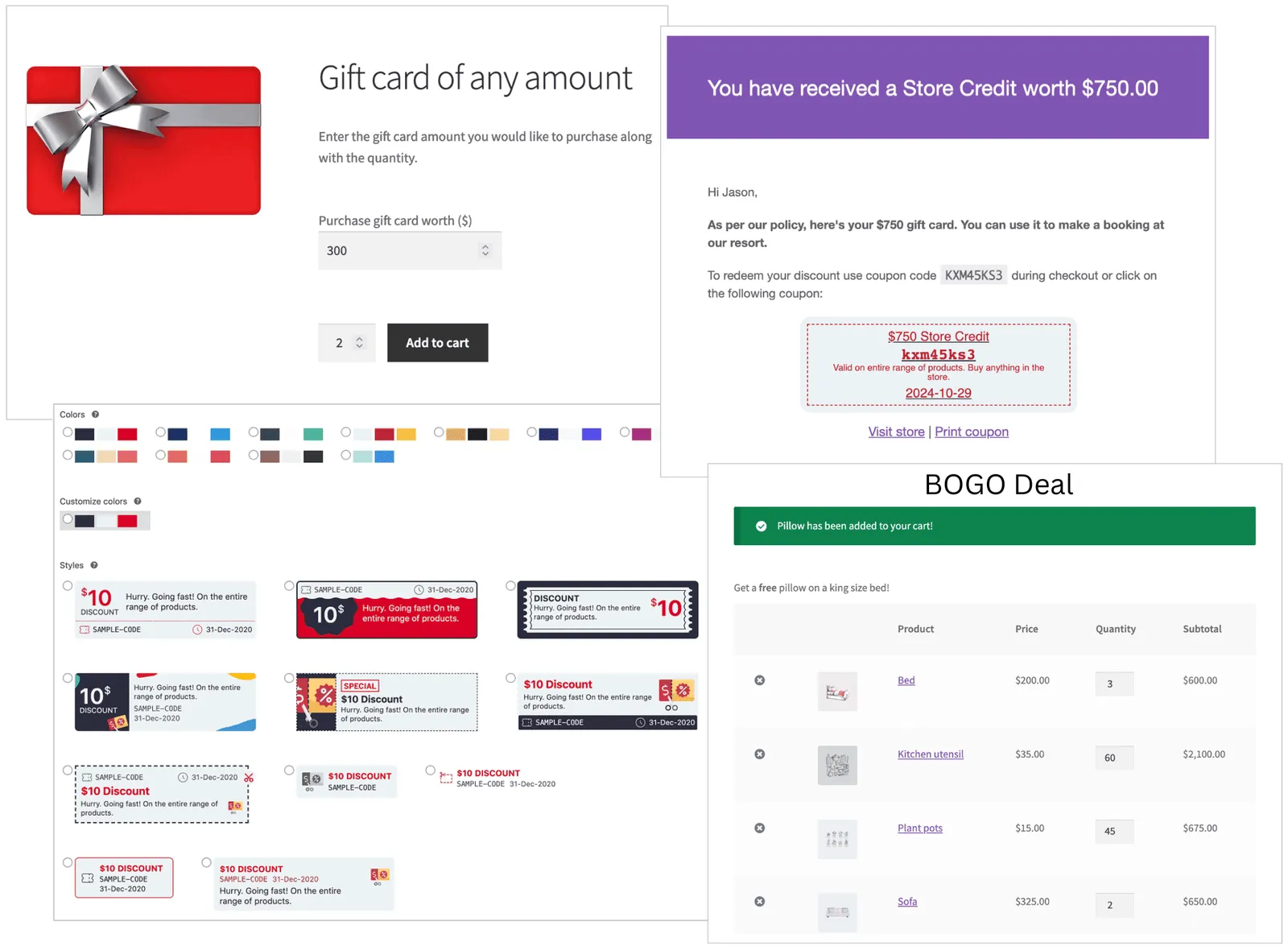
Effective promotional tiers follow predictable steps:
-
Tier 1 ($75 spend): 10% discount to encourage single-item shoppers to add an accessory.
-
Tier 2 ($150 spend): 20% discount to capture core mid-range buyers.
-
Tier 3 ($250 spend): $50 store credit to reward top spenders and guarantee return visits.
How to use product bundles, BOGO deals, and checkout order bumps
Product bundles and Buy One Get One (BOGO) promotions help stores clear seasonal warehouse stock without cheapening core brand value. Pairing high-margin accessories with core merchandise lets you present attractive offers while maintaining sustainable gross profit.
Using Smart Offers, you can display targeted product upgrades and order bumps directly inside the buying flow.
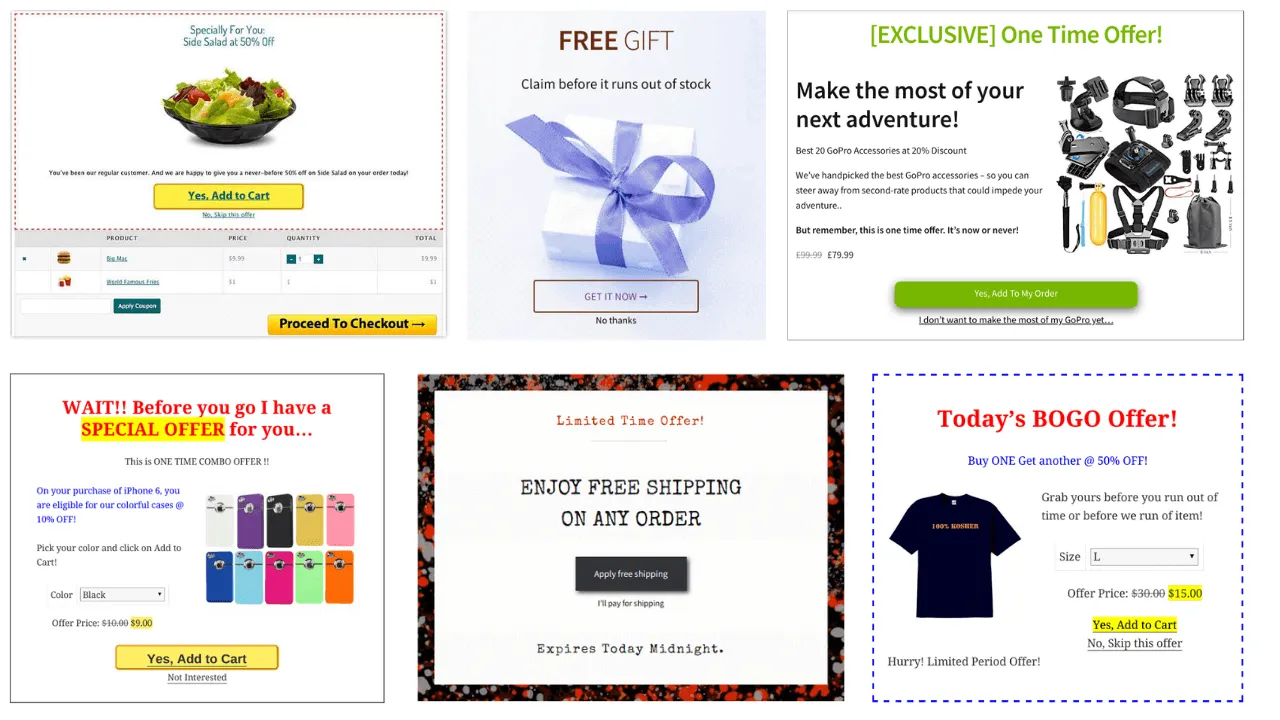
High-converting holiday offer combinations include:
- Complementary BOGO: Buy a primary product, receive an essential accessory at 50% off.
- Pre-checkout order bumps: Present a single-click $15 warranty or care kit directly above the checkout payment button.
- Post-purchase upsells: Offer a discounted replenishment item immediately after checkout confirmation.
How to prevent accidental coupon stacking and margin erosion
Leaving coupon interaction rules open can drain your margins in hours.
Accidental coupon stacking occurs when a customer combines multiple discounts on a single order. This happens when a sitewide holiday coupon stacks with an affiliate referral code and a welcome voucher. Store owners must configure strict exclusion rules in WooCommerce coupon settings to block overlapping promotions.
Leaving coupon interaction rules open can drain your margins in hours. During holiday rushes, coupon browser extensions scrape and test thousands of code combinations in checkout forms.
To secure your promotions, follow these steps:
-
Open Marketing > Coupons in WordPress and edit your primary holiday coupon.
-
Navigate to the Usage restriction tab.
-
Check Individual use only to ensure the coupon cannot combine with any other code.
-
Add low-margin items to the Exclude products or Exclude categories fields.
-
Check Exclude sale items to prevent coupons from applying to products with active sale pricing.
Enforcing these restriction settings ensures your promotional pricing performs exactly as modeled in your forecasts.
How to create a frictionless checkout by auto-applying discounts
Creating a frictionless WooCommerce checkout requires replacing manual coupon code input fields with automated URL parameters. Removing non-essential checkout steps reduces cart abandonment by up to 21% during peak holiday shopping periods.
Baymard Institute benchmarks confirm that 17% of shoppers abandon checkouts due to long or complicated forms. When a customer sees an empty coupon field, they frequently open a new browser tab to search Google for coupon codes. Many never return.
How to eliminate unnecessary checkout fields
Eliminating non-essential checkout fields shortens form completion times and prevents mobile typing frustration. Trimming fields like company name, second address line, and order notes removes needless friction from high-intent buyers.
Cashier for WooCommerce provides an integrated toolkit to optimize checkout flows without adding bloated code to your theme:
- Streamlined checkout fields: Disable unused billing and shipping fields with simple toggles.
- One-page checkout: Embed product selection, cart review, and payment fields on a single, responsive screen.
- Direct Buy Now buttons: Let customers bypass the cart page entirely from product listings, taking them directly to payment.
Reducing checkout complexity allows mobile shoppers to finalize purchases in seconds.
When should you auto-apply coupons instead of promo codes?
Coupons should be auto-applied whenever a promotional campaign targets specific landing pages, email subscribers, or predefined cart value conditions. Auto-applying discounts ensures customers receive promised savings immediately without the frustration of copy-pasting codes.
Check out our guide on how to auto-apply coupons in WooCommerce without coding for detailed setup recipes.
With Smart Coupons, you can configure unique URL coupons:
https://yourstore.com/checkout/?coupon-code=blackfriday2026When an email subscriber clicks this promotional link, WooCommerce automatically adds the discount to their session cart. Customers see the price deduction highlighted immediately, eliminating doubts and speeding up order completion.
How to bulletproof WooCommerce store speed and database performance
Bulletproofing WooCommerce store speed requires configuring strict server caching exclusions, maintaining database hygiene, and using High-Performance Order Storage (HPOS). A stable database structure guarantees that customer checkouts proceed smoothly during sudden promotional traffic spikes.
Page speed directly governs conversion rates during holiday promotions. Research by Portent demonstrates that an e-commerce site loading in 1 second converts up to 2.5 times higher than a site taking 5 seconds. Slow checkout responses frustrate buyers and create expensive gateway timeout errors.
How to configure server caching, transients, and HPOS under heavy load
Proper caching configurations store static page assets in memory while completely excluding dynamic shopping sessions, cart endpoints, and checkout cookies. Caching customer carts by mistake leads to corrupted order data and severe security issues.
Ensure your hosting stack follows these core performance rules:
- Exclude dynamic cookies: Instruct your server caching layer (Nginx, Redis, or Varnish) to bypass cache whenever the
woocommerce_items_in_cartorwoocommerce_cart_hashcookies are present. - Clean expired transients: Purge expired transients from your
wp_optionstable using WP-CLI (wp transient delete --expired) before launching holiday promotions. - Enable High-Performance Order Storage (HPOS): Transitioning your store to WooCommerce HPOS moves order records from
wp_postsinto dedicated order tables, eliminating database write bottlenecks during high-volume sales.
Preparing your server environment ahead of launch day keeps page load speeds brisk even when thousands of shoppers browse simultaneously.
How to run bulk catalog price updates without gateway timeouts
Running bulk catalog price updates requires batching database modifications into controlled background chunks. Standard WooCommerce bulk edit actions frequently trigger 504 gateway timeouts when updating large product catalogs.
Reviewing your plugin toolkit helps prevent database bottlenecks; explore our list of essential WooCommerce holiday plugins to audit your setup.
In StoreApps technical support, Andrea Juliao assisted a pet supplies retailer managing 10,000 product records (2,500 parent products and 7,500 variations). Native WooCommerce bulk editing crashed with 504 Gateway Timeouts after attempting just 200 updates. By switching to Smart Manager, the merchant completed the entire 10,000-record price update in 4 minutes and 18 seconds across 100 background chunks without taking down their live store.
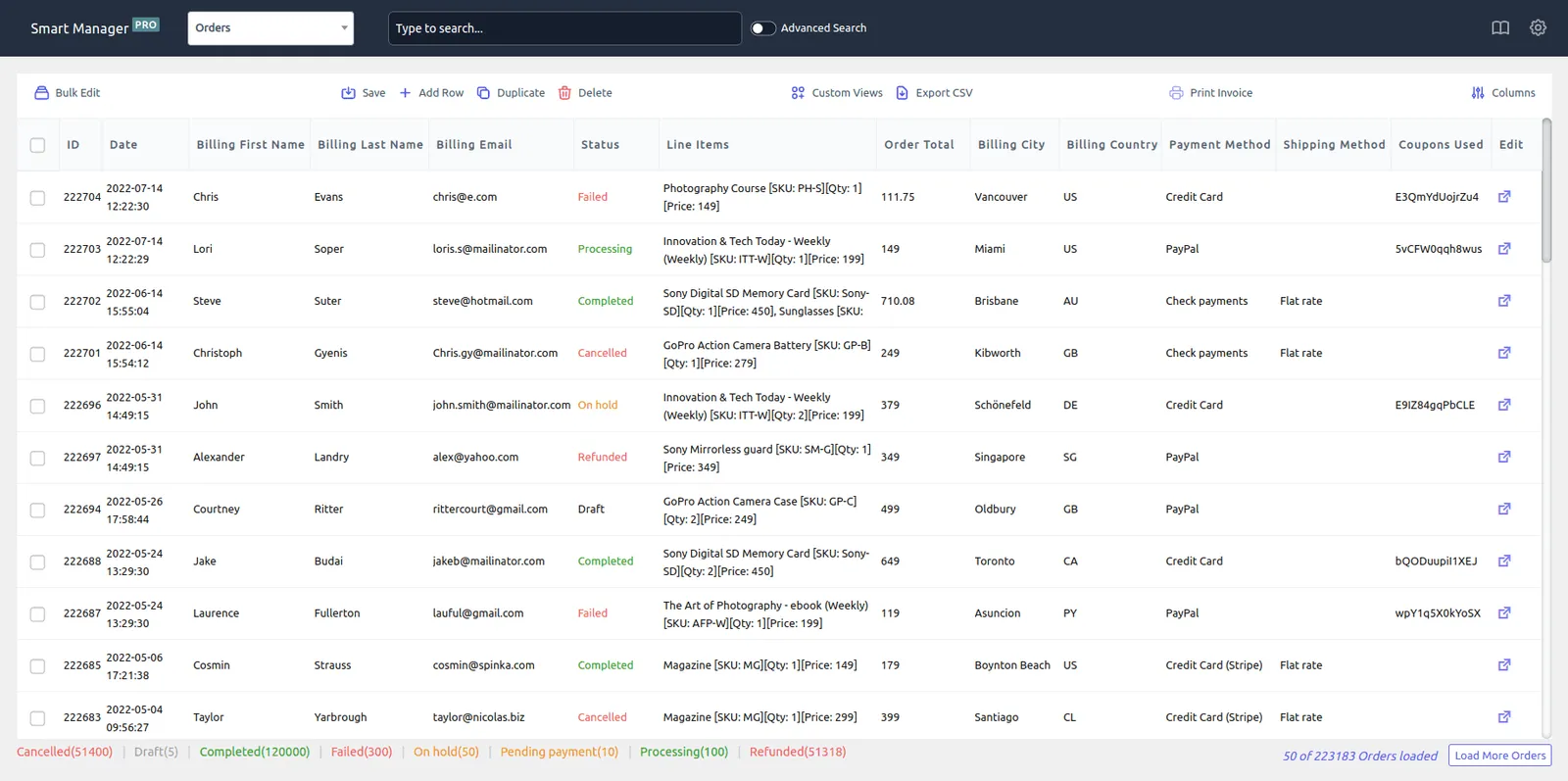
Using background batching allows you to adjust holiday prices, modify inventory levels, and schedule promotional expiration dates safely without disrupting active shoppers.
How to prepare promotional feeds and search channel visibility
Preparing promotional feeds requires updating Google Merchant Center product attributes at least 7 to 10 days before Black Friday. Ensuring synchronized product feeds prevents ad disapprovals and maximizes organic search discoverability across holiday shopping queries.
Search engines and shopping comparison channels need time to crawl, verify, and approve discounted pricing before promotional events launch. Updating feeds between October 30 and November 5 ensures full review approval before peak shopper traffic begins.
How to update Google Shopping and Merchant Center promotion feeds
Google Merchant Center feeds should be updated with promotional attributes like sale_price and sale_price_effective_date well ahead of your launch date. Pre-populating sale attributes allows Google to review promotion compliance before customer traffic surges.
Follow these promotional feed best practices:
- Define explicit UTC start and end timestamps so price drops display automatically across Google Shopping results.
- Verify that sale prices in your structured data feed match the actual prices displayed on your WooCommerce product pages.
- Set up merchant promotions in Google Merchant Center to highlight free shipping or tiered discount badges on product listing ads.
Consistent price synchronization protects your advertising accounts from policy suspensions during critical revenue periods.
How to build evergreen Black Friday landing pages for search engines
Evergreen Black Friday landing pages maintain search engine equity year after year by using static URLs like /black-friday/ rather than date-stamped paths like /black-friday-2024/. Retaining a single permanent page URL allows your store to accumulate valuable domain authority and backlinks over time.
During the off-season, keep the page published with an email signup form inviting shoppers to join your holiday VIP early access list. Four weeks before Black Friday, refresh the page content with confirmed promotion teasers, participating product categories, and FAQ schema to capture rising seasonal search traffic.
What post-sale actions turn holiday shoppers into repeat customers?
Post-sale customer retention requires automated transactional follow-ups, store credit incentives, and thorough campaign performance auditing. Sustained customer retention preserves holiday profitability long after Cyber Week concludes.
Customers from Black Friday or Cyber Monday typically have just an 8-15% repeat purchase rate within 90 days without proactive retention follow-up. Without an active retention workflow, acquiring holiday buyers remains an expensive, one-time exercise.
How to automate coupon expiration without breaking active carts
Automating coupon expiration requires setting exact cutoff timestamps and configuring clear cart redirect messages rather than terminating promotional codes abruptly. Sudden coupon invalidations cause high checkout abandonments when shoppers encounter unexpected error alerts mid-transaction.
Using Smart Coupons, define coupon validity windows that expire gently:
- Set expiration dates with a 1-to-2-hour grace cushion past midnight to accommodate shoppers finishing checkout across different time zones.
- Create automated notifications that inform customers when an expired coupon code has been replaced by a general store credit offer.
- Deactivate expired promotional URLs and redirect inbound holiday traffic to your main clearance or best-sellers catalog.
Clear expiration messaging preserves customer goodwill and prevents frustrated shoppers from contacting your support desk.
How to use store credit and loyalty points to secure second orders
Offering store credit or gift cards during Black Friday purchases provides customers with a compelling financial incentive to return to your store in January and February. Store credit delivers superior customer lifetime value compared to one-off discount codes because it functions like stored cash balance in the customer account.
Smart Coupons allows you to issue automated store credit based on purchase thresholds:
- Award a $20 store credit voucher to customers who spend over $100 during Cyber Week.
- Schedule the credit to activate 2 weeks after order delivery, encouraging shoppers to browse post-holiday clearance items.
- Send automated balance reminder emails before the store credit expires to prompt a second purchase.
Converting promotional discounts into future store credit establishes an ongoing purchasing habit with newly acquired holiday shoppers.
How to track live revenue and audit sales data for next year
Tracking live sales metrics during Cyber Week allows store managers to identify failing payment gateways, stock shortages, and conversion dips before they cause widespread revenue loss. Comprehensive post-sale data auditing provides the operational blueprint for refining your campaign the following year.
Putler aggregates WooCommerce orders, customer history, and multi-gateway transactions into a consolidated real-time dashboard:
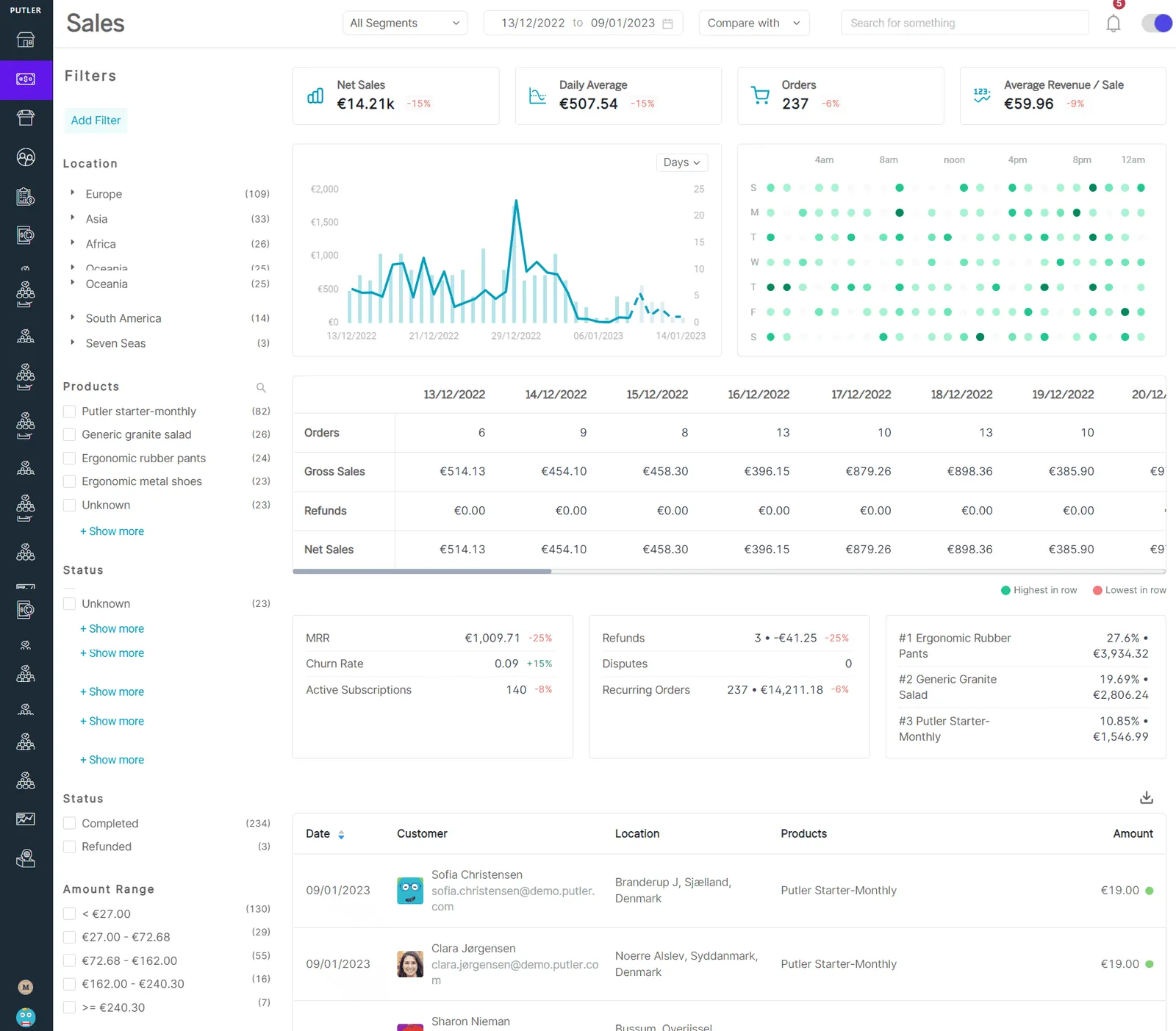
Review which products sold fastest and which stalled. Check when traffic peaked and how checkout performed under load. Documenting your coupon redemption rates, average order values, and customer support ticket logs ensures your team starts next year with proven operational benchmarks.
Where to start your campaign preparations this week
Start your Black Friday preparations at least 4 weeks before Cyber Week by reviewing product profit margins, configuring coupon restriction rules, and auditing your store checkout flow. Following a disciplined 4-week preparation schedule ensures your WooCommerce store operates reliably throughout the sale.
Here is your prioritized preparation checklist:
-
Four weeks out (Catalog audit): audit sales history through Putler or Smart Manager to set discount ceilings.
-
Three weeks out (Coupon rules): install Smart Coupons to build tiered spending rules with individual use enabled.
-
Two weeks out (Checkout flow): activate Cashier to remove unnecessary checkout fields and enable direct purchase.
-
One week out (Infrastructure test): verify that your host excludes checkout cookies and clean out expired transients.
Executing these foundational tasks early gives you the freedom to focus entirely on customer acquisition and marketing execution when the sale goes live.
Frequently asked questions
When should I start planning for my WooCommerce Black Friday sale?
Start planning your campaign at least 4 weeks before Black Friday. This timeline provides adequate time to audit inventory margins, test automated coupon configurations, prepare server caching rules, and build audience anticipation through early teaser emails.
How do I stop customers from stacking multiple coupons on one order?
Open Marketing > Coupons in WordPress, select your promotional coupon, and check the Individual use only box under the Usage restriction tab. This prevents shoppers from combining promotional codes with affiliate discounts or welcome offers.
Does Black Friday or Cyber Monday generate higher e-commerce discounts?
Adobe Digital Insights shows that e-commerce discounts peak across Cyber Week. Cyber Monday offers the deepest discounts on software and subscriptions, while Black Friday leads on physical merchandise doorbusters.
Why does WooCommerce checkout slow down during Black Friday traffic spikes?
Checkout slowdowns occur because checkout requests bypass server caches to process dynamic carts and write order records to the database. Enabling High-Performance Order Storage (HPOS) and purging expired transients prevents database table locking under load.