
Free trials can help reduce the hesitation that stops customers from subscribing. Instead of asking for a full commitment upfront, you let customers experience your product or service for a set period before the first recurring payment.
If you sell subscriptions with WooCommerce, you can offer a free trial by adding a subscription plugin that supports trial periods and automatic recurring payments.
In this guide, you’ll learn how WooCommerce free trials work, what you need to set one up, how to add a free trial to a WooCommerce subscription, and how to structure trials so they lead to paid subscriptions, not just free users.
What is a free trial for a WooCommerce subscription?
A free trial is a period at the beginning of a subscription during which the customer can use the product or service before the first recurring payment is collected.
This gives customers a chance to experience the product before committing to recurring billing. It can also create a sense of ownership as customers start using and incorporating the product into their routine, a concept known as the Endowment Effect.
For example, suppose you sell an online yoga membership for $29 per month:
- Trial: 7 days
- Recurring price: $29
- Billing period: Monthly
- First recurring payment: After the 7-day trial
The customer doesn’t simply receive a discounted first month. They enter the subscription lifecycle with a defined trial period followed by recurring billing.
That distinction matters because a free trial affects more than the product price. Your store needs to know the trial end date, the next payment date, the customer’s payment method, and what should happen if the customer cancels or the payment fails.
WooCommerce’s own subscription documentation describes a free trial as a period added to the beginning of a subscription before recurring payments begin.
How do free trials work in WooCommerce?
The basic flow looks like this:
- The customer selects a subscription product.
- The checkout shows the trial terms and what happens after the trial.
- The subscription is created with a defined trial end date.
- The customer receives access to the subscription during the trial.
- The payment gateway handles the first recurring charge when the trial ends, depending on how the subscription and payment method are configured.
- If the customer cancels before the trial ends, the subscription should not continue into paid billing.
For stores using automatic recurring payments, the payment method needs to be capable of supporting the renewal process.
With Smart Subscriptions, automatic renewals currently require the WooCommerce Stripe Gateway and an active Stripe account.
What happens when the free trial ends?
When the trial ends, the customer is charged for the subscription if automatic payments are enabled.
For example, if you offer a 7-day free trial for a $29/month subscription, the customer pays nothing when signing up. The first $29 payment is charged when the 7-day trial ends.
Make sure the trial length, recurring price, and post-trial billing terms are clearly shown before the customer subscribes.
If the payment cannot be collected when the trial ends, the renewal may fail and the subscription status will depend on how your payment gateway and subscription plugin handle failed payments.
Why offer a free trial on a WooCommerce subscription?
A free trial is most useful when customers need to experience the value of your product before they can confidently commit to recurring billing.
That makes trials particularly relevant for:
- online courses and memberships
- software and digital products
- online communities
- fitness and coaching programs
- subscription services
- products where customers need to experience quality before committing
But a free trial isn’t automatically the right offer for every subscription.
If customers already understand the product and the main objection is price, a discount can be more appropriate. If customers don’t yet understand the value, allowing them to experience the product may remove more friction than simply reducing the price.
Free trial vs discount: which should you use?
The difference is straightforward:
- Free trial: removes the payment barrier temporarily so customers can experience the product.
- Discount: reduces the price while still asking customers to make a purchase.
For a SaaS-style membership, a 14-day trial may make sense because customers need time to use the service. For a coffee subscription, a discounted first box may make more sense because the customer can evaluate the physical product after purchasing it.
Don’t add a free trial simply because competitors have one. Match the offer to the point at which customers can actually determine whether your subscription is worth paying for.
What do you need to offer free trials in WooCommerce?
You need three pieces working together:
1. WooCommerce
WooCommerce provides the store, product, checkout, customer account, order, and payment infrastructure. It does not provide subscription billing and free trials by itself.
2. A WooCommerce subscription plugin
A subscription plugin adds the recurring-product and subscription logic WooCommerce needs.
For example, Smart Subscriptions for WooCommerce adds a Simple Subscription product type, flexible billing periods, free-trial support, subscription management, and automatic recurring billing through Stripe.
If you’re comparing subscription solutions before choosing one, see our guide to WooCommerce subscription plugins.
3. A payment gateway that supports automatic recurring payments
A free trial becomes a recurring subscription when the customer transitions from the trial into paid billing. Your payment gateway therefore needs to support the renewal method your subscription plugin uses.
Smart Subscriptions currently uses the WooCommerce Stripe Gateway for automatic recurring payments.
How to add free trials to WooCommerce subscriptions
Offering a free trial in WooCommerce is simple. Use the Smart Subscriptions for WooCommerce plugin, which is a lightweight subscriptions plugin.
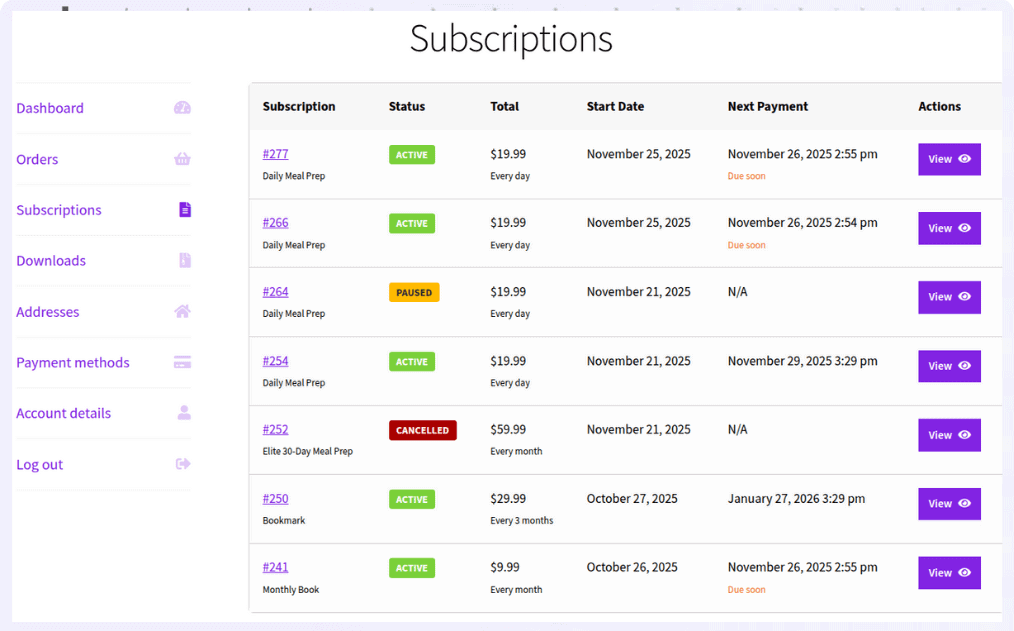
It provides everything you need to offer recurring billing products with seamless Stripe integration.
Let’s say you want to offer a 7-day free trial for a monthly Yoga subscription priced at $29.
Here’s how to add free trials to WooCommerce subscriptions:
- First, install and activate the Smart Subscriptions for WooCommerce plugin. Since the plugin supports automatic renewals through Stripe, make sure the WooCommerce Stripe payment gateway plugin is installed and connected.
- Next, go to
WooCommerce > Settings > Smart Subscriptionsand enable subscription functionality from the general settings. - Now create your subscription product. Navigate to
WooCommerce > Products > Add Newand add the product details. For example, you can create a monthly Yoga subscription and explain what customers receive as part of their membership. - Scroll down to the
Product Datasection and choose Simple Subscription from the dropdown menu. - Enter the
Subscription Price, for example, $29, which is the amount customers will be charged once the trial ends. - Then configure the billing cycle by setting
Billing Intervalto 1 andBilling Periodto Month. This means customers will be billed every month. - Now add the free trial. Set
Trial Lengthto 7 andTrial Periodto Day. This gives customers a 7-day free trial before the first payment is processed. - You can optionally add coupons for promotional campaigns and enter the Cost of Goods to track profitability.
- Finally, click
Publishto make the subscription product live.
Customers can now sign up, use the product during the trial period and automatically get charged once the trial ends.
Get Smart Subscriptions for WooCommerce
How long should a WooCommerce free trial be?
There is no universal “best” trial length. The right duration is the shortest period in which a customer can reach the product’s core value.
Use the customer’s natural evaluation cycle as your starting point:
- 7 days: useful when customers can experience the core value quickly.
- 14 days: useful when onboarding or repeated usage is necessary.
- 30 days: makes more sense when the product genuinely requires several weeks of use to evaluate.
For example, a project-management tool might need multiple work cycles before a customer understands its value. A simple digital membership may not.
Don’t choose 30 days just because it sounds more generous. A longer trial also creates a longer gap between acquisition and revenue, and gives customers more opportunity to forget they signed up.
Should you require payment details for a WooCommerce free trial?
This is one of the most important decisions in a free-trial setup.
Collect payment details upfront when the intended customer journey is “start the trial, then automatically continue as a paid subscriber unless canceled.” This creates a cleaner transition to recurring billing because the payment method is already associated with the subscription.
Don’t collect payment details upfront when you want the trial to be completely commitment-free and are comfortable requiring customers to actively subscribe when the trial ends.
Neither model is automatically better. The important thing is that customers understand which model they’re entering.
Automatic post-trial billing should never be hidden behind vague wording such as “Start free.” State the trial length, recurring price, billing frequency, and cancellation terms clearly before the customer submits the order.
This is not only good UX. Free-to-paid trials are a form of negative-option subscription, and regulators have specifically emphasized clear disclosure of future charges and cancellation terms.
What should you show customers before a free trial starts?
A customer should not have to hunt through your terms and conditions to understand what happens after the trial.
At minimum, make these four details visible:
- Trial duration: “7-day free trial”
- Post-trial price: “Then $29/month”
- Billing timing: “Your first payment will be charged when the trial ends”
- Cancellation: Explain how and when customers can cancel before the first charge.
For example:
The exact wording should match your checkout and payment configuration. Don’t promise automatic billing if the payment method isn’t actually configured for automatic renewals.
WooCommerce’s documentation also highlights the importance of clearly communicating free-trial billing terms, particularly when payment information is collected during signup.
How to make WooCommerce free trials convert without attracting freebie hunters?
The goal isn’t to maximize trial signups. It’s to get the right customers to experience enough value that continuing to pay makes sense.
- Define the first-value milestone: Identify the action that shows a customer has experienced your product’s core value. For a course, it might be completing the first module; for software, creating the first project. Build onboarding around this action.
- Keep the trial as long as necessary, not as long as possible: Start with the shortest period in which customers can reach that value milestone. Extend it only when usage data shows they need more time.
- Let customers experience the paid product: Don’t hide the feature they need to evaluate your subscription. If you restrict access, make the restriction part of your business model rather than blocking the product’s core value.
- Use the pre-expiry reminder to remove uncertainty: Tell customers when the trial ends, what they’ll be charged, what they’ll continue receiving, and how to cancel. Don’t send a generic “Your trial ends tomorrow” email.
- Measure paid outcomes, not just trial volume: Track trial starts, activation, cancellations, trial-to-paid conversion, first-renewal success, and early post-trial churn. A customer who converts on day 8 but cancels on day 12 isn’t necessarily a successful acquisition.
Common WooCommerce free-trial mistakes to avoid
Most trial problems happen at the transition from free to paid. Check these before launch:
- Hiding the recurring price: “7 days free” should always be accompanied by the post-trial price and billing frequency.
- Not explaining future charges: If you collect payment details upfront, clearly state that they will be used for the recurring payment after the trial unless the customer cancels.
- Testing only the $0 checkout: Test the entire lifecycle—trial signup, subscription creation, trial end, first renewal, failed payment, cancellation, status changes, and customer emails.
- Making cancellation difficult: Give customers a clear self-service cancellation path. Cancellation friction can lead to disputes rather than retention.
- Assuming every gateway handles renewals the same way: Confirm that your payment gateway supports the automatic renewal flow required by your subscription plugin. For Smart Subscriptions, Stripe is currently the supported gateway for automatic recurring payments.
How to test a WooCommerce free trial before launching?
Run a real test subscription in your payment gateway’s test environment before sending traffic to the offer.
Verify that:
- the trial duration is calculated correctly
- the checkout clearly shows the trial terms
- the correct recurring price is stored
- the next payment date is correct
- the payment method is handled correctly
- the subscription changes status correctly at trial end
- the first recurring payment is processed correctly
- failed payments follow your configured recovery process
- customers can cancel their subscription
- the relevant email notifications are sent
This matters because a trial can look perfect on the product page while failing at the transition from “free” to “paid.”
How failed payments affect free-trial subscriptions?
A successful trial conversion doesn’t guarantee a successful payment.
A customer’s card can be declined because of insufficient funds, an expired payment method, bank restrictions, or other payment issues. Your subscription system therefore needs a recovery process rather than immediately treating every failed renewal as lost revenue.
Smart Subscriptions includes an automatic retry system for failed payments. Its current documentation says failed payments can be retried up to four times using increasing intervals before the subscription is canceled if the retries remain unsuccessful.
This makes payment recovery an important part of evaluating a subscription plugin, not just an optional feature to look at after launch.
Free trial vs discounted first payment
A free trial and a discounted first payment both reduce the barrier to subscribing, but they address different customer concerns.
Use a free trial when customers need to experience the product or service before deciding whether it is worth the recurring cost. Use an introductory discount when customers already understand the product but need a lower initial price to feel comfortable subscribing.
| If the customer’s objection is… | Consider |
| “I don’t know whether this product is right for me.” | Free trial |
| “I want to try it, but the first payment feels expensive.” | Introductory discount |
| “I need to experience the service before committing.” | Free trial |
| “I already know I want this, but the price is the issue.” | Discount |
| “I need to physically evaluate the product.” | Sample or discounted first order |
The key is to match the offer to the customer’s hesitation: use a trial to reduce uncertainty and a discount to reduce price resistance.
Can you add free trials to WooCommerce without WooCommerce Subscriptions?
Yes. WooCommerce itself doesn’t provide subscription trials, but you don’t have to use the official WooCommerce Subscriptions extension specifically.
A third-party subscription plugin can provide the subscription and trial functionality.
For a simple Stripe-based setup, Smart Subscriptions for WooCommerce supports Simple Subscription products, free trials, flexible billing intervals, automatic Stripe renewals, failed-payment retries, and customer subscription management.
If you need more advanced subscription functionality such as multiple gateways, complex subscription plans, or sophisticated billing rules, compare the requirements of your store before choosing a plugin.
Start offering free trials on WooCommerce subscriptions
A free trial is not simply a product with a price of $0 for a few days. It is a billing workflow that connects the customer’s trial, payment method, subscription status, renewal date, communication, and cancellation process.
For a straightforward WooCommerce subscription, the setup can be simple: create a subscription product, set the recurring price and billing cycle, add the trial period, connect Stripe for automatic renewals, and test the entire lifecycle before launch.
The bigger opportunity is in what happens during those trial days. Get customers to the product’s first meaningful value quickly, explain exactly what happens when the trial ends, and measure paid conversion and early churn, not just the number of people who start a trial.
That’s how a free trial becomes a subscription acquisition strategy rather than just a “free” badge on your product page.
Get Smart Subscriptions for WooCommerce
FAQs
Can I add a free trial to a WooCommerce subscription?
Yes. You need a WooCommerce subscription plugin that supports trial periods. With Smart Subscriptions for WooCommerce, you can set a trial length and trial period when creating a subscription product.
Can I offer a free trial without charging customers upfront?
Yes, depending on your subscription and payment-gateway setup. A trial can be configured so customers pay nothing at checkout and are charged when the trial ends. Make sure the checkout clearly states the recurring price and when the first payment will be taken.
Can customers cancel a WooCommerce free trial?
Yes. Customers should be able to cancel before the trial ends if you don’t want the subscription to continue into paid billing. The exact cancellation process depends on the subscription plugin and your store configuration.
Can I offer a free trial with automatic recurring payments?
Yes. With a compatible subscription plugin and payment gateway, customers can enter a trial and then be charged automatically when the trial ends. The payment gateway must support the recurring payment flow used by your subscription setup.
What should I test before launching a WooCommerce free trial?
Test the complete subscription lifecycle, not just the initial checkout. Verify the trial signup, subscription creation, trial end date, first recurring payment, failed renewal, cancellation, subscription status changes, and customer email notifications.