

Managing WooCommerce products one by one quickly becomes a bottleneck as your store grows. Whether you’re updating prices for a sale, correcting inventory, editing product attributes, or managing thousands of SKUs, the right bulk editing plugin can save hours every week.
Both WPMelon Advanced Bulk Edit and Smart Manager give you spreadsheet-style editing inside WordPress. But after comparing both closely, one thing became clear: they solve different levels of the same problem.
WPMelon Advanced Bulk Edit is built for bulk editing WooCommerce products and variations.
Smart Manager is built to manage your entire WooCommerce store, including products, orders, customers, coupons, subscriptions, blog posts, and other WordPress data, from one spreadsheet-like interface.
WPMelon Advanced Bulk Edit vs Smart Manager: quick comparison
Both plugins give you a spreadsheet grid inside WordPress. Here’s where they differ:
| Feature | Smart Manager | WPMelon Advanced Bulk Edit |
|---|---|---|
| Spreadsheet editor | ✅ | ✅ |
| Bulk edit products | ✅ | ✅ |
| Bulk edit variations | ✅ | ✅ |
| Advanced filters | ✅ | ✅ |
| Bulk stock management | ✅ | ✅ |
| Bulk price adjustments, find & replace | ✅ | ✅ |
| Saved views and filters | ✅ | ✅ |
| Custom fields / ACF editing | ✅ | ⚠️ Pro only |
| Orders management | ✅ | ❌ |
| Customers & users | ✅ | ❌ |
| Coupons management | ✅ | ❌ |
| Posts & pages | ✅ | ❌ |
| Subscriptions & memberships | ✅ | ❌ |
| Schedule bulk edits | ✅ | ❌ |
| Save & reuse bulk actions | ✅ | ❌ |
| Automated exports | ✅ | ❌ |
| Undo edits | ✅ | ✅ |
| Supports WooCommerce extensions | ✅ Extensive | ⚠️ Limited |
The biggest difference between WPMelon Advanced Bulk Edit and Smart Manager
Most comparisons focus on features. That’s the wrong place to start. The real difference is what each plugin is trying to help you manage.
WPMelon Advanced Bulk Edit is built around products. Smart Manager is built around store operations.
It sounds like a small distinction, but it becomes obvious once your store starts growing. Think about a typical day running an online store. You might need to:
- Update prices for a category
- Process a few customer orders
- Correct inventory
- Extend a coupon campaign
- Find a customer’s previous purchases
- Update SEO metadata
- Export orders for accounting
WPMelon Advanced Bulk Edit handles the first task very well. Smart Manager lets you get through all of them without switching between different WooCommerce screens or installing multiple management plugins.
Where WPMelon Advanced Bulk Edit stands out
Product editing is its primary focus
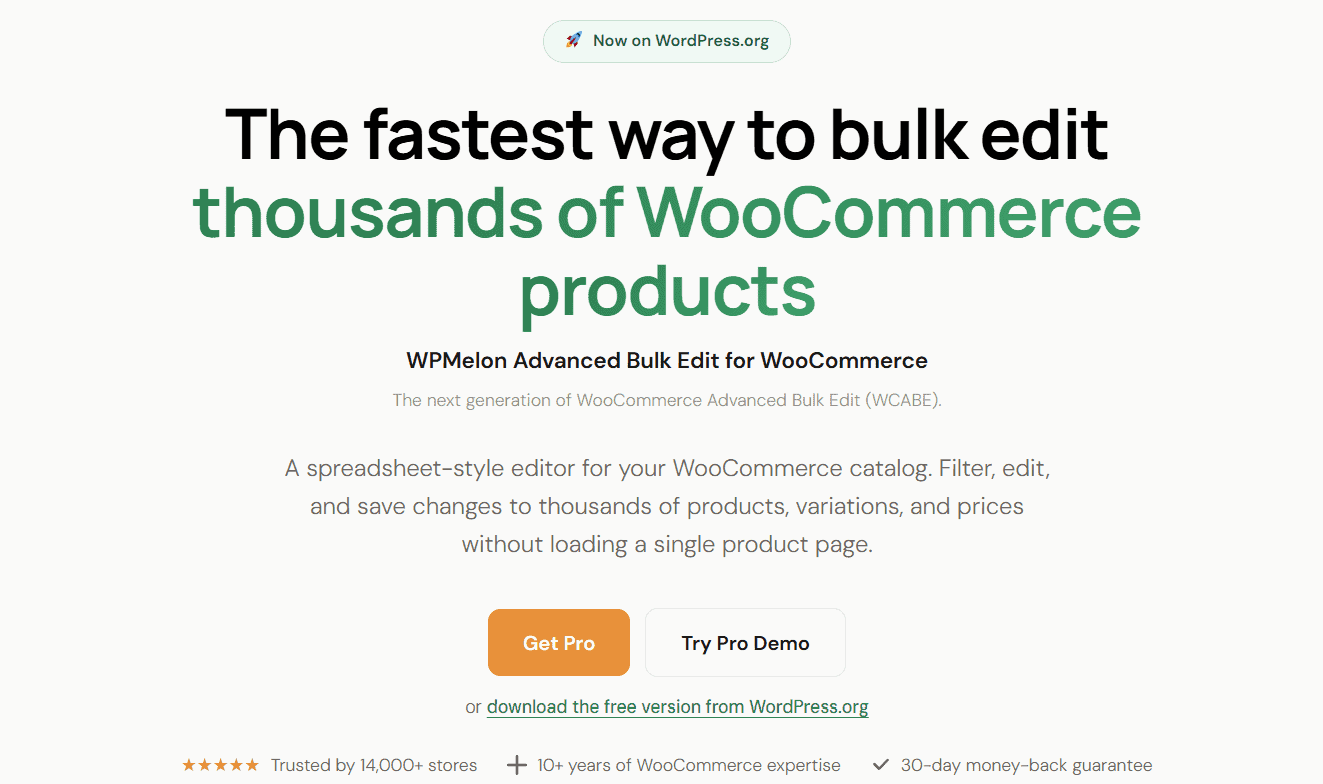
WPMelon Advanced Bulk Edit does one thing very well: managing WooCommerce products. It gives you a spreadsheet interface to quickly update prices, stock quantities, categories, attributes, images, custom fields, and variations.
The free version includes a fill handle to drag values down a column, bulk percentage price changes, find-and-replace, text append/prepend, bulk category or tag assignment, saved views, and CSV export. It’s built on WooCommerce’s own CRUD layer, so hooks and caches work the way core WooCommerce expects.
For merchants whose daily work revolves around product maintenance, it’s a focused and capable editing experience.
What Smart Manager does instead: Smart Manager includes the same core product editing capabilities but expands the spreadsheet to cover orders, customers, coupons, subscriptions, blog posts, pages, and many other WordPress data types.
Strong variation management
Stores selling products with multiple sizes, colors, or configurations need solid variation editing tools. WPMelon Advanced Bulk Edit includes inline variation editing. You can expand a variable product and edit its variations as child rows without losing the parent-child grouping, along with bulk variation pricing updates, attribute management, and stock editing.
What Smart Manager does instead: Smart Manager also handles product variations but folds them into the same workflow used for managing the rest of the store.
Lower entry cost
The core WPMelon Advanced Bulk Edit plugin is free on WordPress.org. A paid Pro version adds regex find-and-replace, price rounding, custom and ACF meta field editing, custom taxonomies, and more granular selection tools. If your only need is product bulk editing, this is the lower-cost starting point.
What Smart Manager does instead: Smart Manager is a productivity platform that replaces multiple management plugins and workflows. The value grows as your store does.
Where Smart Manager stands out
It manages your entire store, not just products
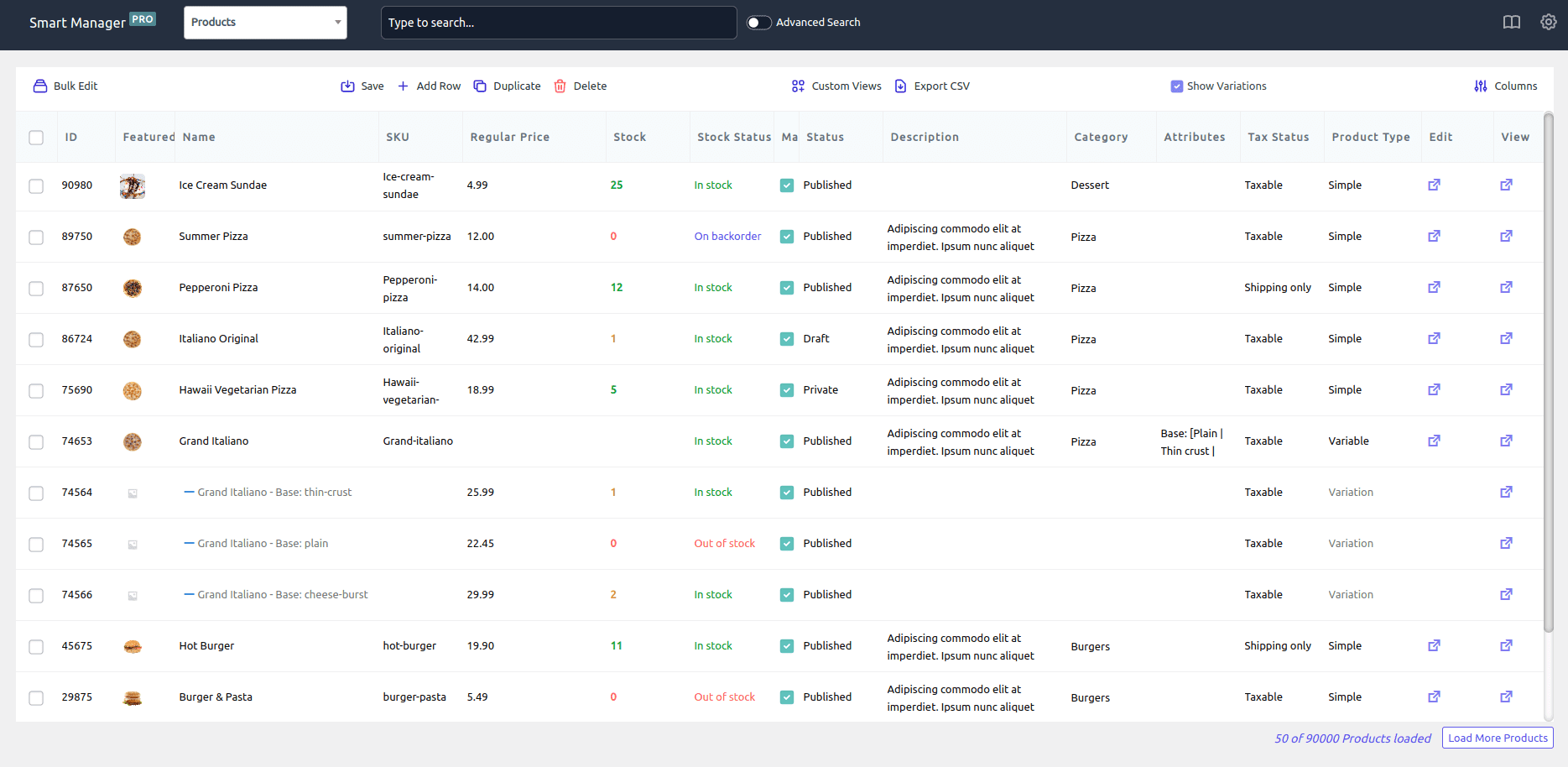
The biggest advantage Smart Manager has is scope. As your store grows, so does your workload. You’ll spend time processing orders, answering customer requests, managing coupons, handling subscriptions, publishing content, and working with data from other WooCommerce extensions.
Instead of treating each of these as a separate task needing a different plugin or admin screen, Smart Manager puts them all in one spreadsheet-like interface.
From the same grid, you can edit products and variations, update order statuses, search and modify customer records, manage coupons, edit blog posts and pages, and work with subscriptions, memberships, bookings, and other supported post types.
What WPMelon Advanced Bulk Edit does instead: WPMelon stays focused on product management. If that’s your only need, its narrower scope is fine.
Automation that cuts down on repetitive work
Many store management tasks repeat every week. You might update prices monthly, schedule seasonal promotions, export order reports for accounting, or make the same inventory adjustments on a regular basis.
With WPMelon Advanced Bulk Edit, you handle these manually each time. Smart Manager lets you schedule bulk edits for future dates, save frequently used bulk edit actions, reuse advanced search filters, and set up recurring exports.
Picture preparing for a weekend sale. Instead of staying up at midnight to drop prices and then waking up early to restore them, you can schedule both in advance.
What WPMelon Advanced Bulk Edit does instead: WPMelon gives you powerful manual bulk editing tools but doesn’t focus on workflow automation.
Fewer plugins to manage
Plugin overload is a real problem for many WooCommerce stores. You add one plugin for bulk product editing, another for order management, another for exports, another for customers, another for subscriptions. Before long, routine admin work involves jumping between multiple tools.
Smart Manager brings many of these tasks into one place: fewer plugins to update, fewer interfaces to learn, and less time spent switching screens during a normal working day.
What WPMelon Advanced Bulk Edit does instead: WPMelon is great within its product management niche but isn’t built to replace other admin plugins.
Built for stores that keep growing
A small catalog with occasional price updates works fine with either plugin. But most stores grow. Once you’re also processing orders, running coupon campaigns, and publishing content, a product-only editor becomes just one of five or six tools you need.
Smart Manager’s approach is that one interface covering everything is worth more than the best product-only editor. The more your WooCommerce operation grows, the more that consolidation pays off.
What WPMelon Advanced Bulk Edit does instead: WPMelon works well for product-focused operations, but you’ll likely bring in additional tools as your needs expand.
Which plugin gives faster ROI?
Smart Manager delivers the strongest ROI when multiple business functions need managing. If your team works across products, orders, customers, coupons, subscriptions, and content on a regular basis, the time savings add up quickly. Editing, searching, exporting, duplicating, and automating from a single interface removes hours of repetitive work each week.
WPMelon Advanced Bulk Edit delivers ROI through product management efficiency. For stores with large catalogs, variation-heavy inventories, and frequent pricing or stock updates, it can dramatically cut manual editing time. The more product-centric your operation is, the stronger the case for it.
Which plugin should you choose?
Choose Smart Manager if:
- You manage more than just WooCommerce products
- You regularly work with orders, customers, and coupons
- You use WooCommerce Subscriptions, Memberships, Bookings, or LMS plugins
- You want a spreadsheet-style interface across your entire store
- You need scheduled bulk edits or automated exports
- You want to save and reuse bulk editing workflows
- You want one tool instead of several admin plugins
- You care more about long-term productivity than upfront cost
Choose WPMelon Advanced Bulk Edit if:
- Your primary goal is bulk editing WooCommerce products and variations
- You manage a relatively simple product catalog
- Most of your work involves prices, stock, categories, and attributes
- You don’t need workflow automation or scheduling
- You don’t need to bulk manage orders, customers, or content
- A free plugin with an optional Pro upgrade fits your budget
Can Smart Manager replace WPMelon Advanced Bulk Edit?
For many WooCommerce stores, yes. Smart Manager covers the core bulk editing tasks most merchants need: updating products, managing variations, adjusting prices, editing stock, filtering products, and working with custom fields.
Where it goes further is by bringing those same spreadsheet workflows to other parts of your business. Instead of opening separate screens or relying on extra plugins, you can also manage orders, customers, coupons, subscriptions, blog posts, pages, and custom post types from the same place.
So Smart Manager isn’t just replacing a product bulk editor. It can also replace several admin workflows that would otherwise need separate tools.
If your needs are limited to product management, WPMelon Advanced Bulk Edit is a capable choice. If you want a central dashboard for your entire WooCommerce operation, Smart Manager is the broader option.
Final verdict
Both WPMelon Advanced Bulk Edit and Smart Manager make managing WooCommerce faster than working through the default WordPress admin. The right choice comes down to what you’re trying to simplify.
If your focus is editing products, variations, prices, and inventory, WPMelon Advanced Bulk Edit covers those tasks well.
If your goal is managing your entire store from one place, including products, orders, customers, coupons, subscriptions, and other WooCommerce data, Smart Manager gives you a more complete workflow.
The biggest difference isn’t in how they edit products. It’s in how much of your business they help you manage.
As your WooCommerce store grows, admin work expands beyond products. Having one interface for day-to-day store operations saves time, cuts plugin sprawl, and makes routine management easier.
FAQ
Is Smart Manager a WPMelon Advanced Bulk Edit alternative?
Yes. Smart Manager handles everything WPMelon Advanced Bulk Edit does for products, and extends that same spreadsheet workflow to orders, customers, coupons, subscriptions, and other WooCommerce data. If your store has grown beyond product management, Smart Manager is the more complete replacement.
Which plugin is better for large or growing WooCommerce stores?
Both handle large product catalogs well. Smart Manager pulls ahead for growing stores because orders, customers, and subscriptions scale up alongside the product count, and it manages all of them from one place.
Is WPMelon Advanced Bulk Edit free?
Yes, the core plugin is free on WordPress.org. A paid Pro version adds regex editing, price rounding, custom taxonomies, and ACF/meta field support.
Does WPMelon Advanced Bulk Edit support variable products?
Yes. It lets you expand variable products and edit variations inline while keeping the parent-child relationship intact in the spreadsheet.
Can Smart Manager schedule bulk price changes?
Yes. Smart Manager lets you schedule bulk edits in advance, making it useful for sales, seasonal pricing, inventory updates, and other recurring tasks.
Which plugin is better for WooCommerce product management?
Both provide spreadsheet-style product editing. WPMelon Advanced Bulk Edit focuses on products and variations, while Smart Manager extends the same workflow to orders, customers, coupons, subscriptions, posts, and many supported plugin data types.
Which plugin offers better value for growing WooCommerce stores?
For stores whose needs go beyond products, Smart Manager generally delivers more long-term value by bringing multiple workflows into one tool. For stores focused almost entirely on product administration, WPMelon Advanced Bulk Edit can be enough at a lower cost.