

If you’ve started looking for a WordPress booking plugin, you’ve probably noticed that the same plugins appear in most comparisons. But the right choice depends less on which plugin has the most features and more on what your business actually needs to book.
A salon, a photography studio, a consultant, and a coaching business may all need customers to reserve time, but their requirements for staff scheduling, payments, recurring appointments, events, and automation can be very different.
And there’s another important distinction to make before comparing plugins:
Are you booking people’s time, or are you renting something?
If your business revolves around appointments, such as consultations, classes, coaching sessions, photography sessions, or salon bookings, plugins like Booknetic, Bookly, BookingPress, Amelia, Bookster, and FluentBooking are designed around this type of scheduling.
Renting physical items is a different use case. Equipment, vehicles, event supplies, and other rental products may require date-range availability, inventory management, deposits, rental pricing, and protection against overlapping bookings. For these businesses, a rental-focused WooCommerce solution may be a better fit.
This comparison focuses on WordPress plugins for appointment and service-based bookings. If you need to manage rentals through WooCommerce, we’ll also point you toward the relevant rental and WooCommerce booking resources.
What’s the difference between WordPress booking plugins and WooCommerce booking plugins?
Before comparing the plugins, it’s important to understand the difference between a general WordPress booking plugin and a WooCommerce booking plugin.
WordPress booking plugins can work as standalone scheduling systems for appointments, consultations, classes, events, and other reservations. They don’t necessarily require WooCommerce to manage bookings or accept payments.
WooCommerce booking plugins, on the other hand, integrate bookings with a WooCommerce store. Depending on the plugin, this can include using WooCommerce products, checkout, payment gateways, orders, customer accounts, and other store functionality as part of the booking process.
So before choosing a plugin, consider how your website works. If you mainly need customers to schedule appointments or reserve time slots, a standalone WordPress booking plugin may be enough. If bookings need to be part of your WooCommerce store and checkout process, a WooCommerce booking plugin may be a better fit.
What I Looked at When Comparing These WordPress Booking Plugins
To make the comparison useful for buyers, I focused on factors that can affect which plugin is the right fit:
- Starting price and free plan availability
- Features included in the entry-level paid plan
- WooCommerce integration
- Payment options
- Appointment and scheduling capabilities
- Best-fit business type
Pricing and feature availability can vary significantly between plans. Some plugins have a low starting price but reserve features such as payment gateways, WooCommerce integration, or advanced scheduling for higher-tier plans. So it’s worth checking what’s actually included in the plan you need, rather than comparing starting prices alone.
Best WordPress Booking Plugins at a Glance
| Plugin | Best for | Free version | Starting paid price | Key strength |
|---|---|---|---|---|
| Bookly | Salons, clinics & service businesses | ✅ | $49/year | Mature ecosystem with flexible add-ons |
| Booknetic | Multi-staff service businesses | ❌ | $45/year | Strong automation and workflow features |
| BookingPress | Small businesses looking for a strong free option | ✅ | $89/year | Generous free version with useful core features |
| Amelia | Appointments, events & growing service businesses | ✅ | $49/year | Appointment and event management in one plugin |
| FluentBooking | Consultants, coaches & agencies | ✅ | $79/year | Simple Calendly-style WordPress scheduling |
| Bookster | Service businesses & multi-staff appointments | ✅ | $39/year | Unlimited services and agents with flexible scheduling |
Which WordPress Booking Plugin Is Best for Different Business Types?
Now that you know what to look for, it’s time to compare the plugins themselves. While all six focus primarily on appointment and service-based scheduling, they differ in areas such as staff management, automation, payments, events, integrations, and ease of use.
The reviews below highlight each plugin’s key strengths, things to consider, and the type of business it’s best suited for.
Bookly
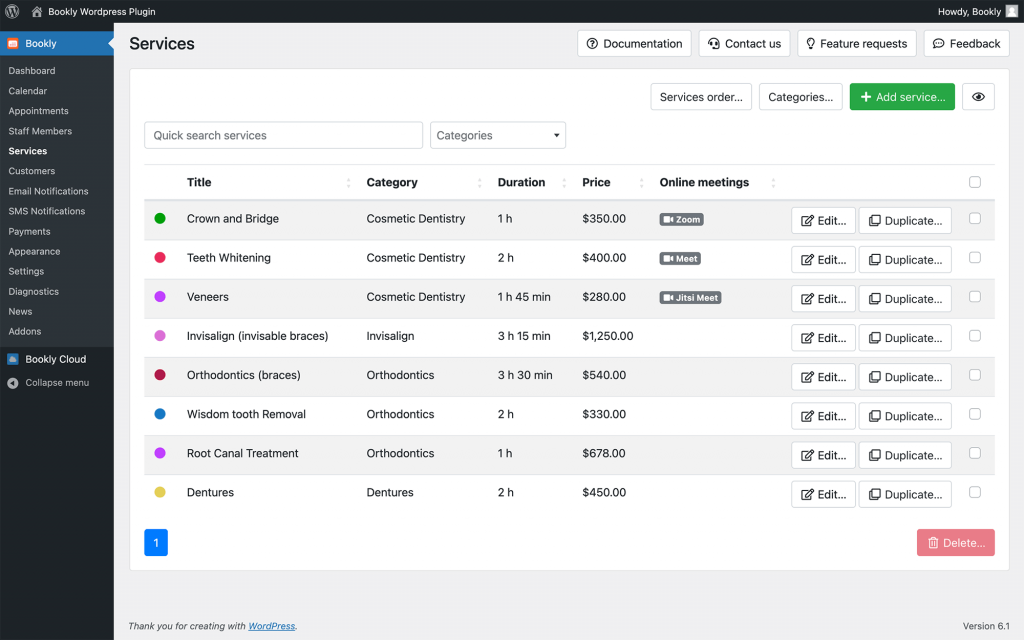
Bookly is an established WordPress booking plugin built primarily for appointment scheduling. It gives service-based businesses a flexible way to manage appointments, staff schedules, and the customer booking experience.
The free version covers basic scheduling needs, while Bookly Pro and optional add-ons extend the functionality with features such as online payments, recurring appointments, WooCommerce integration, additional staff management options, and other booking features.
This modular approach gives businesses flexibility to add functionality as their booking needs grow. However, depending on the features you need, using multiple paid add-ons can increase the overall cost.
Best suited for
- Salons
- Clinics
- Consultants
- Tutors
- Beauty professionals
- Other appointment-based service businesses
Things to consider
- Some advanced features require Bookly Pro or additional paid add-ons.
- The total cost can increase depending on the add-ons your business needs.
Booknetic
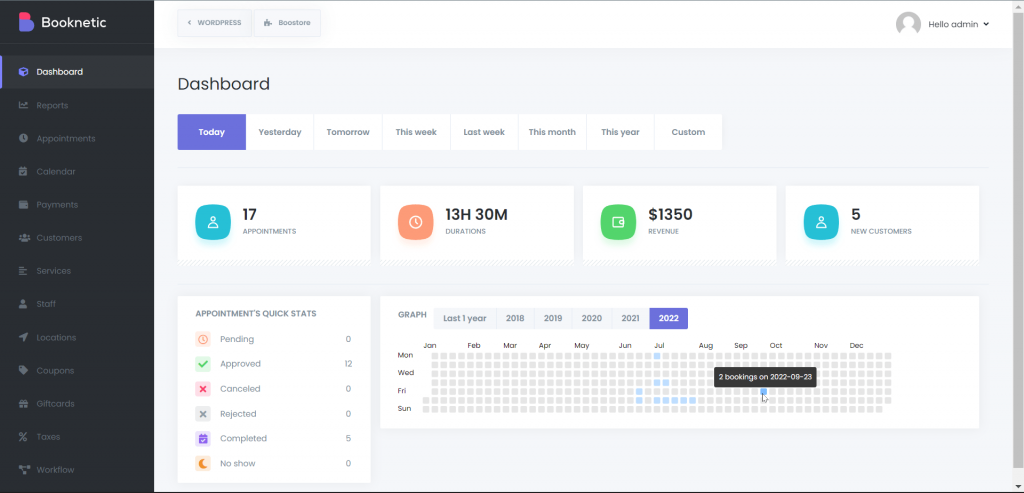
Booknetic is a WordPress appointment booking plugin designed for service-based businesses, particularly those managing multiple staff members, services, and schedules.
One of its key strengths is automation. Depending on the plan, Booknetic offers features such as workflow automation, reminders, multiple locations, payment integrations, reporting, and WooCommerce integration. This makes it a useful option for businesses that want to automate more of the booking process as they grow.
However, it’s important to compare the plans carefully. Some features, including WooCommerce integration and certain payment options, are available only on higher-tier plans. The lowest-priced plan may therefore not include everything your business needs.
Best suited for
- Salons
- Clinics
- Agencies
- Multi-staff service businesses
Things to consider
- Some integrations and payment features are available only on higher-tier plans.
- Check which plan includes the features you need rather than comparing the starting price alone.
BookingPress
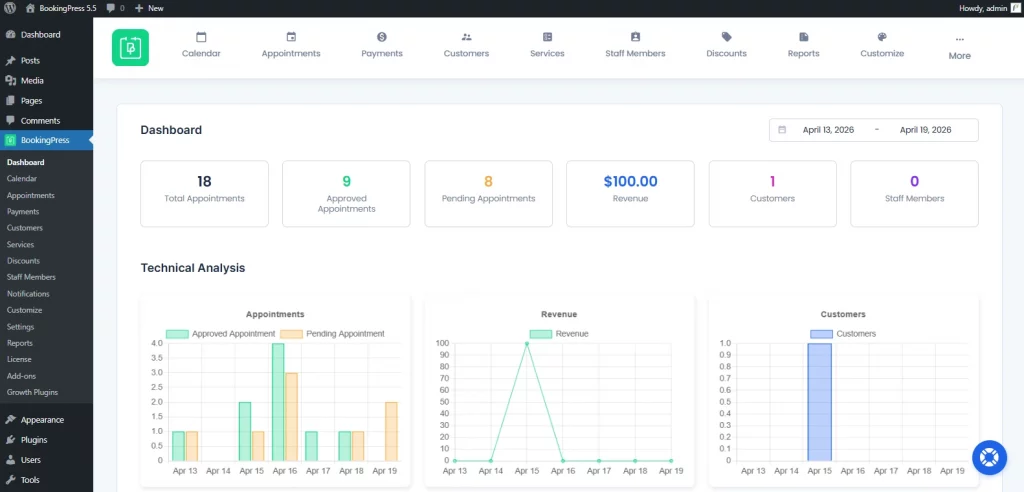
BookingPress offers one of the strongest free versions available today.
Unlike many free plugins that feel heavily restricted, it includes unlimited appointments, booking forms, email notifications, and PayPal payments without requiring an upgrade.
The paid plans expand those features by adding additional payment gateways, WooCommerce support, staff management, multiple locations, SMS notifications, and numerous add-ons that are included instead of sold separately.
One thing users should know is that the plugin is no longer distributed through the WordPress plugin directory.
Updates come directly from the developer instead.
That isn’t necessarily a problem, but it’s worth knowing before installing it.
Best suited for
Small businesses looking for a capable free booking system before committing to a paid plan.
Amelia
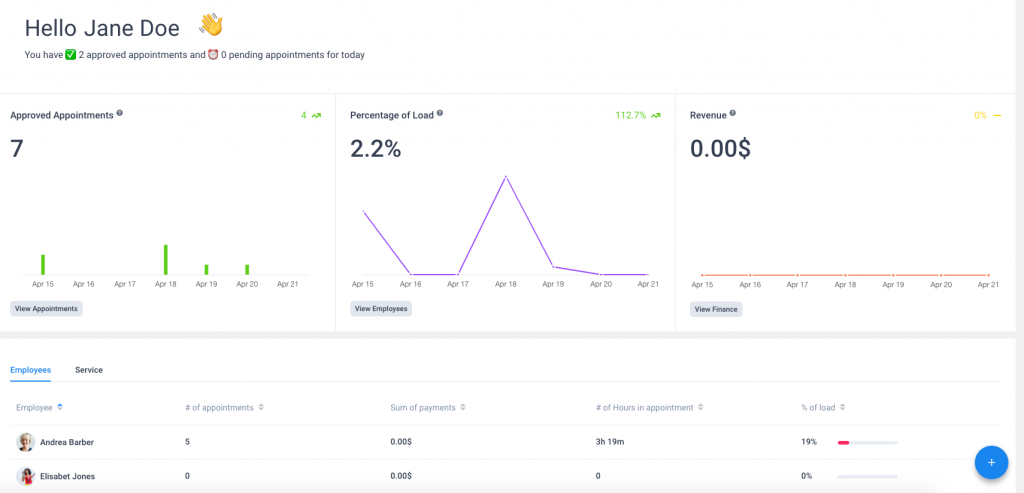
Amelia is a WordPress booking plugin designed for businesses that manage appointments, services, and events from one system.
A free version is available for basic booking needs, while the paid plans add more advanced scheduling, payment, and integration features. Businesses that need payment options such as Stripe or PayPal, or WooCommerce integration, should check which paid plan includes the functionality they require.
Beyond payments, Amelia supports features such as recurring appointments, service packages, calendar synchronization, and event bookings. This makes it particularly relevant for businesses that need to manage both appointments and events.
Best suited for
- Clinics
- Fitness centers
- Salons
- Businesses managing both appointments and events
Things to consider
- Some payment options and integrations are available only on higher-tier plans.
- Check the current plan features carefully if WooCommerce integration or specific payment gateways are important to your business.
FluentBooking
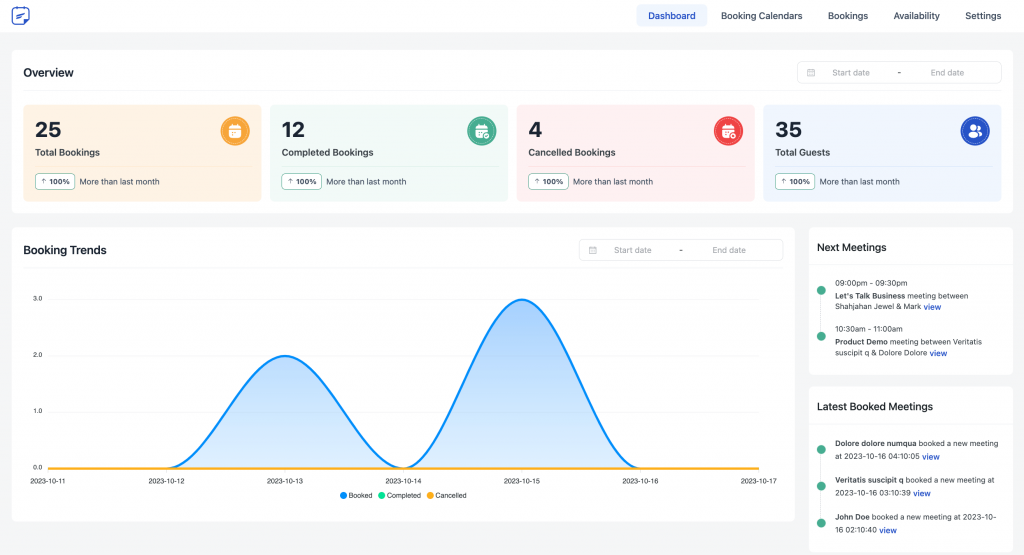
FluentBooking is a WordPress scheduling plugin focused on appointments, meetings, and time-slot bookings. Its Calendly-style scheduling approach makes it particularly relevant for consultants, coaches, freelancers, agencies, and sales teams that need clients or prospects to book available time.
A free version is available for core scheduling needs, while the paid plans add more advanced features and integrations. Businesses can choose a plan based on the functionality they need and the number of websites where they want to use the plugin.
FluentBooking is particularly useful for businesses where scheduling meetings and appointments is the main requirement, rather than managing more complex booking workflows.
Best suited for
- Consultants
- Agencies
- Coaches
- Freelancers
- Sales teams
- Internal meeting scheduling
Things to consider
- It is primarily designed for appointments and meeting scheduling.
- Businesses with more specialized booking requirements should check whether the available features match their workflow.
Bookster
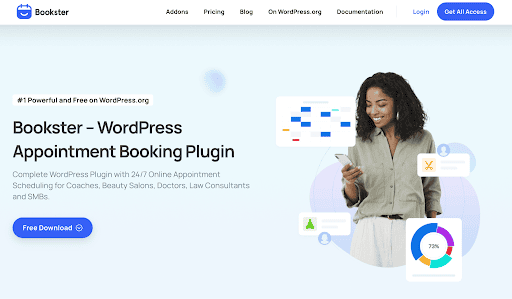
Bookster is a WordPress booking plugin designed for businesses that need to manage appointments and service-based bookings online. It works well for businesses such as salons, consultants, fitness studios, tutors, pet care services, and other appointment-based businesses where customers need to choose a service, staff member, location, and available time slot.
One of Bookster’s strengths is the flexibility it gives businesses to manage their booking setup. You can create unlimited services and agents, set custom availability, manage bookings from a calendar, and give customers access to their own booking dashboard.
The booking form can also be customized to collect the information you need from customers. Ready-made templates make it easier to set up the booking flow without building everything from scratch.
Bookster has a free core version with essential scheduling features, while more advanced functionality is available through Pro and paid add-ons. PayPal Payments and Taxation are available as free add-ons, with additional premium extensions available for businesses that need more advanced booking capabilities.
Best suited for
- Service businesses managing multiple appointments
- Salons, fitness, and wellness businesses
- Consultants, tutors, and coaches
- Businesses managing multiple staff or agents
- WordPress sites that need a dedicated appointment booking system
Things to consider
- Some advanced booking capabilities require Pro or paid add-ons.
- Businesses should check the available extensions to make sure the features they need are included in their chosen setup.
Which Plugin Should You Choose?
The right WordPress booking plugin depends on what you’re booking and how your business manages appointments, schedules, or rentals. Use the comparison below to quickly find the option that best matches your needs.
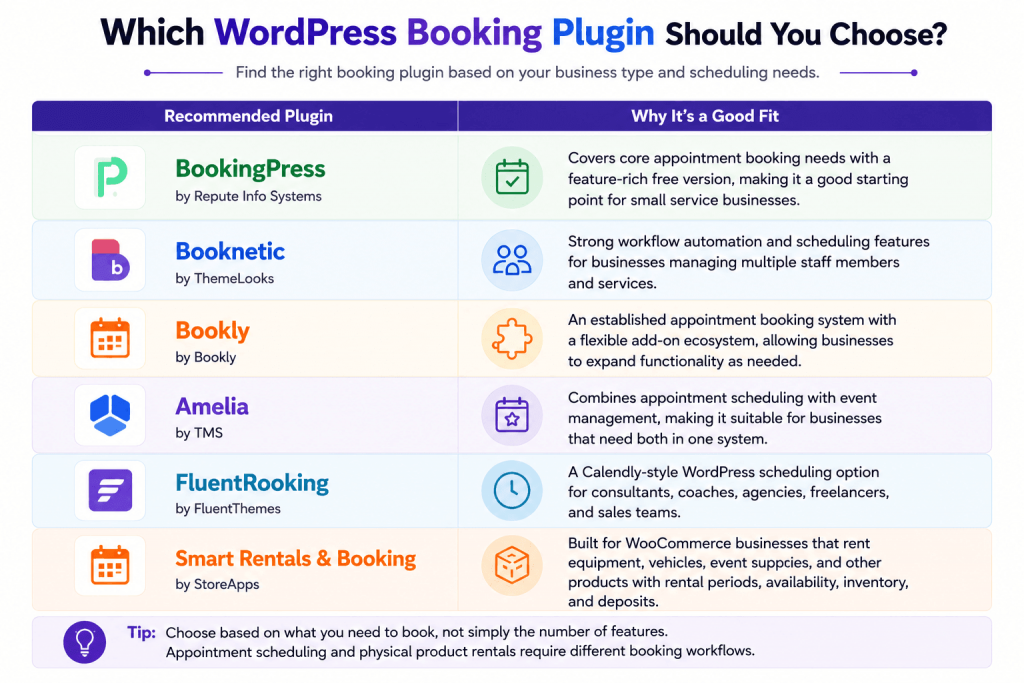
If you’re choosing an appointment booking plugin, consider factors such as staff management, automation, payments, events, and integrations. If you’re renting physical products through WooCommerce, look for a rental-focused solution that can also manage availability, rental periods, inventory, and deposits.
A Few Things to Check Before Buying
Price is important, but the lowest starting price doesn’t always tell you what a booking plugin will actually cost for your setup.
Before choosing a plugin, check which features are included in the plan you need. Payment gateways, WooCommerce integration, automation, reporting, multiple locations, and other advanced features may only be available on higher-tier plans.
It’s also worth checking how the plugin works with WooCommerce. Some booking plugins use WooCommerce mainly for checkout and payments, while others integrate more deeply with WooCommerce products, orders, and store management. The right approach depends on how you want bookings to fit into your existing store.
Finally, think about your future booking needs. As your business grows, you may need additional staff, locations, payment methods, integrations, or automation. Switching booking systems later can involve moving appointments, customer data, schedules, and booking history, so choosing a plugin that can support your longer-term requirements can save time later.
Final Thoughts
There isn’t a single WordPress booking plugin that’s right for every website. The right choice depends on what you’re booking and how you want the booking process to work.
For appointment-based businesses, Bookly, Booknetic, BookingPress, Amelia, FluentBooking, and Bookster each serve different needs, from simple appointment scheduling and multi-staff management to automation, events, and meeting bookings.
If you’re renting physical products such as equipment, vehicles, or event supplies through WooCommerce, your requirements are different. In that case, a rental-focused solution like Smart Rentals & Booking for WooCommerce may be a better fit for managing rental periods, availability, inventory, and deposits.
Before making your decision, consider your team size, payment requirements, integrations, automation needs, and the features you may need as your business grows.
Instead of choosing the plugin with the longest feature list or lowest starting price, focus on the one that best matches how your business actually handles bookings.