

A website refresh is a chance to improve your store, but it can also mean updating hundreds or even thousands of WooCommerce products.
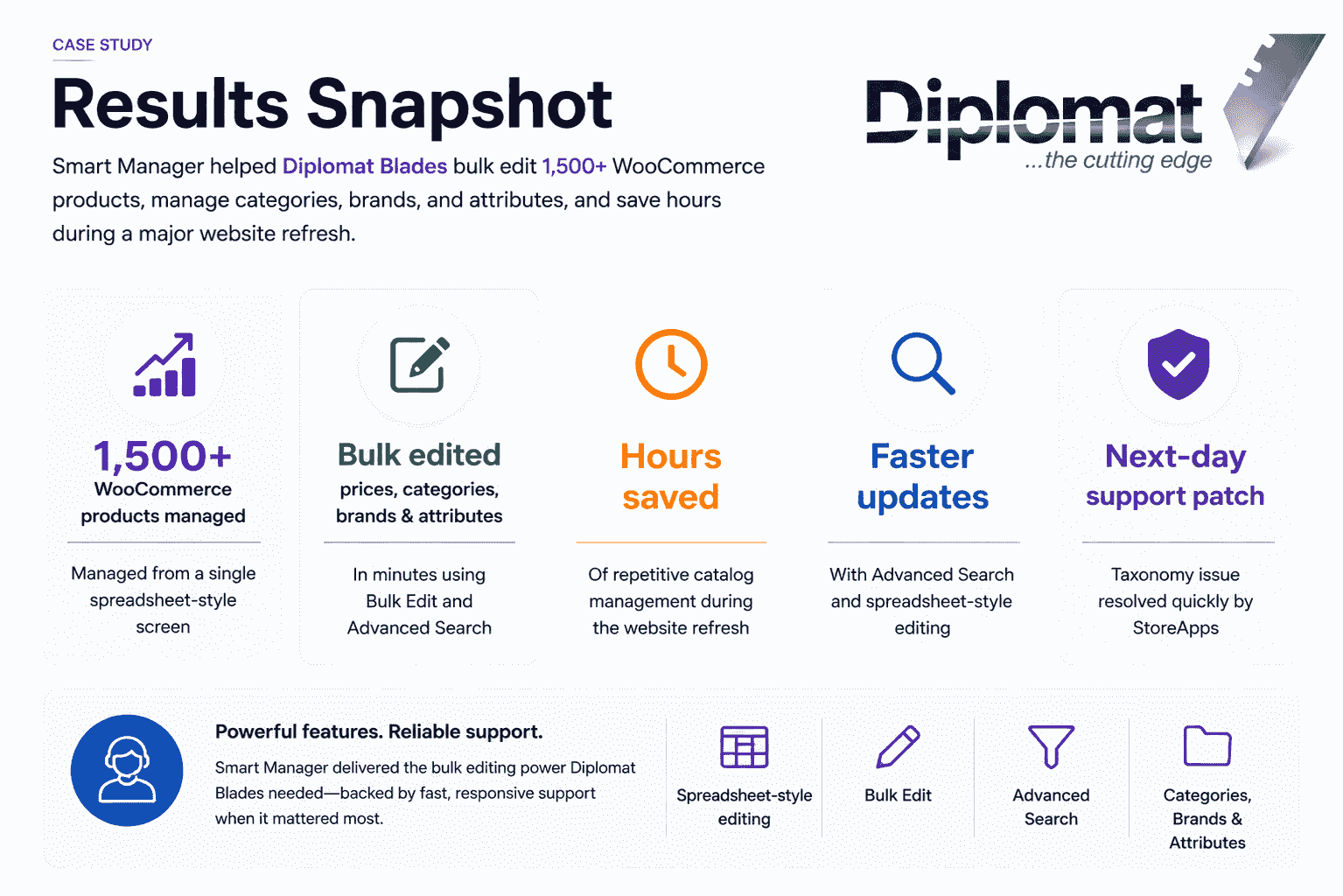
That’s exactly what Diplomat Blades faced. With more than 1,500 products across 35 brands, editing prices, categories, brands, attributes, and product data one product at a time simply wasn’t practical.
Instead of spending hours navigating the default WooCommerce editor, the team used Smart Manager’s spreadsheet-style interface to manage their entire catalog from a single screen.
Here’s how Smart Manager helped Diplomat Blades simplify bulk catalog management during a major website refresh.
Meet Diplomat Blades
Diplomat Blades (Aust) Pty Ltd is a family-operated industrial supplier based in Australia, serving distributors, trade, and industry across Australasia since 1972.
Today, the company stocks more than 1,500 products across 35 brands, including industrial blades, cutting knives, safety cutters, hand tools, and workplace safety products.
After more than 50 years in business, Diplomat Blades has built a reputation as a trusted supplier to trade and industry.
What challenges did Diplomat Blades face before Smart Manager?
As part of a major website refresh, Diplomat Blades needed to update a large WooCommerce catalog quickly and accurately.
Managing more than 1,500 products through the default WooCommerce editor proved slow and inefficient. Every change meant opening products individually, making routine updates across hundreds of products unnecessarily time-consuming.
Bulk taxonomy management, including categories, brands, industries, applications, and product attributes, was especially painful because every product had to be opened one at a time.
The team needed a faster way to:
- Update prices across multiple products
- Bulk edit categories, brands, and attributes
- Edit product data without opening every product
- Keep large-scale catalog updates organised throughout the website refresh
For a business managing thousands of product records, the default WooCommerce workflow simply wasn’t built for that scale.
Why did Diplomat Blades choose Smart Manager?
The team needed more than a plugin that could bulk update products. They wanted a solution that fit naturally into their existing WooCommerce workflow while making large-scale catalog management faster and easier.
Smart Manager stood out because of its spreadsheet-style inline editing grid, allowing the team to view and edit their entire product catalog from a single screen instead of opening products one by one.
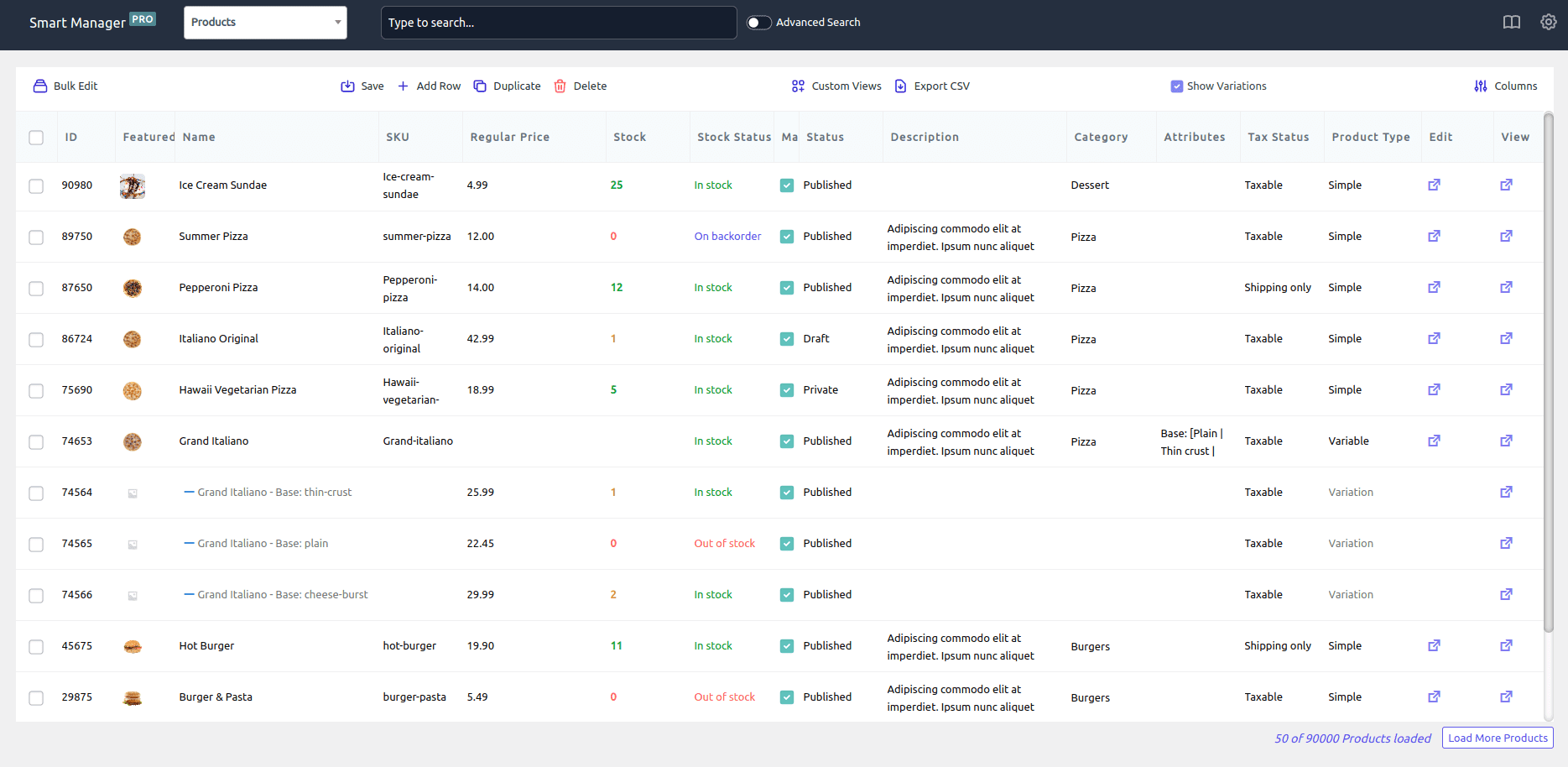
Features like Bulk Edit and Advanced Search made it easy to find specific product groups and update prices, categories, brands, and attributes across hundreds of products in just a few clicks.
For the scale of their website refresh, Smart Manager offered exactly the workflow they were looking for.
How Smart Manager simplified WooCommerce catalog management?
After switching to Smart Manager, Diplomat Blades no longer had to edit products individually through the default WooCommerce editor.
Instead, the team managed their entire catalog from Smart Manager’s spreadsheet-style interface, making bulk updates faster and far more efficient.
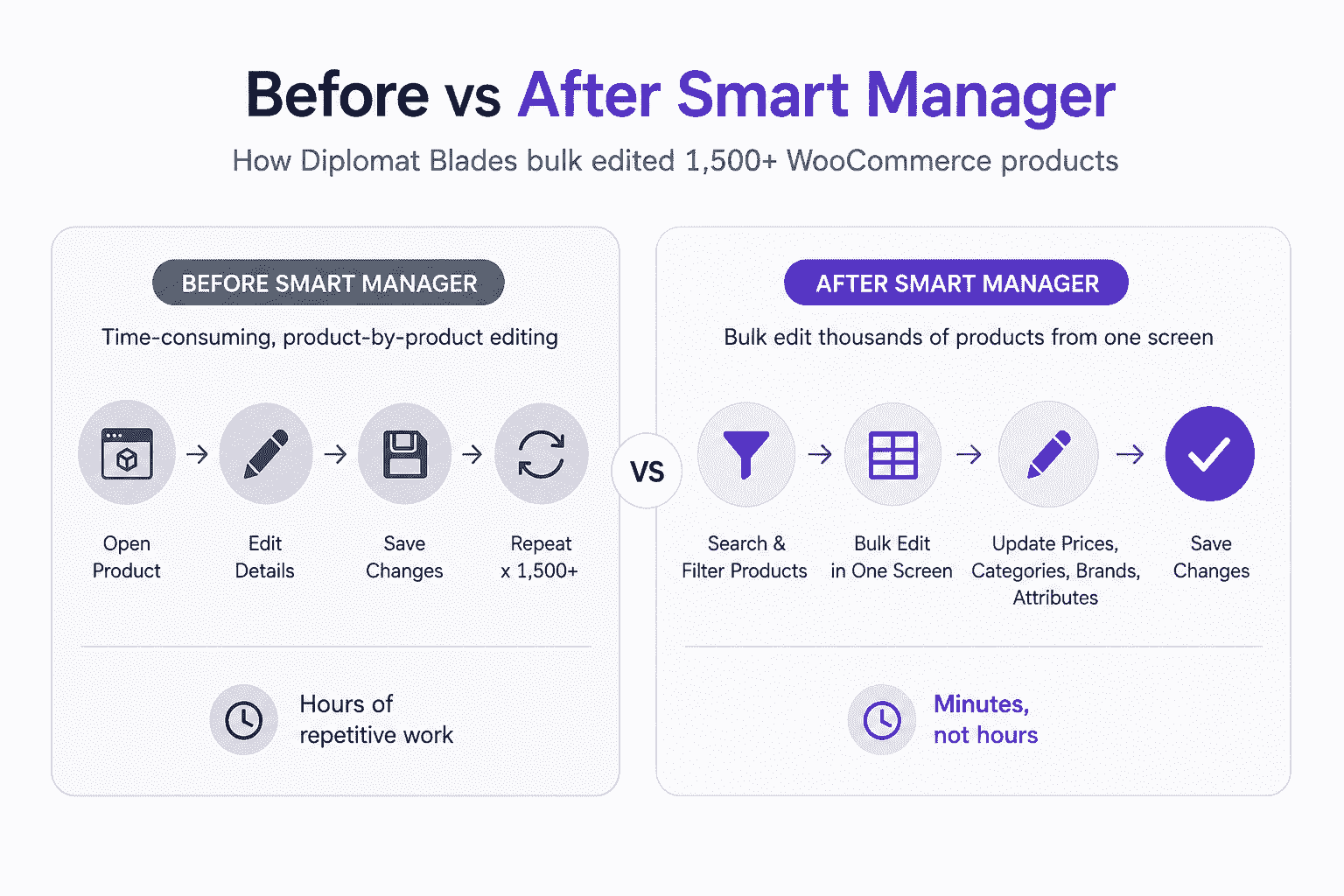
During the website refresh, this saved hours of repetitive catalog management and helped the team complete updates much more efficiently.
The migration wasn’t entirely without challenges. While working on taxonomy edits, the team encountered a technical issue on the migrated site.
Why Diplomat Blades recommends Smart Manager
For Diplomat Blades, Smart Manager transformed a slow, product-by-product editing process into a faster and more efficient way to manage a large WooCommerce catalog.
Instead of spending hours opening individual product pages, the team can now update products, categories, brands, and attributes from a single spreadsheet-style interface. During their website refresh, this helped them complete large-scale catalog updates faster while reducing repetitive administrative work.
Just as importantly, when they encountered a taxonomy issue after migrating their site, the StoreApps team quickly reproduced the problem, prepared a patch, and delivered a fix the very next day.
As Taki Konstan shared:
“Smart Manager turns slow, product-by-product editing into fast, spreadsheet-style bulk management, saving significant time.”
He also highlighted another reason the team recommends Smart Manager:
“Quick support is super important to us because we never have enough time in the day. Products and companies that respond quickly are something we genuinely appreciate and recommend.”
For businesses managing large WooCommerce catalogs, Diplomat Blades believes Smart Manager delivers both the productivity needed to handle bulk product updates and the responsive support that keeps projects moving.
FAQ
Can Smart Manager bulk edit WooCommerce products?
Yes. Diplomat Blades used Smart Manager to manage more than 1,500 WooCommerce products from a spreadsheet-style interface, making it easy to bulk edit prices, categories, brands, and product attributes during a major website refresh.
How does Smart Manager help manage large WooCommerce catalogs?
Instead of editing products one by one, Smart Manager lets you search, filter, and bulk update products from a single screen. This helped Diplomat Blades save hours of repetitive catalog management while updating more than 1,500 products.
Can Smart Manager bulk edit product categories, brands, and attributes?
Yes. Smart Manager supports bulk editing of product categories, brands, attributes, and other product data, making large-scale catalog updates much faster than using the default WooCommerce editor.
Is Smart Manager suitable for WooCommerce website migrations or redesigns?
Yes. Diplomat Blades used Smart Manager during a major website refresh to manage bulk catalog updates more efficiently. When the team encountered a taxonomy issue after migration, StoreApps quickly reproduced the issue and delivered a patch the next day.