
How to View WooCommerce Product Edit History from the Product Edit Page or Products List
Tracking changes made to your WooCommerce products, whether it’s inventory updates, price changes, or changes to other product fields, can be challenging, especially when edits come from multiple sources like the admin screen, third-party plugins, or REST API.
With Smart Manager, you can view the edit history for any product, with details such as when and by whom the changes were made, no matter where the edits came from, and even undo them with just a few clicks.
Steps to View WooCommerce Product Edit History from the Product Edit Page or Products List
-
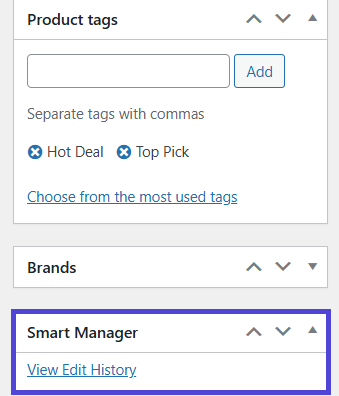
To view ‘Edit History’ for a specific product, access it directly from:
- Product Edit page: Click on the
View Edit Historylink under the Smart Manager section. - Products admin list view: Click on the
View Edit Historylink (appears in the row actions).


- Product Edit page: Click on the
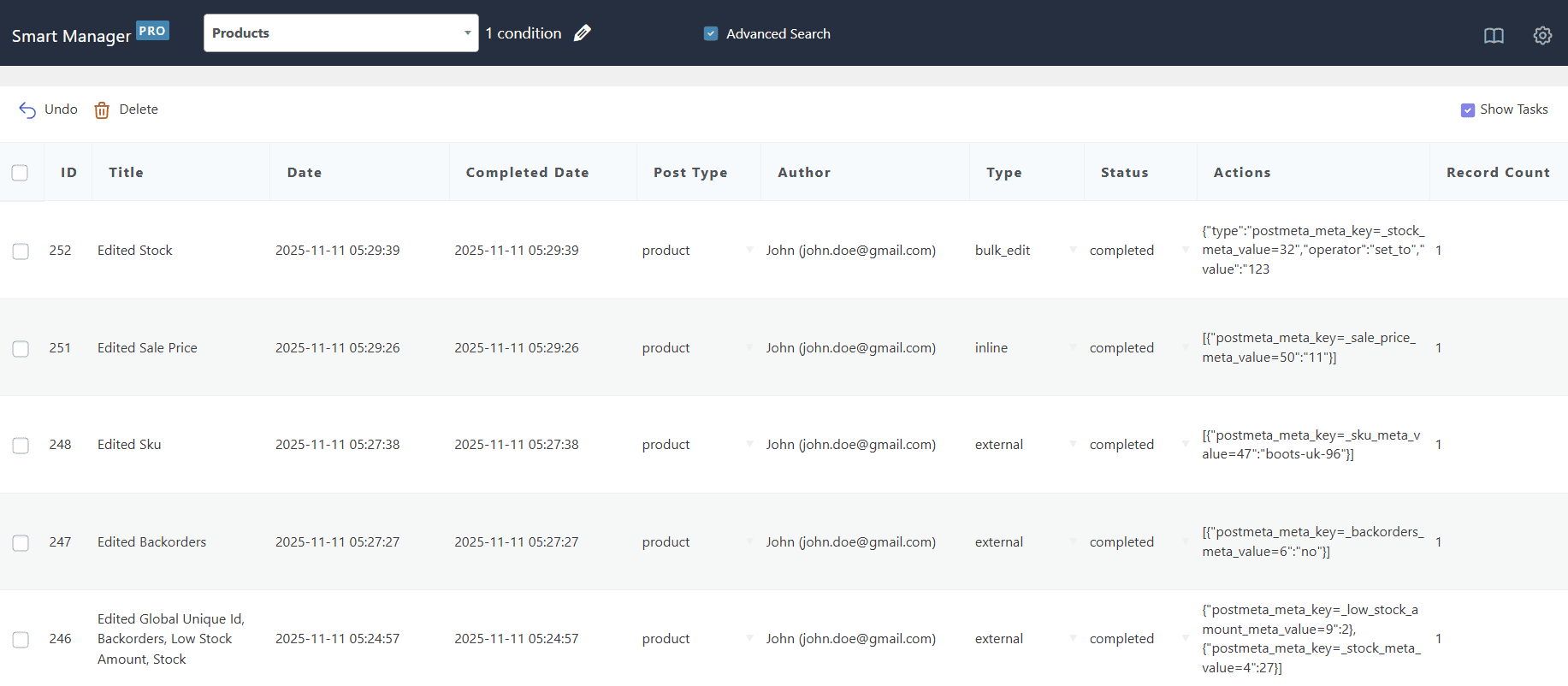
- This will redirect you to the Smart Manager Products dashboard with filtered results displaying the edit history for that specific product.
-
To view only external changes (i.e., made from the Product Edit page, third-party plugins, or REST API), adjust the Advanced Search conditions:
- Click on the pencil icon which will open a slide over panel to enter search conditions.
- From the Field dropdown, select Type
- From the Value dropdown, select External
- You can also select ‘Inline Edit’ (for Inline Edits via Smart Manager) or ‘Bulk Edit’ (for Bulk Edits via Smart Manager) from the Value dropdown.
- You can also undo these changes. For more information on how to undo changes, refer to this documentation.

Steps to View WooCommerce Product Edit History from the Smart Manager dashboard
-
Go to the Smart Manager dashboard. Using the top navigation bar, search for and select
Productsdashboard from the dropdown menu. - Click on ‘Show Tasks’ in the top-right corner (near the ‘Columns’ button) to view all edits made to products, and use the advanced search to filter records based on your search conditions.
That’s it. Happy managing!
Note(s):
- View WooCommerce Product Edit History feature is available only in the Pro version.
- Currently, when changes are made outside Smart Manager, only default WooCommerce fields are tracked. If you need tracking for additional fields (like fields from third-party plugins), please raise a feature request from here.