
Party equipment rentals are growing steadily, from birthdays and weddings to house parties and corporate offsites.
Selling rentals online, however, isn’t as simple as adding products to WooCommerce.
The challenge isn’t payments. It’s managing availability, rental dates, and inventory once bookings start overlapping.
That’s why WordPress users keep asking the same question: “Is there a simple way to rent physical items in WooCommerce?”
WooCommerce is built to sell products. Rentals work differently.
Most store owners try to bridge that gap using large booking plugins meant for hotels or appointments. Instead of simplifying things, these tools often add even more confusion.
In this guide, I’ll walk through what usually goes wrong and explain how to manage a party rental business on WooCommerce using a party rental plugin built specifically for small businesses.
Why do most booking systems fail for party equipment?
On the surface, setting up party equipment rentals on WordPress looks straightforward. Pick a rental plugin, add a calendar, set prices, and you’re done.
In reality, most setups start breaking once real bookings come in.
The core issue is misalignment.
Most popular rental and booking plugins are built for hotels, vacation rentals, appointments, or large rental operations.
They’re designed around rooms, guests, or enterprise-style workflows; not around renting physical items like chairs, tables, tents, or speakers in limited quantities.
As a result, these plugins often feel like overkill for party rental businesses. They come with heavy configuration, higher recurring costs, and features meant for large teams managing complex operations.
For small and growing rental businesses, this adds friction instead of clarity.
At the other extreme, WooCommerce on its own doesn’t understand rentals, dates, overlapping bookings, or inventory returning after an event, so store owners are left filling the gaps manually.
This frustration shows up clearly in how WordPress users talk about the problem.
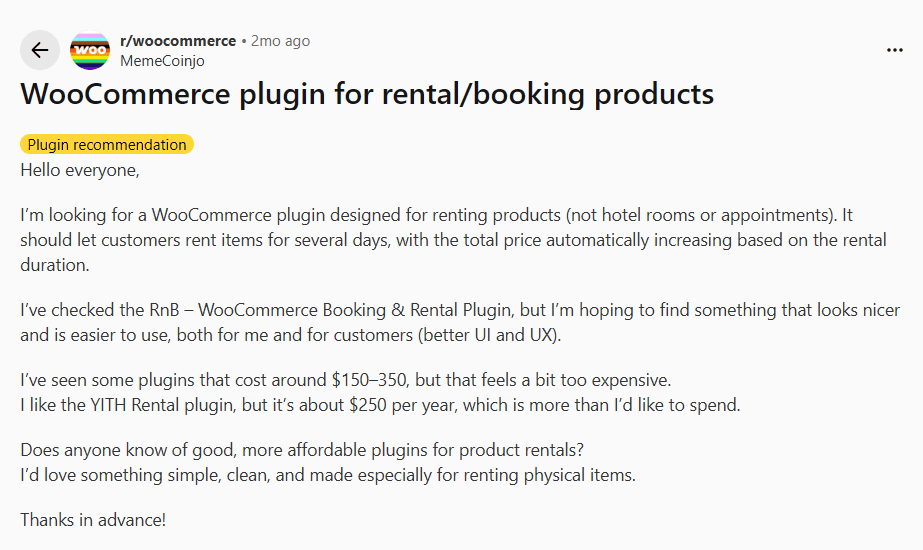
Questions on Reddit like “Does anyone know of good, more affordable plugins for product rentals?” come up when store owners realise calendars alone don’t solve inventory-based rentals.
That’s exactly where Smart Rental & Booking for WooCommerce comes in, adding rental logic to WooCommerce without the complexity of hotel-style or enterprise rental plugins.
A simpler way to manage party equipment rentals on WooCommerce
Smart Rental & Booking for WooCommerce is a WooCommerce party rental plugin built for small and medium-sized rental businesses that want to manage party equipment rentals simply, inside WooCommerce.
It works with regular WooCommerce products and adds rental essentials like date-based availability, quantity control, and pricing that adjusts automatically based on the rental period.
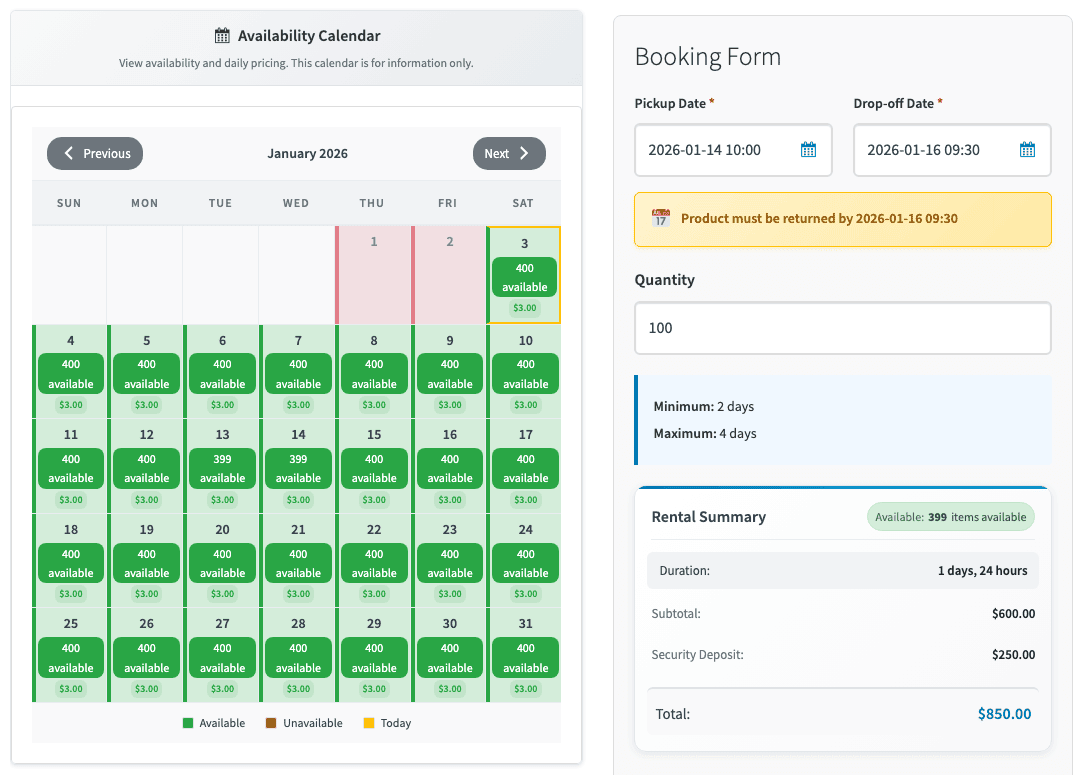
Customers select start and end dates using a live availability calendar, choose the quantity they need, and see the total rental price update instantly before checkout.
On the backend, the plugin manages availability in real time.
Once party equipment is booked for an event date, it’s automatically unavailable for overlapping rentals. Chairs, tables, tents, or speakers can’t be double-booked, even during busy weekends.
Rental dates, quantities, deposits, and payments all stay tied to the same WooCommerce order, so nothing gets lost across messages or spreadsheets.
For party rental businesses, this keeps inventory controlled during peak seasons without adding complex systems or manual checks.
Next, let’s see how to set up party equipment rentals on WooCommerce using Smart Rental & Booking for WooCommerce.
How to set up party equipment rentals?
Let’s say you run a party equipment rental business and mostly handle wedding events.
You rent out chairs, tables, and basic décor, and most bookings are for Friday to Sunday.
Customers usually need items in bulk, and you want them to check availability and book online without calling you or risking double bookings.
Here’s how to set it up:
- Install and activate Smart Rentals by StoreApps.
- Go to
Products > Add New. - Create a
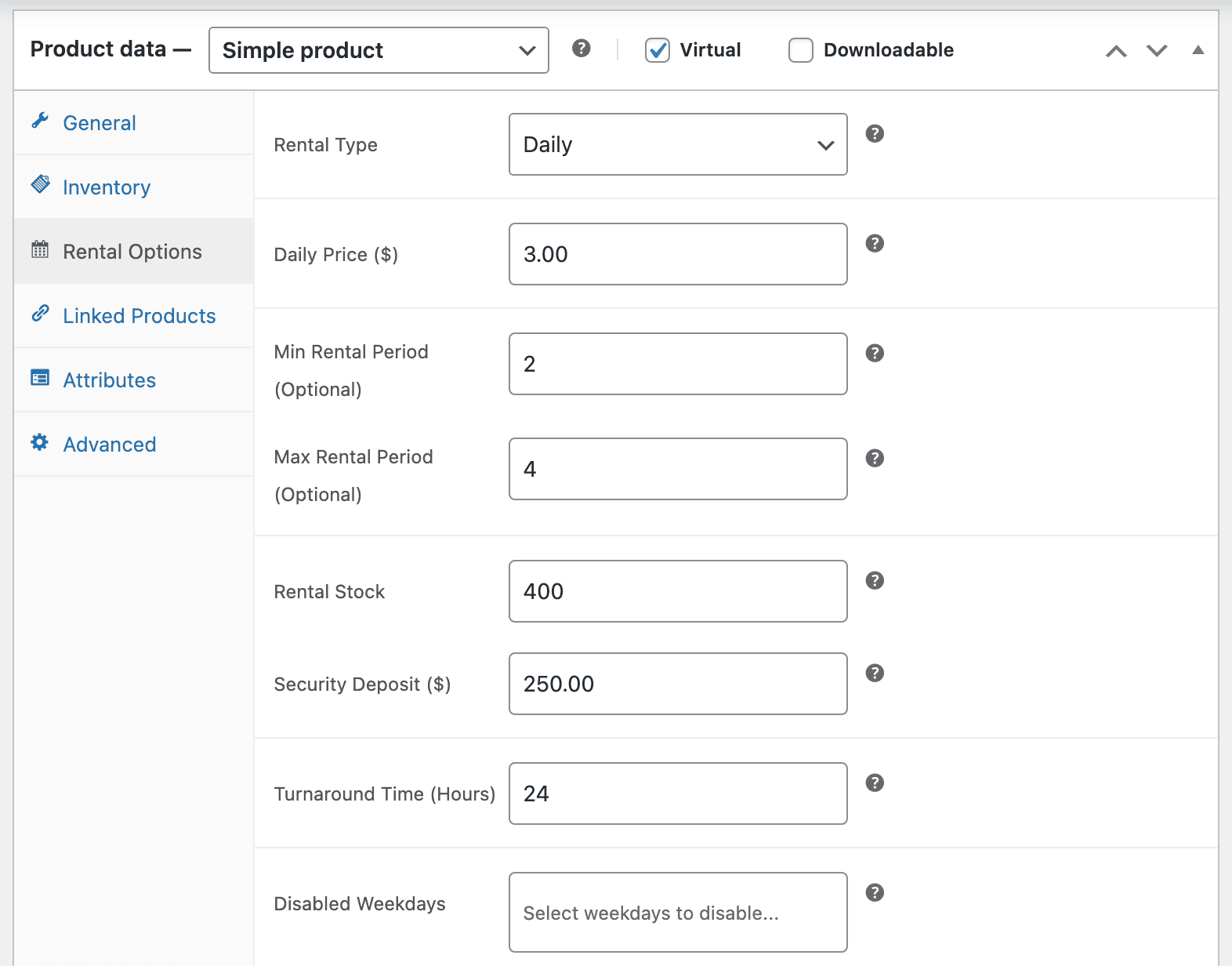
Simple productnamed “Wedding Chair”. - Click on the
Enable Rental Productcheckbox. - In the
Rental Optionssection, set:Rental pricing($3 per chair per day)Minimum rental duration(2 days) andmaximum rental duration(4 days)- Available dates
- Optional security deposit ($250)
- Any extra charges or add-ons like Delivery & pickup: $150, Setup & teardown: $200
- Add one day as buffer time for cleaning and transport.
- Save and publish the product.
Once this is live:
- Customers select Friday to Sunday, choose 100 chairs, and check out.
- If all chairs are booked for that weekend, no one else can book them.
- Dates, quantities, deposits, and payments stay in one WooCommerce order.
Customers also get notified via email about their party rental booking.
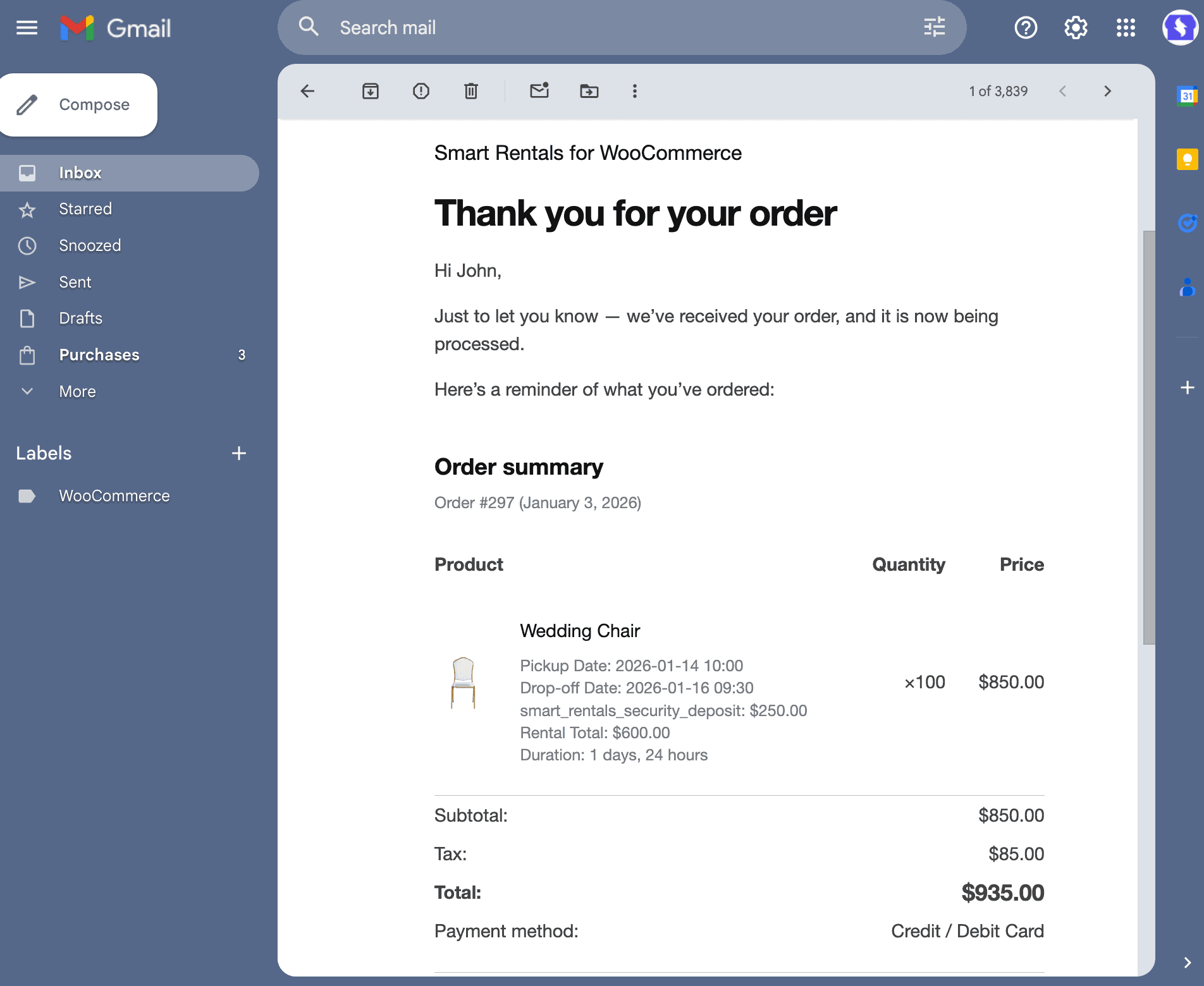
You can use the same setup for tables, décor, tents, or other party equipment, just change prices and quantities.
Common challenges in party equipment rentals (and how to handle them)
Once party rentals move online, problems show up during real bookings, not in theory.
These are common situations where Smart Rentals fits naturally.
Handle overlapping weekend bookings without back-and-forth
When multiple customers want the same chairs, tables, or décor for the same weekend, availability is checked automatically. If stock is booked, the product can’t be added to cart.
Avoid back-to-back bookings without turnaround time
Party rentals often return late Sunday and go out again early Monday. Adding buffer time prevents items from being booked again before cleaning, inspection, or transport.
Rent party equipment in bulk without manual stock checks
Customers can rent 40 chairs or 10 tables in one order. Availability adjusts based on quantity, and bookings stop automatically when inventory runs out.
Charge based on rental duration without explaining calculations
Whether equipment is needed for a few hours or multiple days, pricing adjusts automatically based on duration. Customers see the final price upfront.
Collect security deposits during checkout
For speakers, lighting, or premium décor, refundable deposits are added to the order and collected before items leave the warehouse.
Keep bookings, dates, and payments in one place during peak season
During wedding or festival season, rental details stay tied to the same WooCommerce order instead of being spread across messages and spreadsheets.
From chaos to control
Party equipment rentals work best when availability, dates, and inventory stay in sync.
That’s where most WordPress setups struggle, either because they’re too basic, or because they’re built for much bigger businesses than most party rental stores.
Smart Rental & Booking for WooCommerce by StoreApps adds the rental logic WooCommerce needs without the complexity of hotel-style or enterprise booking systems.
It helps party rental businesses manage bookings cleanly as demand grows.
So if you are looking for a simpler way to run party equipment rentals on WooCommerce.
Buy Smart Rental & Booking for WooCommerce
FAQs
How do I prevent double bookings for party equipment rentals on WooCommerce?
Smart Rental & Booking blocks equipment automatically for selected dates. Once inventory is booked for an event weekend, the same items can’t be rented again for overlapping dates.
Can customers rent party equipment in bulk on WooCommerce?
Yes. Customers can rent multiple units (for example, 50 or 100 chairs) in a single booking, as long as availability adjusts based on total stock.
How do I manage late Sunday returns without breaking Monday bookings?
Late returns are common in party rentals. Adding buffer time after the rental period ensures equipment isn’t available for booking again until cleaning and transport are realistically completed.
Do I need a separate product for every event type?
No. The same product (for example, chairs or tables) can be rented for weddings, birthdays, or corporate events. Pricing and availability are controlled by dates and quantity, not event type.