

Setting up the right affiliate commissions is a crucial step in your affiliate program for WooCommerce.
You may have affiliates who:
- Bring in affiliate sales for your best-selling products
- Help you sell your low-selling products
- Make limited sales of some high-paying products
Therefore, all of them deserve commission rates on a different basis.
With its easy and quick processes, Affiliate for WooCommerce helps you to create, assign and change commission plans conveniently.
You can assign 20% commission on best-sellers, 30% commission on slow-moving products and 25% commission on product category ‘Digital’ or any other case.
This helps you create flexible commission plans, allowing you to incentivize affiliates strategically, and align commissions with your business goals.
Setting up commission plans matter in affiliate marketing
Well-structured commission plans are crucial for affiliate success. They motivate affiliates, attract top performers, and drive sales.
You can use Affiliate for WooCommerce, to easily create and manage your commission plans.
Affiliate for WooCommerce is a simple tool that helps you create your own affiliate program. You can manage commissions, track performance and run marketing campaigns easily all in one place. You do not need to follow any complex procedure or pay high fees, making it user-friendly and affordable.
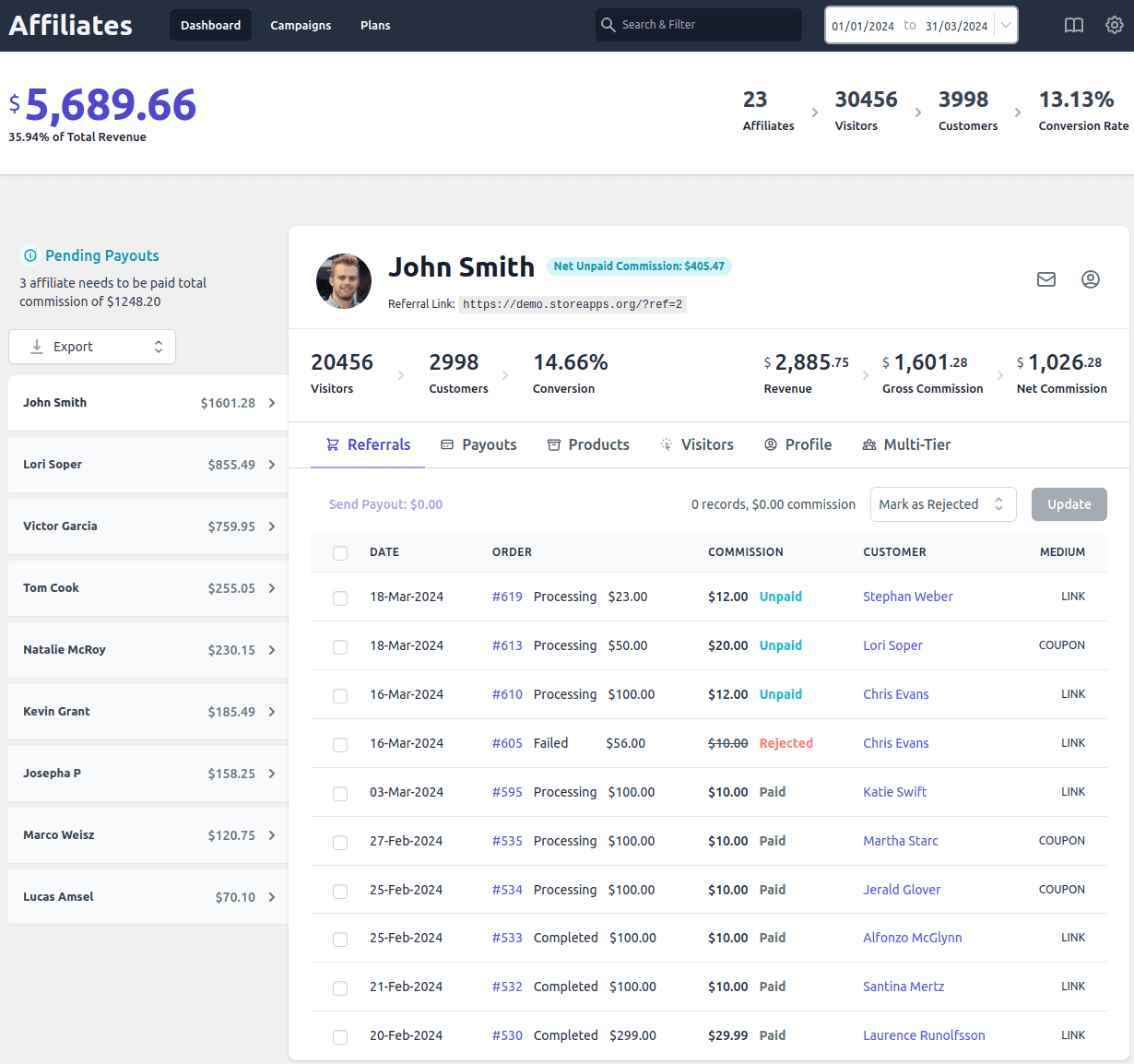
Affiliate for WooCommerce plugin provides a compelling feature – Commission plans that help you set up different commission rates for hundreds of scenarios:
- Set up a global or storewide commission rate.
- Assign specific commission rates only to influencers.
- Set up different commission rates for different products.
- Assign commissions based on product categories.
- Provide different commissions for subscription parent orders and renewals.
- Assign commission only on the first product and not on upsells.
- Set up a three-tier commission program.
and many more…
How to set up a product-based commission?
Let’s take the example of a clothing store.
You want to offer a 25% commission only on your Leather Jacket while keeping your default commission for all other products.
- Install and activate the Affiliate for WooCommerce plugin.
- Go to
WooCommerce > Affiliates > Plansand clickAdd a Plan - Enter a descriptive name for your commission plan.
- Under Commission, select
Percentage (%)and enter 25. - If you’re running a multi-tier affiliate program, specify the number of tiers and set the commission for each tier.
- Under Rules:
- Select
Productfrom the first dropdown. - Choose
any ofand select Leather Jacket ornone ofto exclude products.
- Select
- Under Actions, decide what commissions to apply for other products in the order.
- Change the plan status to
Activeand clickSave.
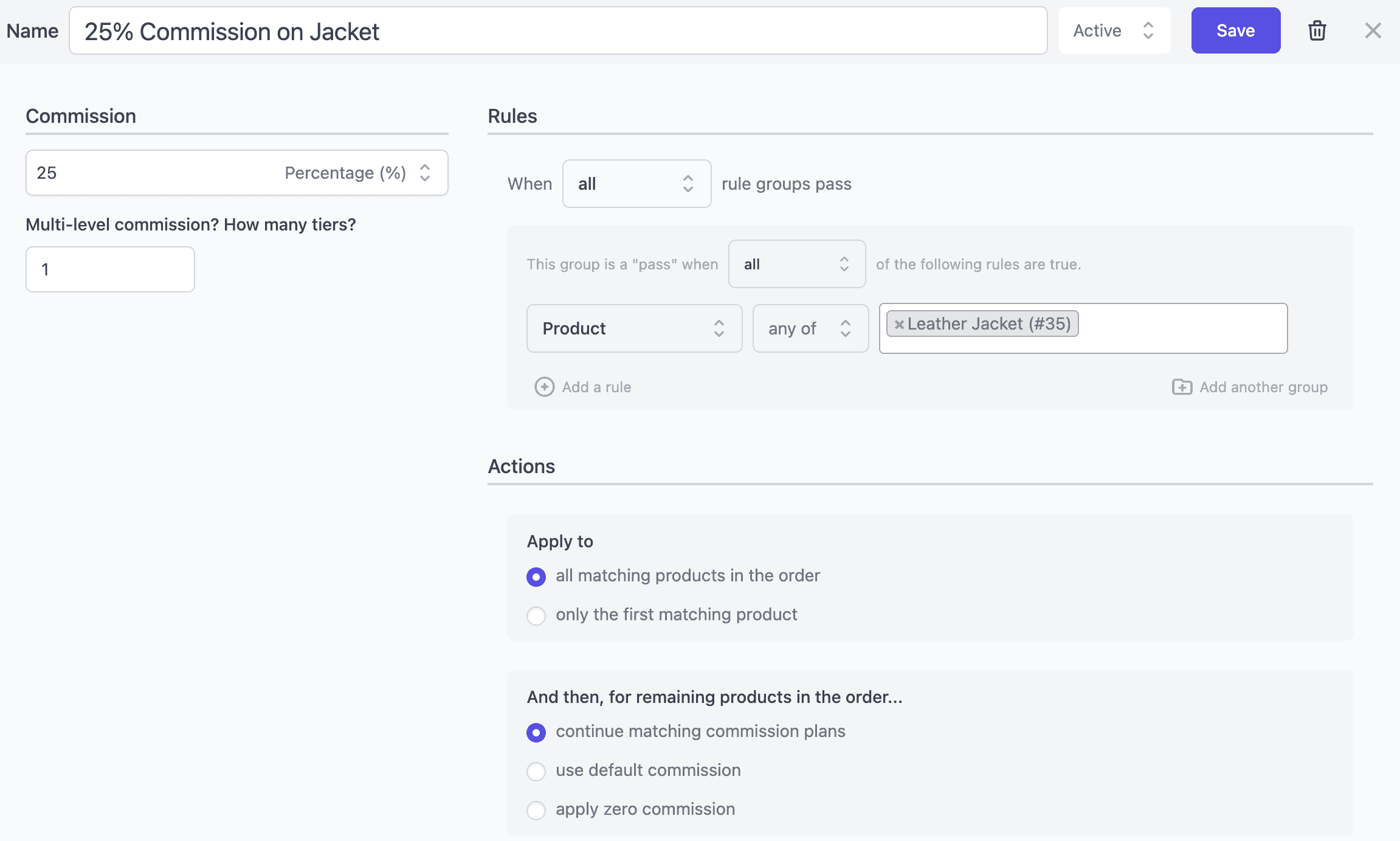
This commission plan will apply to all affiliates whenever the selected product is purchased.
How do you set up a product-based commission per affiliate?
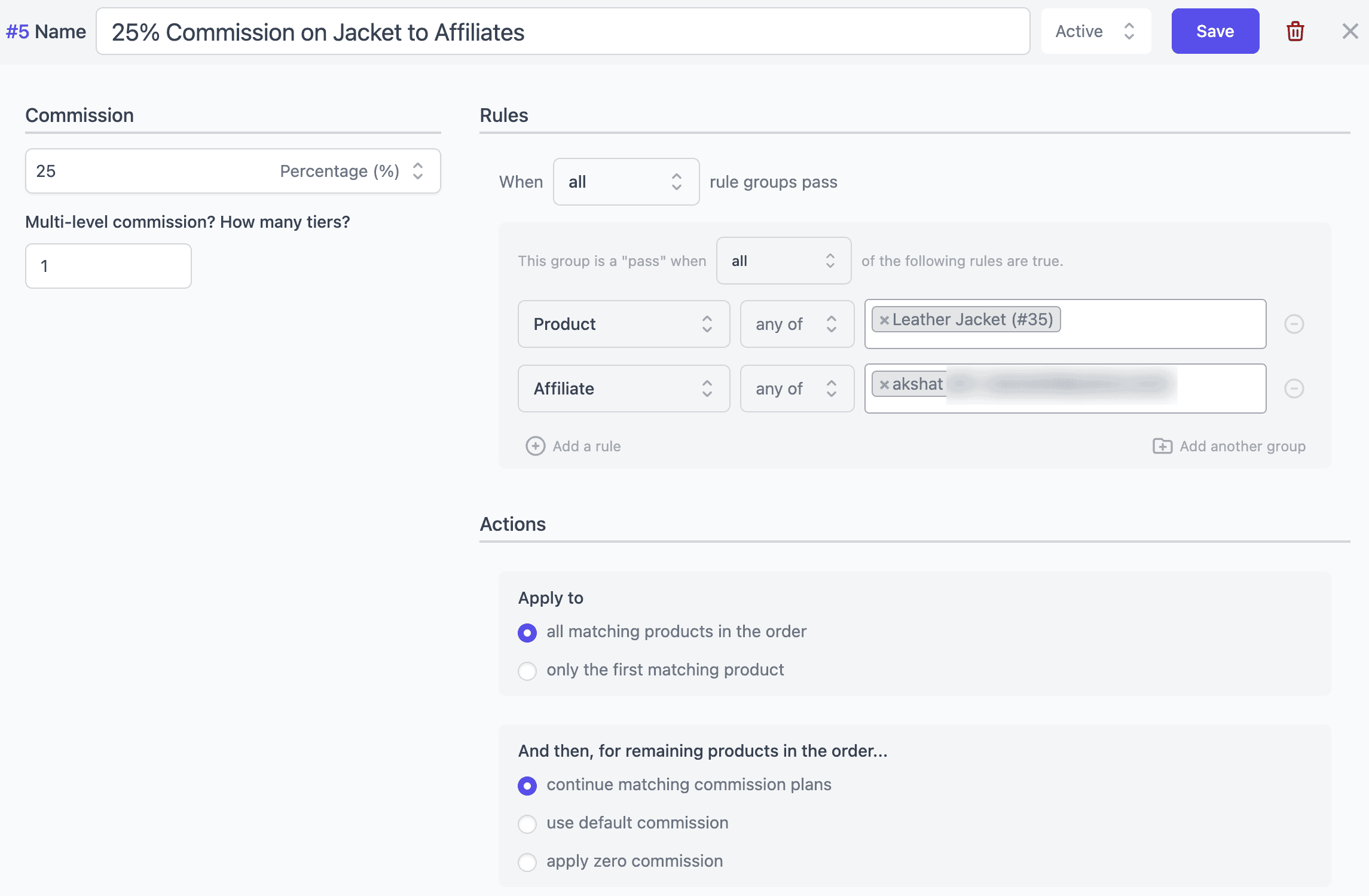
Now suppose you want to offer the 25% commission on Leather Jacket only to selected affiliates instead of everyone.
- Create a product-based commission plan using the steps above.
- Under Rules, click
Add a rule. - Select
Affiliatefrom the first dropdown. - Choose
any ofand search for the affiliate(s) you want to include. - Keep both the
AffiliateandProductrules in the same rule group so the commission is applied only when both conditions match. - Review the Actions, change the plan status to
Active, and clickSave.
How do you set up the product-category-based commission?
The process is similar to product-based commissions. Instead of selecting individual products, you’ll target one or more product categories.
Refer here for more details.
How do you set up commission rates for subscription products and renewals?
Affiliate for WooCommerce works seamlessly with WooCommerce Subscriptions, ensuring affiliates earn commissions for both initial purchases and recurring renewals.
This way you can tailor your affiliate program to your specific needs and reward affiliates for their ongoing contributions.
You can set the same commission rate or different rates for your subscription products and renewals, and that too for up to a certain time period. For example:
- 20% commission on parent order and renewals until canceled.
- 20% commission on parent order and 10% commission on renewals until canceled.
- 15% commission on parent order and 10% up to 7 renewals.
and more…
Refer to this custom recurring commissions blog for more details.
Conclusion
Go beyond traditional product-based commissions. Reward affiliates based on their individual performance or expertise, and offer different rates for specific product categories.
Elevate your affiliate program with Affiliate for WooCommerce. Our user-friendly plugin simplifies affiliate program setup and management, making it easy to get started and scale your efforts.
By leveraging Affiliate for WooCommerce, you can create a sustainable passive income stream and expand your brand’s reach.