
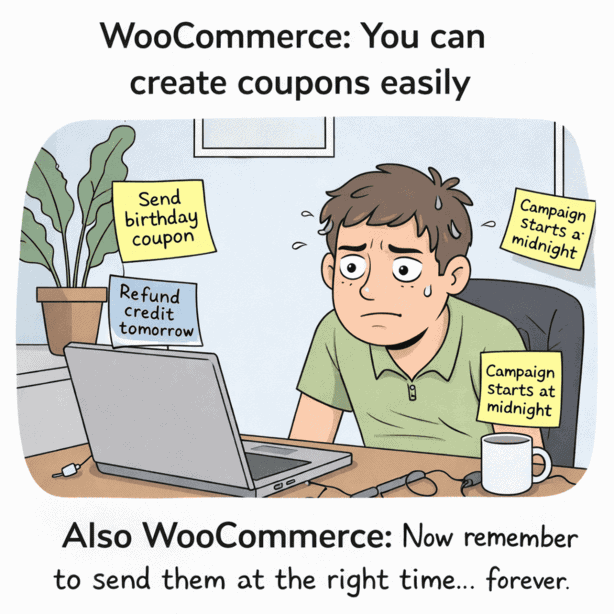
WooCommerce makes it easy to create coupons.
But when it comes to delivering them at the right time, it’s basically: good luck, remember it yourself.
And that’s where most store owners get stuck.
Because in real stores, coupons aren’t always meant to go out immediately.
- Sometimes you want to send store credit later as a goodwill credit or customer compensation.
- Sometimes you want a gift card delivered on a customer’s birthday, not the day they bought it.
- And sometimes you want your festive campaign to start on the exact date you planned, without manually sending 200 coupon emails at midnight.
This is exactly what scheduled coupon delivery solves.
In this guide, you’ll learn how to schedule WooCommerce coupon, gift card, and store credit delivery using Smart Coupons, so your store can send coupons automatically NOW or LATER, at a specific date and time.
Why schedule coupon delivery in WooCommerce?
WooCommerce can create coupons, but it can’t control when they’re delivered. Scheduled delivery fixes that.
It lets customers buy gift cards or store credits today, but receive them on the exact date and time they actually need them.
Scheduling coupon delivery helps you:
- send coupons automatically at the right time
- avoid early deliveries (and the support tickets that follow)
- make gift cards feel like real gifts, not instant coupon emails
In short: better timing, fewer mistakes, less manual work.
What can you schedule in WooCommerce using Smart Coupons?
WooCommerce can create coupons.
But by default, it can’t schedule when they’re delivered.
That’s where Smart Coupons by StoreApps helps. It allows scheduled delivery for store credits, gift cards, and coupons issued through purchases.
So when a customer buys a gift card/store credit, they can choose whether to deliver it NOW or schedule it for LATER. They can also send it:
- to the buyer themselves
- to one recipient
- to multiple recipients
They can also schedule WooCommerce coupon delivery at a specific future date and time, along with a personalized message.
In short, your customer buys a gift card today, but it gets delivered later, exactly when it should.
How to schedule WooCommerce coupon delivery (step-by-step)?
Let’s say you sell gift cards or store credits, and customers often buy them for birthdays, anniversaries, or festival gifting.
But here’s the problem:
If they buy it today and choose NOW, the coupon email is delivered immediately, even if the occasion is next week.
That’s exactly where scheduled delivery helps. It lets customers choose NOW or LATER at checkout.
Here’s how to enable it:
- Go to
WooCommerce > Settings > Smart Coupons. - Open the
Send Coupon Formtab. - Enable
Allow sending of coupons to others. - Click
Save changes.
That’s it.
Scheduled coupon delivery is now enabled in your store.
Before customers can schedule WooCommerce coupon delivery, you’ll need to create a gift card or store credit product first.
If you haven’t done that yet, follow this guide: How to create gift cards and store credits in WooCommerce.
Once the product is set up, customers will automatically see the NOW/LATER delivery option at checkout.
What customers see on checkout?
Once scheduling is enabled, customers will see extra delivery options during checkout when they purchase a gift card or store credit product.
They’ll get two choices:
Send to meGift to someone else
If they choose Gift to someone else, they’ll get two more options:
Send to one personSend to different people
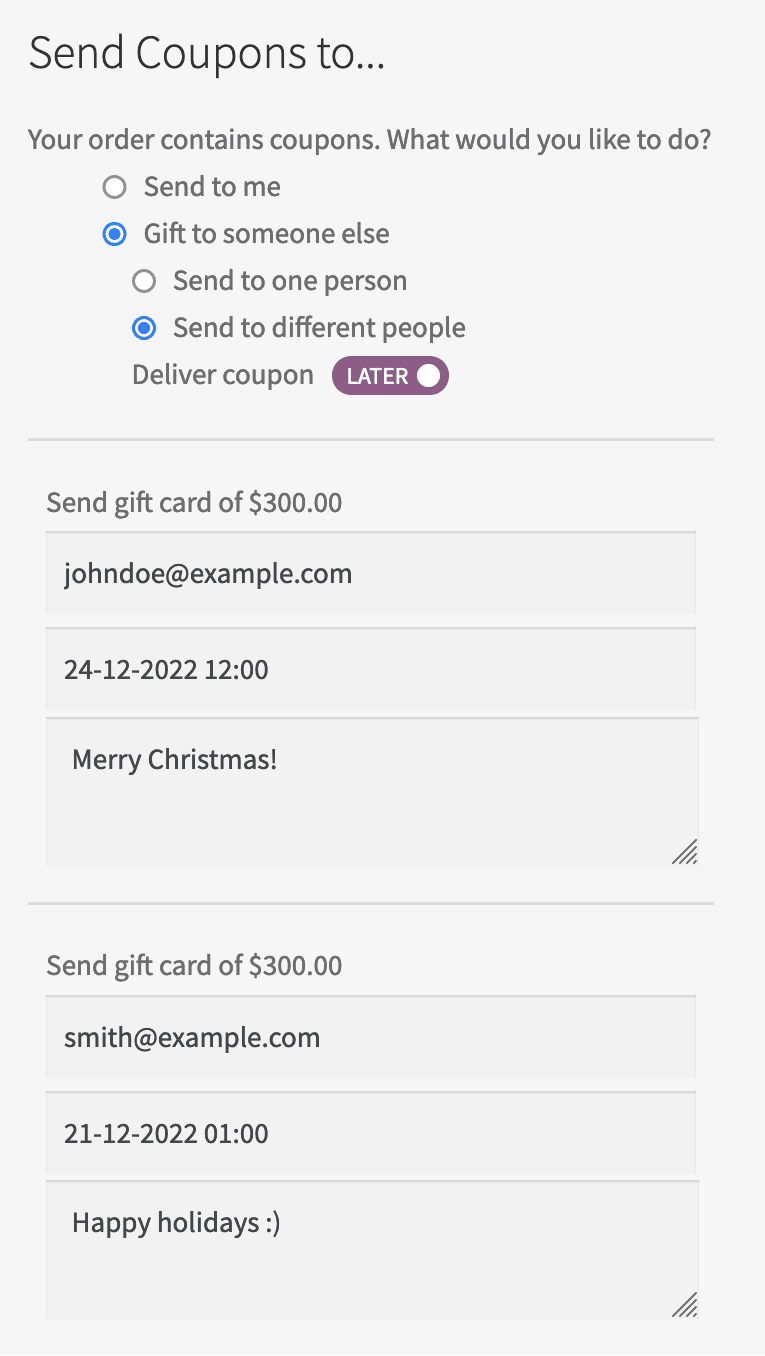
Then they’ll see the key feature: Deliver coupon toggle.
They can choose:
- NOW (instant delivery)
- LATER (scheduled delivery)
If they choose LATER, they can select:
- delivery date
- delivery time
They can also add:
- recipient email(s)
- a personalized message
Once checkout is complete, the scheduled delivery is locked in.
What happens after the coupon is scheduled?
This is where store owners usually pause and think:
“Okay… but will this actually send correctly later?”
Yes.
Here’s what happens behind the scenes:
- Customer places the order normally.
- Smart Coupons stores recipient email(s) + scheduled delivery time.
- At the chosen date and time, Smart Coupons automatically sends the coupon/store credit email.
- The recipient receives it exactly when scheduled.
No manual sending. No reminders. No follow-ups.
Just automatic delivery at the right moment.
Real store-owner use cases (where scheduling becomes useful fast)
Scheduling sounds like a “nice feature” until you use it once.
Then you realize it’s basically a workflow upgrade.
Here are the most practical ways store owners use it:
- Birthday and anniversary gift cards
Customers can buy a gift card today but schedule delivery for the actual birthday or anniversary, so it arrives on the right day automatically. - Festival and holiday campaigns
Customers can buy gift cards during festive sales and schedule delivery for the exact festival day (Diwali, Christmas, New Year, etc.). - Loyalty rewards sent after a specific date
Schedule store credits to be delivered after a return window ends, after an order is completed, or after a loyalty milestone. - Corporate gifting to multiple recipients
Customers can send corporate store credits to multiple email addresses and schedule delivery for the same date and time.
Turn gift cards into real gifts
A gift card isn’t really a “gift” if it lands in someone’s inbox at the wrong time.
Scheduled coupon delivery fixes that.
It helps you stop sending store credits manually, prevents awkward early deliveries, and makes your WooCommerce coupons feel like a proper, planned experience (especially for birthdays, festivals and different events).
If you sell gift cards or store credit in WooCommerce, this is one of those small features that makes your store look instantly more professional.
FAQs
Can customers choose the delivery date and time at checkout?
Yes. They can select NOW or LATER and schedule the exact delivery date and time.
What happens if the customer enters the wrong email address?
The coupon will be delivered to the entered email, so it’s best to confirm recipient details during checkout.
Will scheduled coupons still send if the order is on hold?
Usually, scheduled delivery works after the order is successfully placed. For safety, keep the order status confirmed before delivery.
Does WooCommerce support scheduled coupon delivery by default?
No. WooCommerce can create coupons, but scheduling delivery requires a plugin like Smart Coupons.