
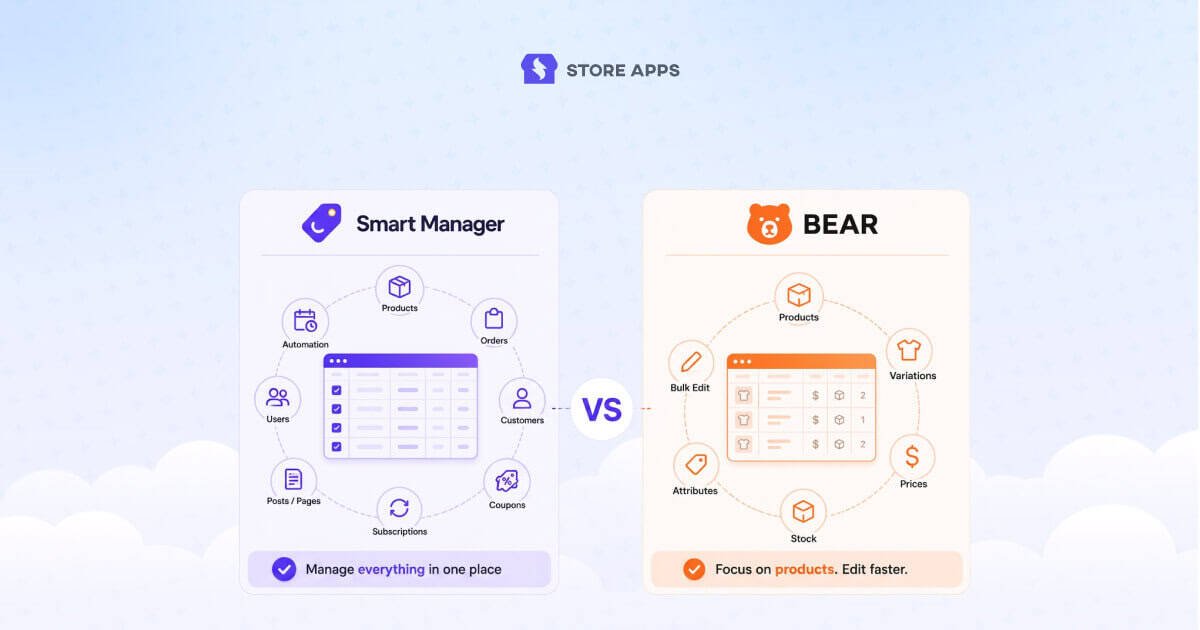
Smart Manager and BEAR are two popular WooCommerce bulk editing plugins, but they’re designed for different workflows. While both make it easier to manage products in bulk, they differ in the types of data they support, automation features, and overall scope.
In this comparison, we’ll look at their features, pricing, ease of use, supported data types, and ideal use cases to help you decide which plugin best fits your WooCommerce store.
Smart Manager vs BEAR: feature comparison
Both plugins handle WooCommerce bulk editing, but their focus is different.
BEAR is built mainly for product and variation management, while Smart Manager helps manage products plus other store data like orders, customers, coupons, and subscriptions.
Here’s how they compare:
| Feature | Smart Manager | BEAR |
|---|---|---|
| Product bulk editing | ✅ Yes | ✅ Yes |
| Variation management | ✅ Yes | ✅ Yes |
| Bulk stock updates | ✅ Yes | ✅ Yes |
| Bulk price updates | ✅ Yes | ✅ Yes |
| Product duplication | ✅ Yes | ✅ Yes |
| Bulk product deletion | ✅ Yes | ✅ Yes |
| Custom fields support | ✅ Yes | ✅ Yes |
| Spreadsheet interface | ✅ Yes | ✅ Yes |
| Orders management | ✅ Yes | ❌ No |
| Coupons management | ✅ Yes | ❌ No |
| Customer management | ✅ Yes | ❌ No |
| User management | ✅ Yes | ❌ No |
| Subscription management | ✅ Yes | ❌ No |
| Blog posts management | ✅ Yes | ❌ No |
| Pages management | ✅ Yes | ❌ No |
| Custom post types | ✅ Yes | ❌ No (requires WPBE plugin) |
| Scheduled bulk edits | ✅ Yes | ❌ No |
| Saved bulk edit actions | ✅ Yes | ❌ No |
| Saved searches | ✅ Yes | ⚠️ Filter profiles only |
| Scheduled exports | ✅ Yes | ❌ No |
| Export orders | ✅ Yes | ❌ No |
| Export customers | ✅ Yes | ❌ No |
| Undo edits | ✅ Yes | ✅ Yes |
| Column profiles | ✅ Yes | ✅ Yes |
| Product filter profiles | ⚠️ Saved searches | ✅ Yes |
The biggest difference between Smart Manager and BEAR
At first glance, Smart Manager and BEAR look similar because both offer spreadsheet-style bulk editing for WooCommerce. The biggest difference becomes clear when you look beyond products.
BEAR is designed primarily for managing WooCommerce products, variations, inventory, pricing, and product metadata.
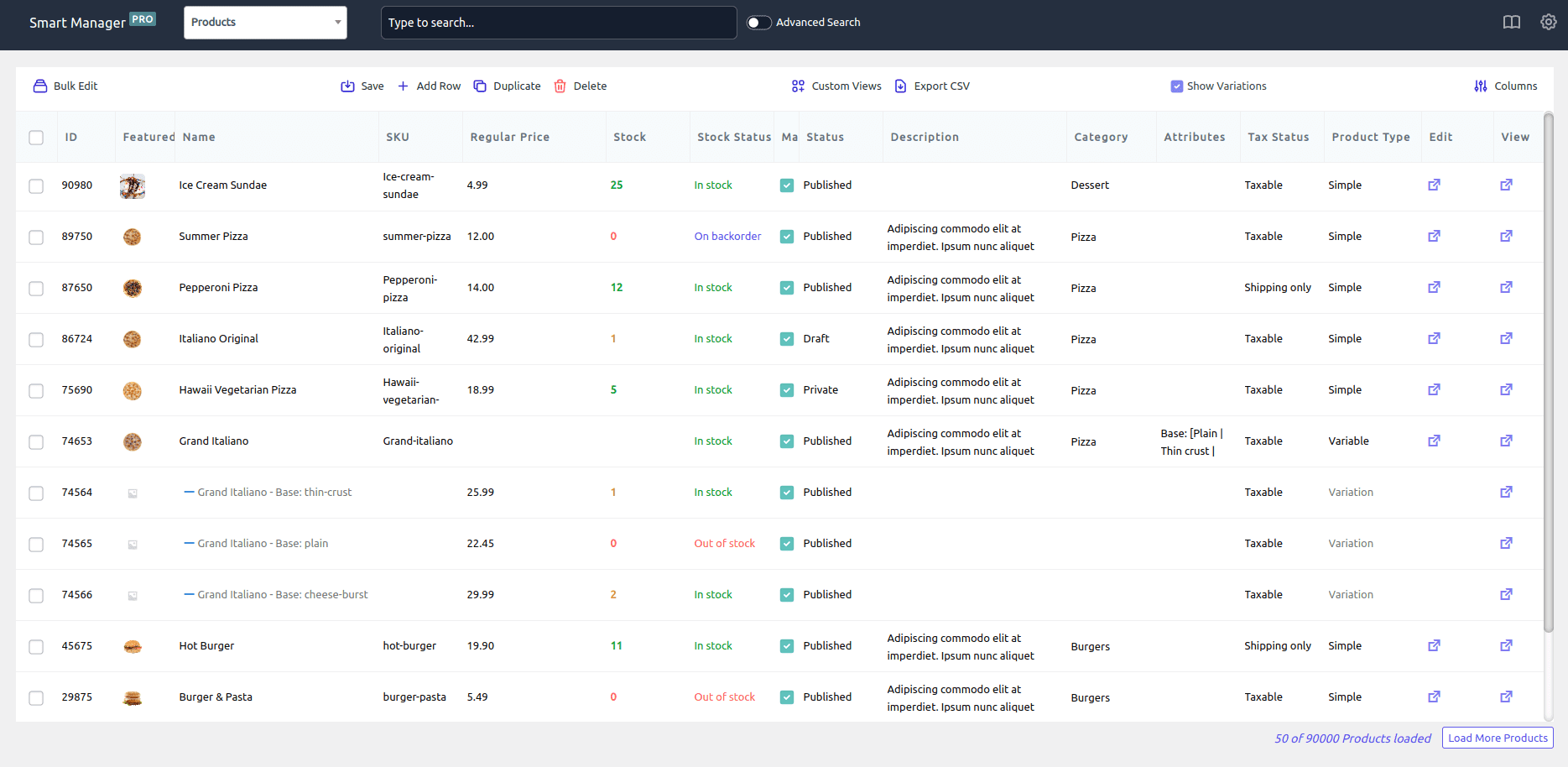
Smart Manager takes the same spreadsheet approach for product but also extends it to orders, customers, coupons, subscriptions, blog posts, pages, and many other WordPress data types.
If your work is centered on products, BEAR is a capable choice. If you want to manage and bulk edit products alongside orders, customers, subscriptions, coupons, and other WordPress data, Smart Manager offers a much broader workspace.
Where Smart Manager stands out
Manage your entire WooCommerce store
Most WooCommerce stores don’t only manage products, they also manage orders, customers, coupons, subscriptions, blog posts, pages, memberships, bookings, and affiliates. Smart Manager brings all of these into the same spreadsheet-style interface, so you don’t have to learn a different workflow for every data type.
What BEAR does instead: BEAR stays focused on product management and product-related workflows.
It puts orders, customers, and coupons on one screen
Store owners regularly need to update order statuses, review customer activity, extend coupons, search subscriptions, and edit user information. Smart Manager handles all of this in the same grid used for products.
What BEAR does instead: BEAR’s core strength remains WooCommerce product management rather than operational workflows.
It supports scheduled bulk edits
This is a feature many store owners don’t realize they need until they start running promotions regularly. With Smart Manager, you can schedule price reductions for a holiday sale, restore prices after a promotion ends, or update stock on a future date, without staying up to trigger changes manually.
What BEAR does instead: BEAR provides powerful bulk editing but does not focus on scheduled automation.
It lets you save and reuse bulk edit actions
Many stores repeat the same edits: monthly price reductions, end-of-season discounts, coupon updates, inventory adjustments. Smart Manager lets you save frequently used bulk edit operations and reuse them later, which becomes more valuable as your store grows.
What BEAR does instead: BEAR offers filter profiles and workflow customization, but Smart Manager places more emphasis on repeatable automation.
It supports the broader WooCommerce ecosystem
Smart Manager works with WooCommerce Subscriptions, Memberships, Bookings, Product Add-ons, affiliate plugins, LMS plugins, SEO plugins, and Advanced Custom Fields. Because it works with virtually any post type, it often becomes a central management hub as you add more plugins.
What BEAR does instead: BEAR focuses primarily on WooCommerce products, attributes, taxonomies, metadata, and variations.
It supports scheduled and automated exports
Smart Manager supports exports across products, orders, coupons, customers, and posts, and you can automate those exports for recurring reporting. That’s useful if you work with accountants, suppliers, or fulfillment teams who need regular data.
What BEAR does instead: BEAR exports product data effectively but stays centered on product management use cases.
It offers a deeper spreadsheet experience
Both plugins use spreadsheet-inspired interfaces, but Smart Manager feels closer to working in Excel or Google Sheets, with inline editing, autofill, copy-paste, multi-column updates, saved views, and custom column sets.
What BEAR does instead: BEAR provides a highly capable product editor with extensive filtering and customization.
Where BEAR stands out
Its entire focus is product management
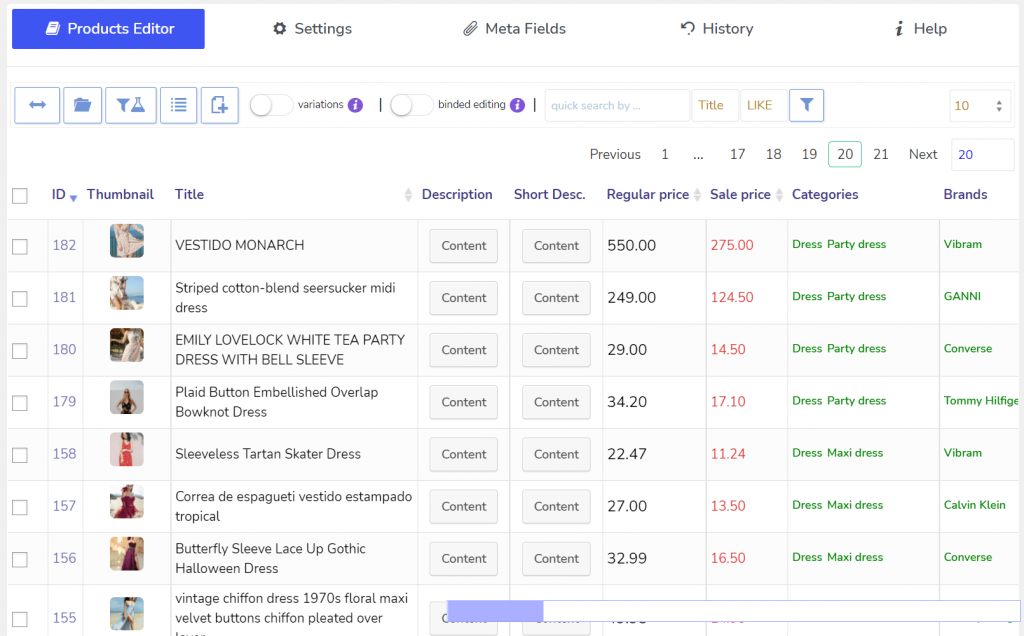
BEAR isn’t trying to manage orders, customers, content, or memberships, it’s focused on products. Everything from filtering to editing to variation management revolves around product data. If products are the center of your workflow, that focus can feel efficient.
What Smart Manager does instead: Smart Manager takes a broader business-management approach.
It offers advanced product filtering
BEAR lets you filter products by categories, attributes, taxonomies, meta fields, tags, and other product properties, making it easy to isolate specific product groups before running bulk operations. For large catalogs, filtering is just as important as editing.
What Smart Manager does instead: Smart Manager includes advanced search and filtering, but BEAR’s product-focused design places filtering at the center of more workflows.
It has strong variation management tools
BEAR includes tools for creating, deleting, and reordering variations, managing variation relationships, and setting default combination, useful for stores selling apparel or other configurable products with large variation catalogs.
What Smart Manager does instead: Smart Manager supports variation editing but focuses on broader data management across multiple entity types.
It offers product filter and layout profiles
BEAR allows reusable profiles for filters, columns, and product views — for example, separate profiles for inventory reviews, sale management, or product audit, which reduces setup time for recurring tasks.
What Smart Manager does instead: Smart Manager offers saved searches, custom views, and column sets across multiple dashboards.
lower upfront cost
BEAR has a lower upfront purchase cost than Smart Manager. If your only requirement is product bulk editing and you don’t need broader WooCommerce management, BEAR can be the lower-cost entry point.
What Smart Manager does instead: Smart Manager positions itself as a productivity platform that replaces multiple management plugins and workflows.
Which plugin gives faster ROI?
Smart Manager delivers the better ROI when multiple business functions need management. If your team regularly works across products, orders, customers, coupons, subscriptions, and content, the time savings compound — editing, searching, exporting, duplicating, and automating from a single interface eliminates hours of repetitive work each week. The broader your WooCommerce operation, the more value Smart Manager tends to create.
BEAR delivers ROI through product management efficiency. For stores with large catalogs, variation-heavy inventories, and frequent pricing or stock updates, BEAR can dramatically cut manual editing time. The more product-centric your operations are, the stronger BEAR’s value proposition.
Which plugin should you choose?
Choose Smart Manager if:
- You manage more than just WooCommerce products
- You regularly work with orders, customers, and coupons
- You use WooCommerce Subscriptions, Memberships, Bookings, or LMS plugins
- You want a spreadsheet-style interface across your entire store
- You need scheduled bulk edits
- You want to save and reuse bulk editing workflows
- You need import/export beyond products
- You want to manage WordPress posts and pages alongside WooCommerce data
- You want one tool instead of several admin plugins
- You value long-term productivity over upfront cost savings
Choose BEAR if:
- Most of your work revolves around WooCommerce products
- You primarily need product bulk editing
- You manage large catalogs with many product variations
- Advanced product filtering is central to your workflow
- You want a dedicated product management environment
- You frequently update prices, stock, categories, and attributes
- You prefer a specialized tool over an all-in-one platform
- You don’t need to bulk manage orders, customers, or content
- Budget is a significant factor
- Product administration is your primary operational challenge
Final verdict
Smart Manager and BEAR are both excellent WooCommerce bulk editing plugins, but they’re built with different priorities.
If your work rarely extends beyond products and variations, BEAR provides a focused editing experience that’s easy to adopt.
However, if you’re managing a growing WooCommerce store where products are only one part of the job, Smart Manager is the best BEAR alternative and is likely to deliver more long-term value. Instead of adding separate tools as your business grows, it brings everyday store management into a single spreadsheet-style workspace.
The better choice ultimately depends on whether you need a product bulk editor or a store management platform.
FAQ
Is BEAR a good Smart Manager alternative?
BEAR is a good alternative if your workflow is limited to managing WooCommerce products, variations, inventory, and pricing. However, if you also need to manage orders, customers, coupons, subscriptions, or other WordPress data from the same interface, Smart Manager offers a broader set of capabilities.
Is Smart Manager better than BEAR?
Neither plugin is universally better. BEAR specializes in WooCommerce product management and bulk editing. Smart Manager provides product editing plus management of orders, customers, coupons, subscriptions, posts, pages, and other WordPress data types.
Which plugin is better for managing large WooCommerce stores?
For growing WooCommerce stores that manage products alongside orders, customers, and subscriptions, Smart Manager is generally the better choice because it centralizes multiple management tasks in one interface. BEAR is better suited to product-focused workflows.
Can BEAR manage WooCommerce orders or customers?
No. BEAR is designed primarily for WooCommerce product management. To bulk manage orders, customers, coupons, subscriptions, or other WordPress data, you’ll need a tool like Smart Manager.
Which plugin is better for bulk editing WooCommerce products?
Both plugins handle core product bulk editing tasks such as updating prices, stock, categories, attributes, and variations. The main difference is that Smart Manager also supports many other WooCommerce and WordPress data types.
Which plugin offers better automation?
Smart Manager, through scheduled bulk edits, saved bulk edit actions, reusable searches, and automated exports.