

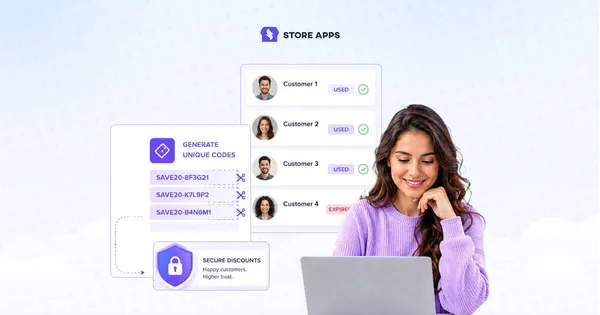
Single use coupons sound simple until you actually run coupon campaigns on a WooCommerce store.
You launch a “private” discount for subscribers or loyal customers. Then somebody shares the code publicly, customers start reusing it with different emails, and suddenly your limited campaign is quietly turning into an unlimited one.
Most WooCommerce stores hit this problem eventually.
The good news is you don’t need some complicated loyalty system to fix it. WooCommerce already supports basic one-use coupon restrictions, and with Smart Coupons, you can go much further with unique coupon codes, email-restricted coupons and auto-apply URL coupons.
In this guide, I’ll show you the practical ways store owners actually create secure single use coupons in WooCommerce and when each setup makes sense.
How to create secure single use coupons in WooCommerce?
Single use coupons in WooCommerce can work in different ways depending on your campaign.
You can limit coupons to one use per customer, restrict them to specific emails, generate unique coupon codes, or auto-apply them through private URLs.
Let’s look at how each setup works and when you should use it.
1. Limit coupon usage to one use per customer
This is the simplest version of a single use coupon.
You create one coupon code, but each customer can use it only once. For example, let’s say you create: WELCOME10.
Now you don’t want the same customer to use this coupon code more than once.
Here’s how to prevent this:
-
Go to
WooCommerce → Marketing → Coupons → Add coupon -
Enter your coupon code
-
Select the discount type
-
Add the coupon amount
-
Open the
Usage limitstab -
Set
Usage limit per userto 1 -
Optionally enable
Individual use only -
Publish the coupon
Done. Now each customer can now redeem the coupon only once.
The catch
This setup works fine for most stores. Until customers get creative.
Some shoppers will:
- use multiple email addresses
- check out as guests
- create another account
You’re not running airport security here. WooCommerce can only verify what it knows.
If coupon abuse starts becoming expensive, unique coupons are usually the next step.
2. Restrict coupons to specific email addresses
Sometimes you don’t want a coupon available to everyone. You want it to work only for selected customers.
Maybe:
- you’re compensating an unhappy customer
- rewarding VIP buyers
- sending a retention discount
- giving employees a private offer
This is where email restrictions help.
Let’s say you create: VIP20. But you only want john@example.com to use it.
Even if somebody shares the code publicly, WooCommerce will block everyone else whose billing email doesn’t match.
Here’s how to set this up:
- Go to
WooCommerce → Marketing → Coupons → Add coupon - Create your coupon
- Select the discount type
- Add the coupon amount
- Open the
Usage restrictiontab - Find the
Allowed emailsfield - Enter one or multiple email addresses
- Publish the coupon
Done. Now only approved email addresses can redeem the coupon.
3. Generate unique single use coupon codes in bulk
This is the more secure version of single-use coupons.
Instead of sharing one public coupon code with everyone, you generate a completely unique coupon code for each customer.
For example, instead of: SUMMER20. Customers receive codes like: SAVE-82JKQ VIP-7PLMX DISC-91AZT
Each coupon code:
- works only once
- belongs to one customer
- expires independently
- becomes invalid after redemption
This setup is extremely useful for:
- influencer campaigns
- affiliate promotions
- cashback campaigns
- abandoned cart emails
- festive campaigns
Because once a public coupon code leaks, it spreads fast. And coupon sites somehow find your discounts faster than actual customers.
Here’s how to bulk generate unique coupons using Smart Coupons:
- Go to
WordPress Admin → Marketing → Coupons → Bulk Generate - Enter how many coupons you want to generate
- Choose whether to:
- add coupons to store
- export coupons to CSV
- email coupons to recipients
- Select the discount type
- Set the coupon amount
- Configure expiry date and restrictions
- Set “Usage limit per coupon” to 1
- Set “Usage limit per user” to 1
- Click Apply
Smart Coupons will instantly generate all unique coupon codes for you.
For more details, refer to this blog on bulk generate coupon codes.
4. Create auto-apply URL coupons
Sometimes you want coupons to feel private. Not something customers have to manually copy, paste and potentially share everywhere.
That’s where URL coupons work really well.
Instead of displaying a public coupon code like: SUMMER15. You create a private coupon link that automatically applies the discount when customers click it.
And when combined with single-use restrictions, the coupon can only be redeemed once.
For example, a customer receives a private discount link via email, clicks the link and the coupon gets applied automatically. After redemption, the coupon becomes invalid.
This setup works especially well for:
- abandoned cart emails
- customer win-back campaigns
- VIP offers
- influencer campaigns
- private promotions
Here’s how to create one-time URL coupons using Smart Coupons:
- Go to
WooCommerce → Marketing → Coupons → Add coupon - Create your coupon
- Select the
discount type - Add the
coupon amount - Configure expiry dates and restrictions
- Set
Usage limit per couponto 1 - Enable the
Auto apply?option - Publish the coupon
Next under “Coupon shareable link”, click “Copy”
Share the coupon URL through:
- email campaigns
- SMS campaigns
- customer support emails
- private promotions
Done. Once customers click the link and redeem the coupon, it becomes invalid automatically.
Which setup should you actually use?
| If you want to… | Best setup |
|---|---|
| Give a basic welcome discount | WooCommerce usage limit per user |
| Send a private coupon to one customer | Email-restricted coupon |
| Stop public coupon sharing during campaigns | Unique bulk-generated coupons with Smart Coupons |
| Run influencer or affiliate promotions safely | Unique one-time coupons with Smart Coupons |
| Recover abandoned carts with private offers | URL coupons with Smart Coupons |
| Create true first-order-only discounts | Smart Coupons + number of orders restriction |
| Prevent coupon stacking during sales | Smart Coupons coupon restrictions |
| Run high-value seasonal campaigns securely | Unique coupons + expiry limits + restrictions using Smart Coupons |
For smaller stores, WooCommerce’s default restrictions are often enough.
But once coupon campaigns start growing, most stores eventually move toward unique coupons and advanced restrictions because public coupon codes become difficult to control very quickly.
Smart Coupons restrictions that help secure single use coupons
Smart Coupons also lets you add extra restrictions to make one-time coupons much harder to misuse.
Some especially useful ones are:
- Allowed locations to keep coupons limited to specific countries or regions
- Payment method restrictions to prevent misuse through Cash on Delivery orders
- Allowed user roles for VIP, wholesale or subscriber-only coupon campaigns
- Number of orders made to create true first-order-only coupons
- Coupons can’t be used with other coupons to prevent discount stacking
- Excluded emails to block repeat abusers or temporary email addresses
- Expiry time restrictions to automatically invalidate coupons after a short period
One last thing
The right single use coupon setup depends on what you’re trying to protect.
For some stores, a simple one-use-per-customer coupon works perfectly fine. Others need unique coupon codes, private URL coupons or tighter restrictions to keep campaigns under control.
The good part is you can build all of these directly inside WooCommerce with the right setup.
FAQs
Can I stop customers from combining multiple coupons together?
Yes. You can restrict coupons from being used together to prevent discount stacking.
Do expiry dates actually help reduce coupon abuse?
Absolutely. Short expiry windows reduce the chances of coupon codes being shared publicly over time
Can WooCommerce generate unique coupon codes automatically?
WooCommerce supports manual coupon creation, but for bulk unique coupon generation, you’ll need a plugin like Smart Coupons.
Can customers reuse one-time coupons using guest checkout?
Sometimes, yes. Customers may bypass basic restrictions using different email addresses. To reduce this, use login-only coupons, email restrictions, unique coupon codes and shorter expiry dates.